

MyFitnessPal acquired Cal AI in late 2025, and the deal was announced in early March. We don’t know the exact figure because neither side confirmed it, but speculation suggests the deal was worth north of $100 million.
With such an incredibly high valuation, we couldn’t help but wonder: is Cal AI worth it, and what makes it so special? Read our complete review to find out.
Key Takeaways
- Cal AI stands out for its unique design and for removing friction, making food logging a breeze. Take a photo, scan a label, adjust manually, and go about your day.
- While photo logging is quick, it’s not always reliable. Users still need to review and adjust entries, especially if they care about hitting exact calorie or macro targets.
- Because of the MyFitnessPal acquisition, Cal AI users now have access to a huge, established food database that addresses one of the biggest gaps in AI logging apps.
- Features like streaks, badges, and progress visuals aren’t new, but they’re effective at keeping users engaged.
- While great in some ways, nutritional goal adjustment needs improvement. For example, when a user updates their calorie goal, their macronutrient goals should update accordingly, but they don’t.
Overall Rating: 4.7/5
Overview
Features
Best For
Medical Disclaimer: The content of this article is provided for educational insights only. It should not be used as medical guidance. Individuals with a past of disordered eating should refrain from weight loss programs or calorie tracking. For medical advice, consult a certified healthcare professional. If you’re struggling with eating disorders, contact NEDA for assistance.

What is Cal AI?
Cal AI is a calorie-tracking app with photo food logging capabilities. The core idea behind the app was to simplify nutrition logging by letting users snap photos of their meals and have the AI figure it out. This set it apart from many of its competitors, allowing the app to reach 15 million downloads in just two years.
Beyond AI food recognition, Cal AI also allows the user to upload progress photos, see weight changes on neat graphs, monitor daily average calories, and even track expenditure.
But what’s even better is that since being acquired by MyFitnessPal, Cal AI has been integrated with MFP’s nutrition database, which holds millions of foods and meals, including options from over 380 restaurant chains.
How Does Cal AI Work?
Cal AI is similar to other nutritional trackers. First, it asks about your gender, age, height, weight, and activity level to create a profile and understand your needs.
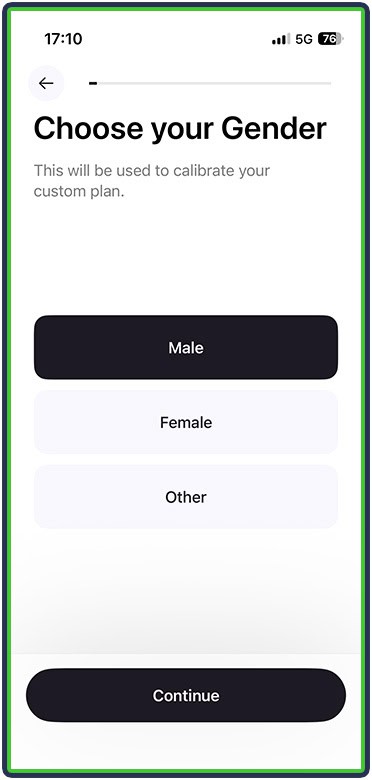
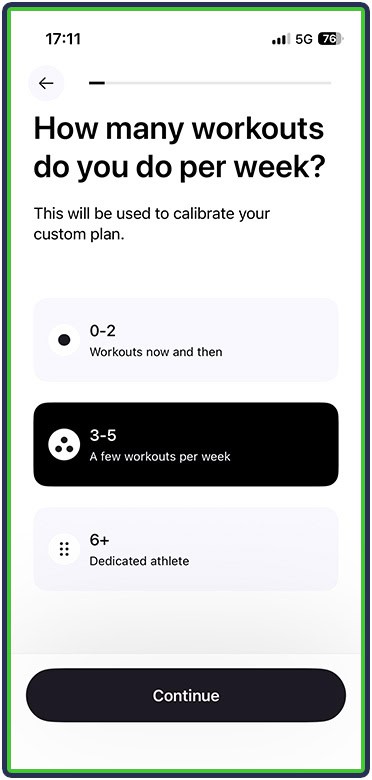
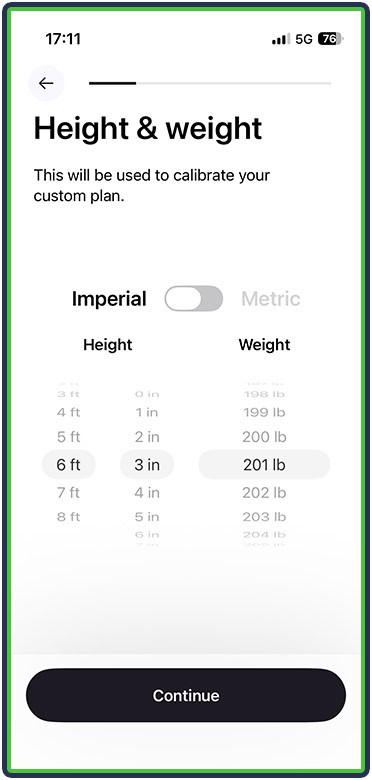
It asks if you currently work with a nutritionist and what your main goal is.
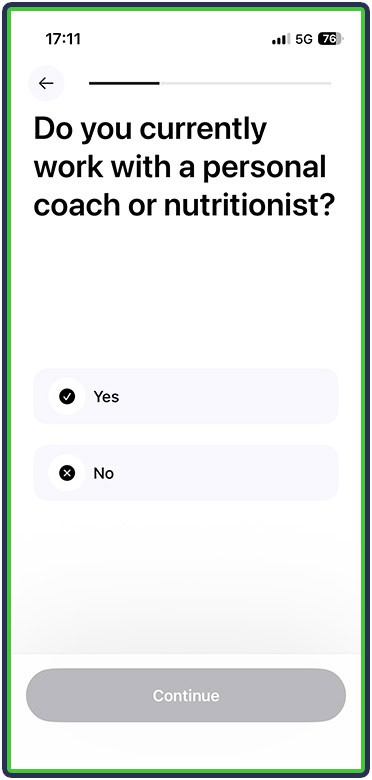
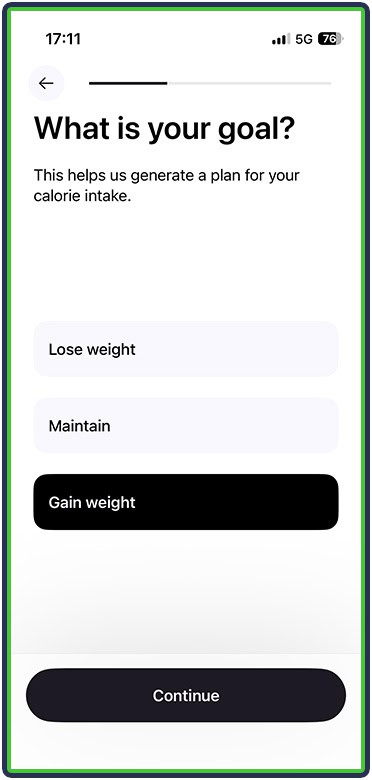
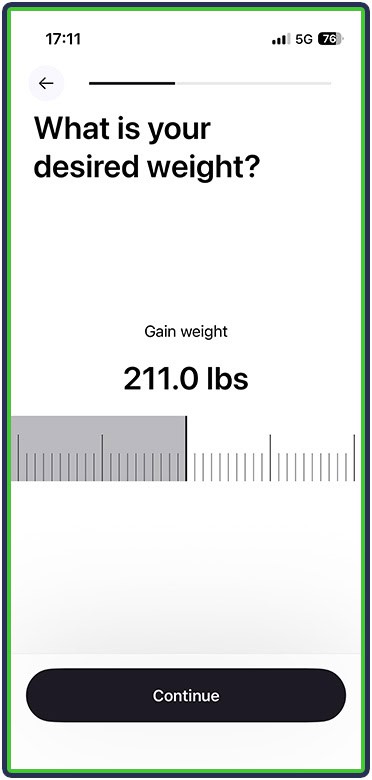
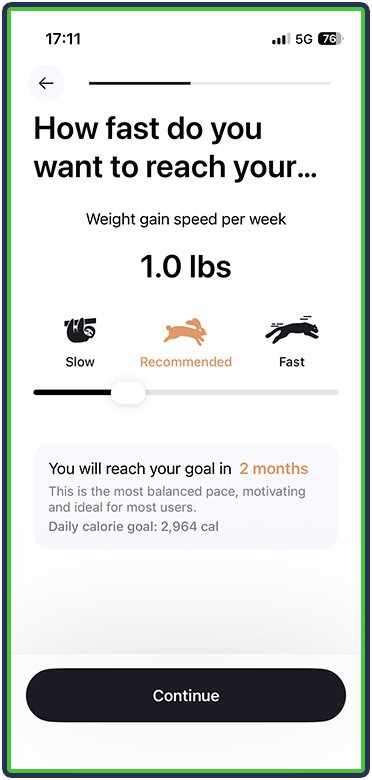
It also asks about your preferred rate of progression, though I found my recommended rate of 1 pound of weight gain per week a bit too aggressive.
Cal AI also asks about your diet style, whether you want calories burned through exercise to be added back to your daily goal, and whether it should roll over any extra calories to the next day.
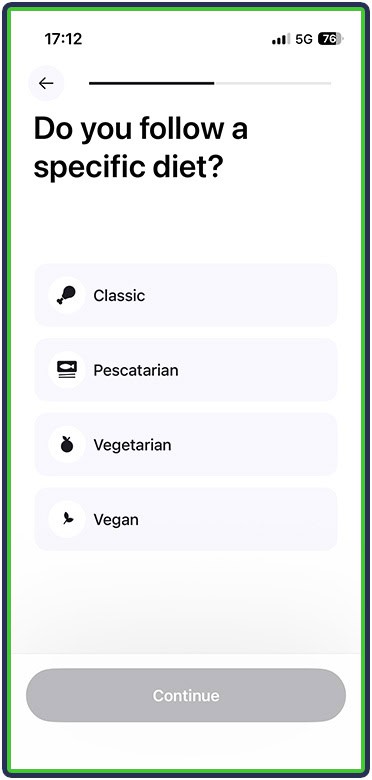
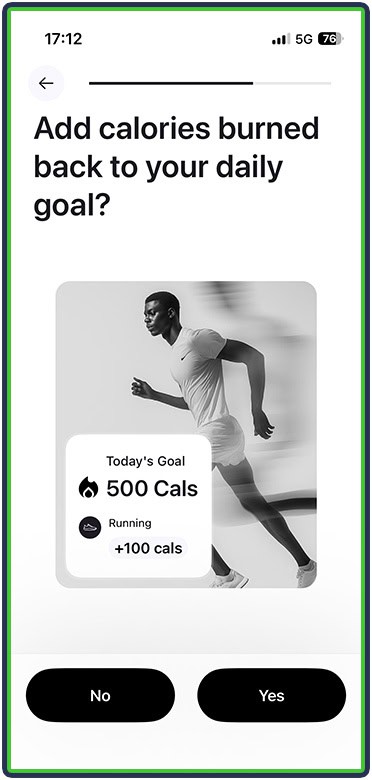
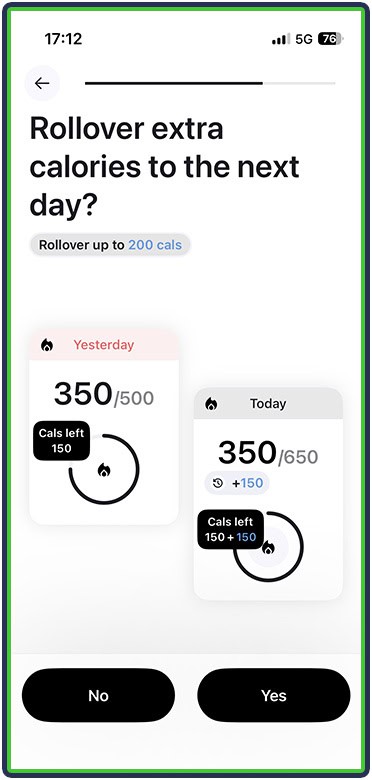
The onboarding is relatively brief but complete enough. I was then presented with my daily nutritional targets and dashboard.
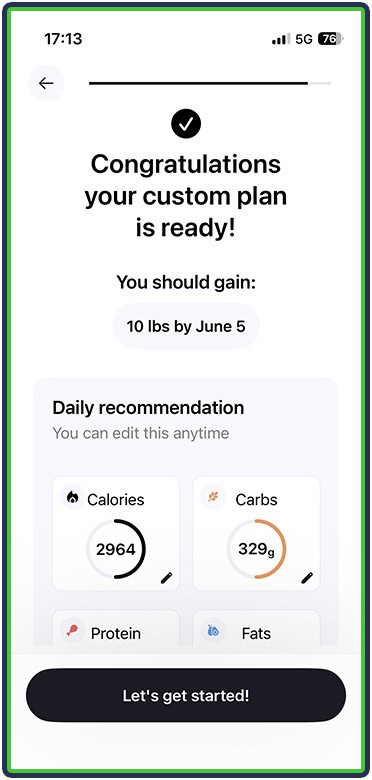
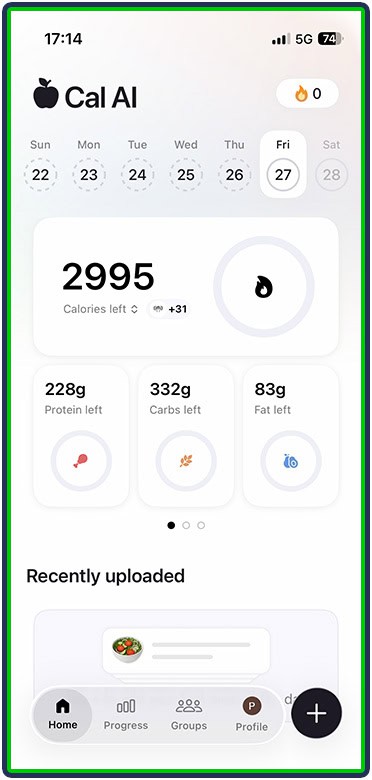
In all honesty, my fat and protein targets felt a bit too high, whereas my carbs were somewhat restricted despite Cal AI recommending almost 3,000 calories. That said, I was able to adjust my calories and macros (Settings > Edit Nutrition Goals).
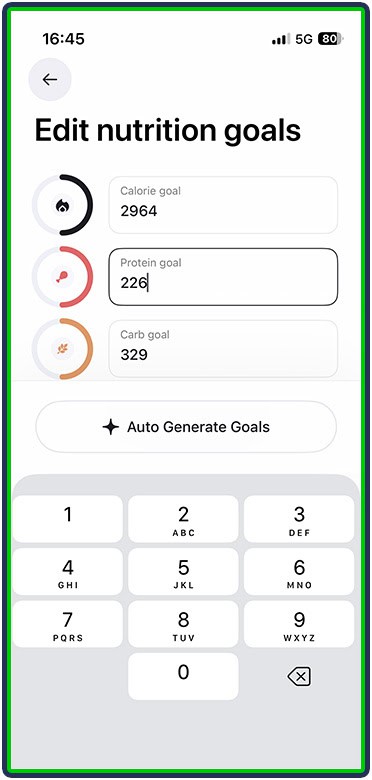
One thing I didn’t like was that adjusting one macro didn’t change the two other macros or at least update my calorie target. I changed my protein from 226 to 175 grams, but my calories stayed at 2,964, and my fats and carbs remained unchanged. Cal AI didn’t recalculate.
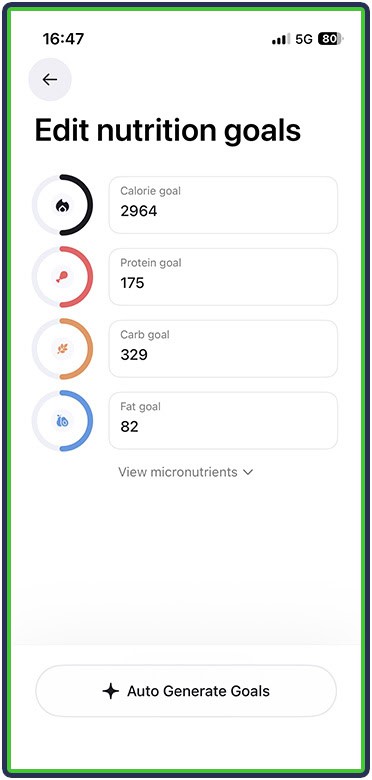
If someone doesn’t pay attention (or isn’t aware), they would end up eating more or fewer calories while technically “hitting” their daily macro targets. This is the same issue I ran across when I reviewed SnapCalorie back in 2023.
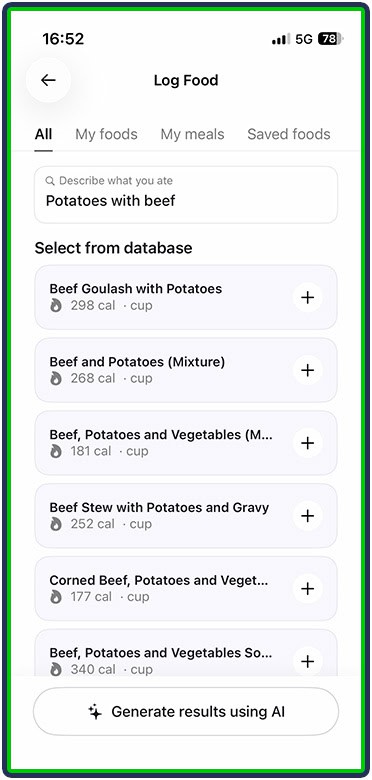
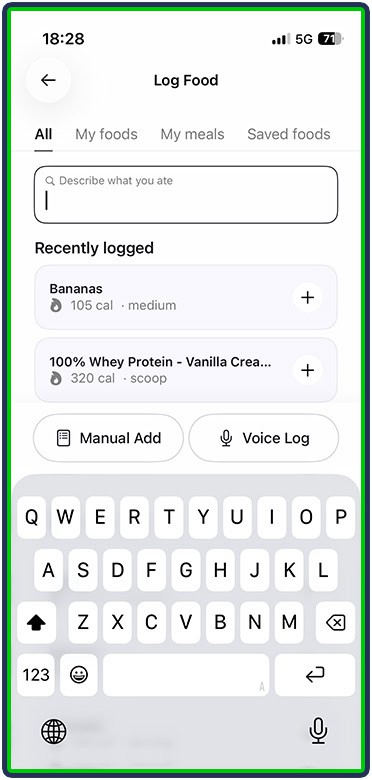
Beyond setting up, I found Cal AI relatively easy to use. I was able to log meals through photos (the process was quick), add custom foods and meals, save foods I ate more frequently, or browse the app’s huge library. One nice touch was the ability to describe what I ate, and the app showed me related foods and meals from its library.
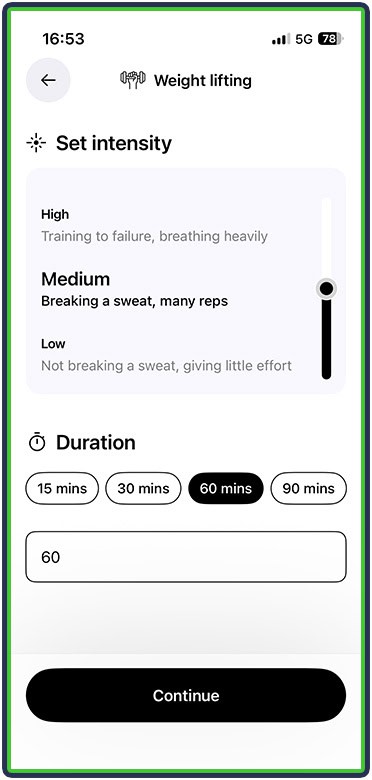
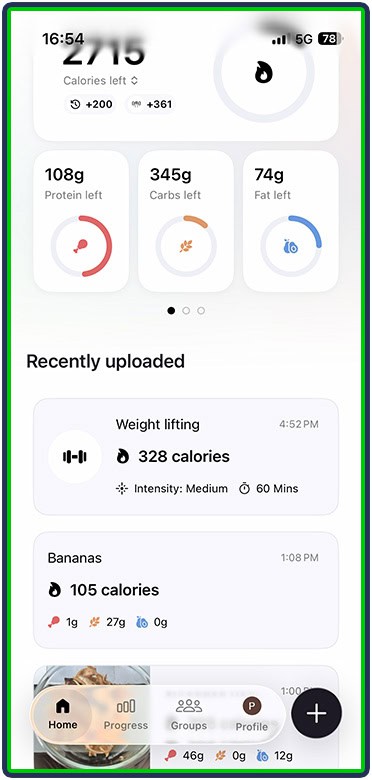
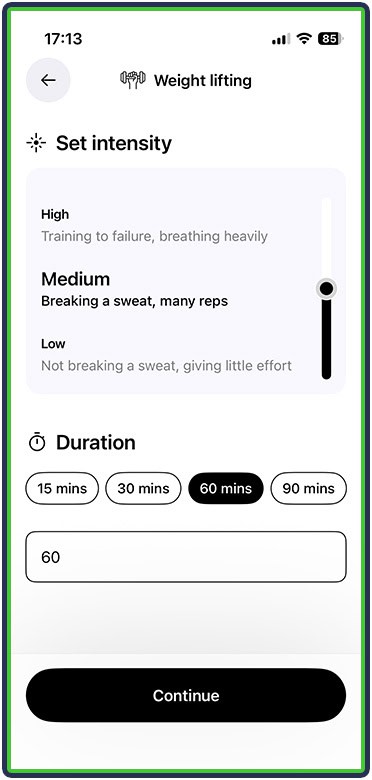
Cal AI also allowed me to log activities – for example, weight lifting sessions – along with an estimated intensity and duration. It estimated my caloric expenditure and added it back to my daily intake (since I went with that option during onboarding).
Let’s now take a look at Cal AI’s unique features and what I particularly liked about it.
What I Liked About Cal AI
1. Effortless Food Logging
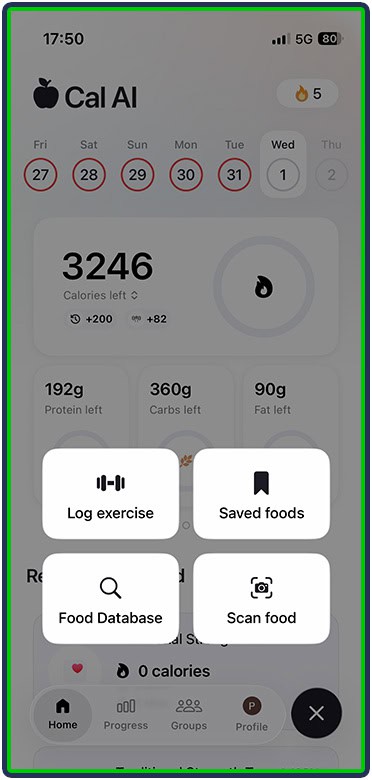
Cal AI’s main feature was simple and enjoyable to use. All I had to do was open the app, tap the + icon on the bottom right, and select Scan Food.
All it took was a quick meal photo, and Cal AI analyzed what I ate and calculated the nutritional value.
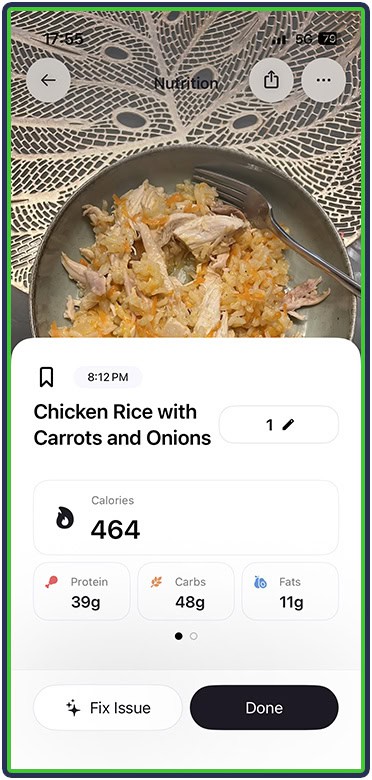
Like other photo-meal-logging apps, Cal AI wasn’t perfect at its estimates (it once even incorrectly assumed I had oatmeal instead of couscous). Still, it was effortless to give it input and steer it in the right direction.
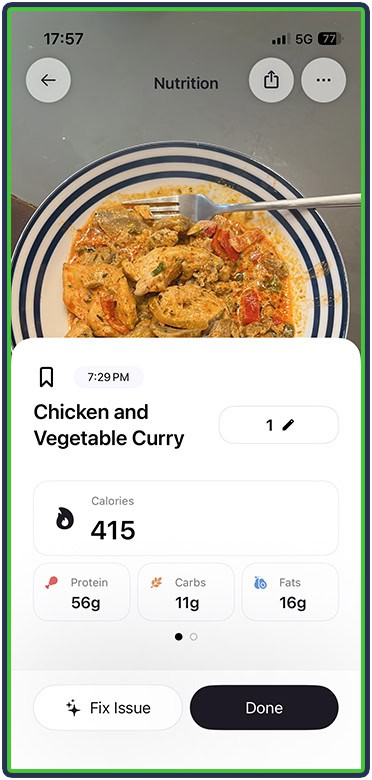
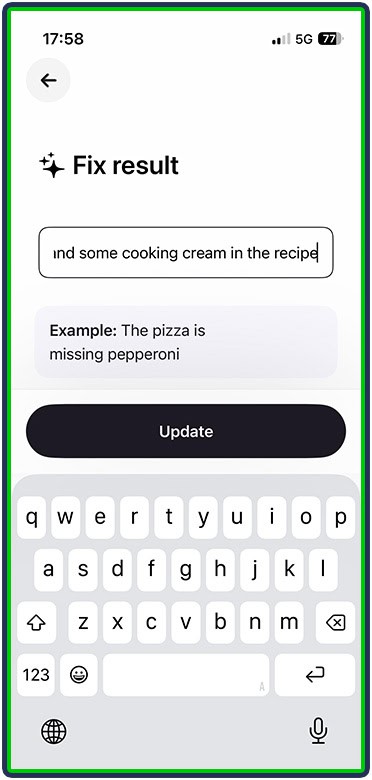
And Cal AI updated the calories and macros accordingly:
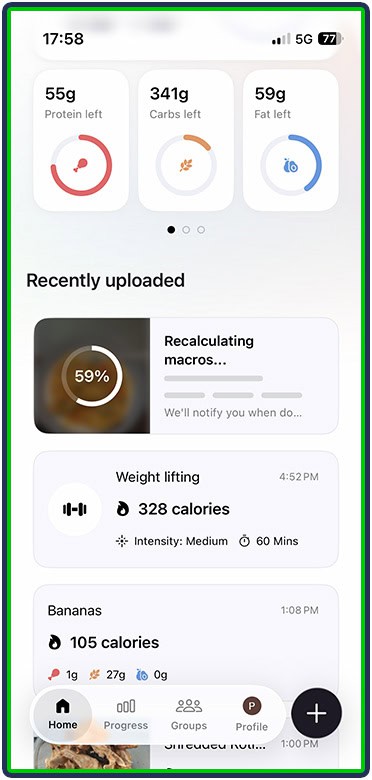
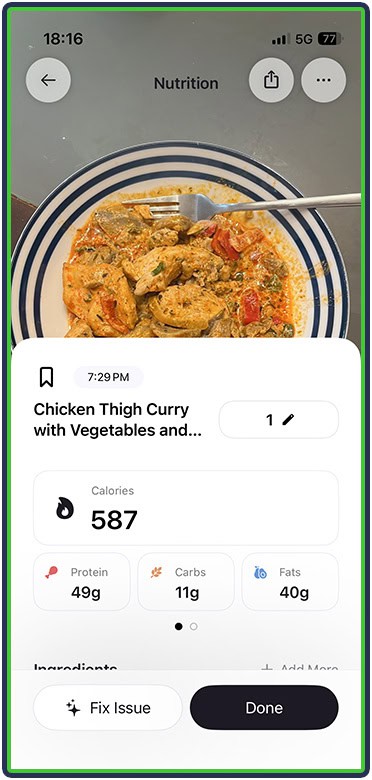
Cal AI also allowed me to save foods for easy logging later. I could tap the icon next to any food I’ve logged in the past, give it a name, and have easy access to it – perfect for me since I often eat the same thing for multiple days.
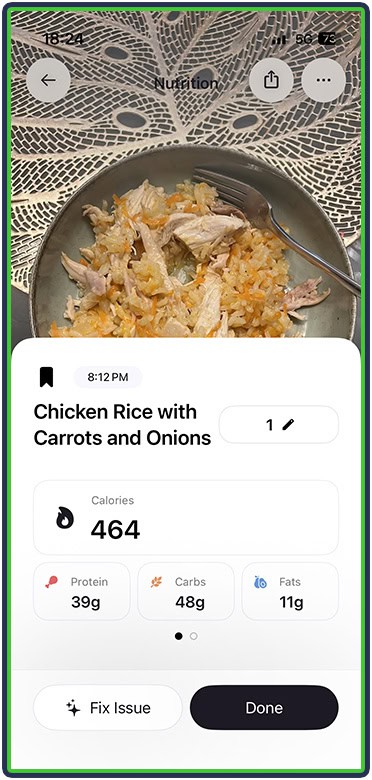
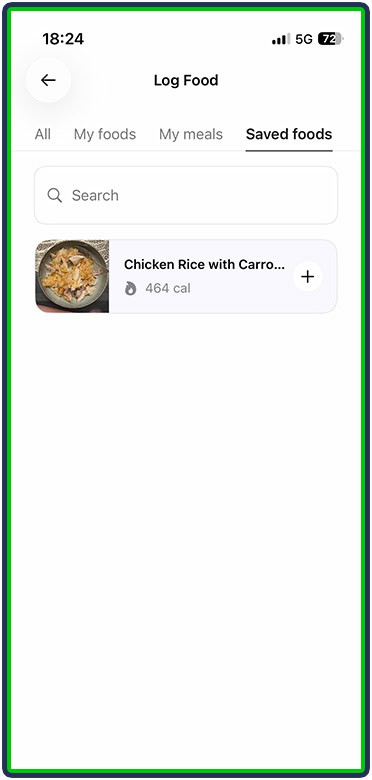
And for old-school logging, I could always go to the food database, find the right item, and log it.
2. Clean and Functional Dashboard
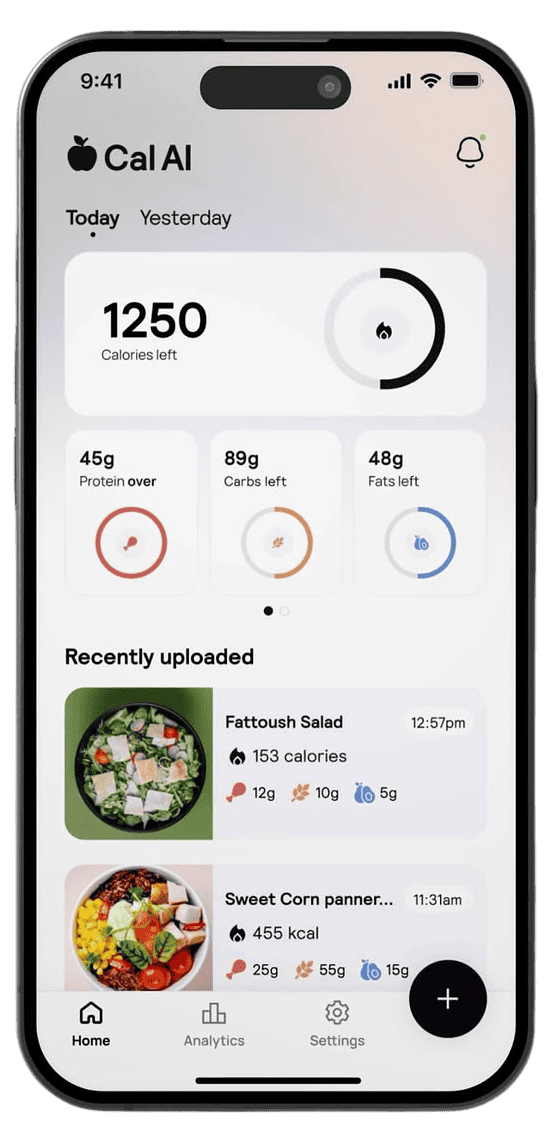
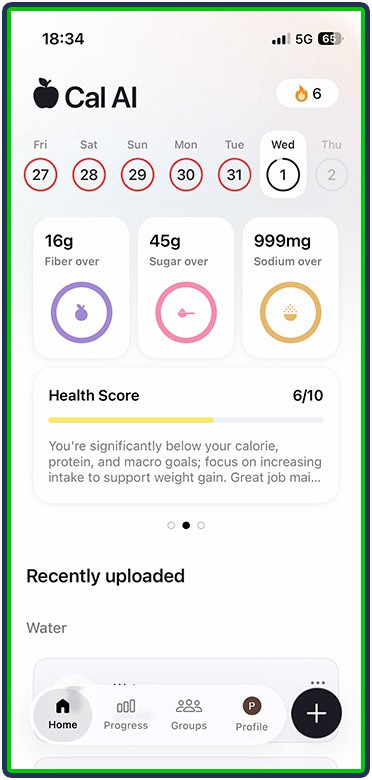
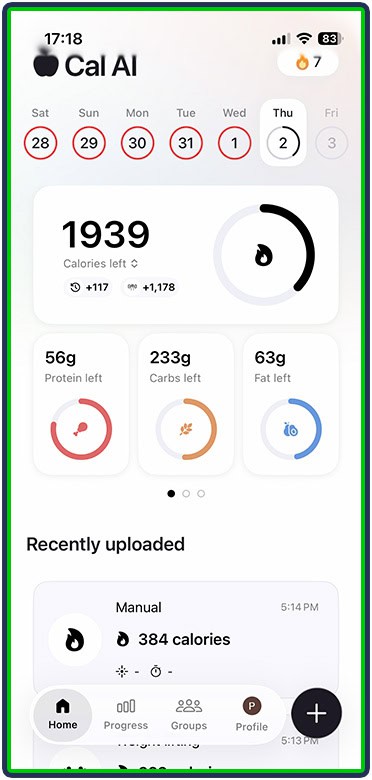
Cal AI’s dashboard is clean, informative, and simple to navigate. It displayed calories and macros at the top, and swiping through them showed additional metrics, along with a 10-point health score for the day.
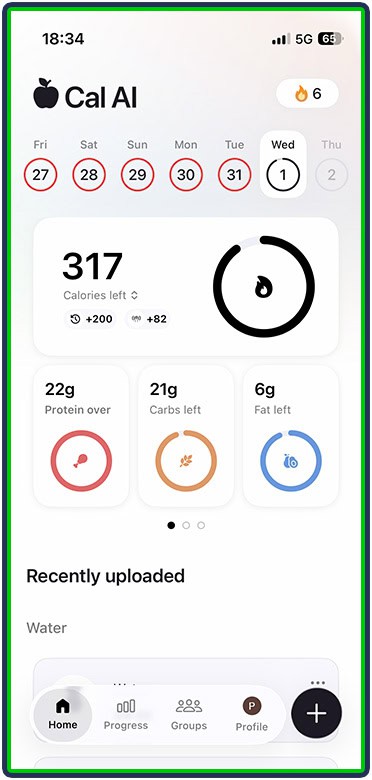
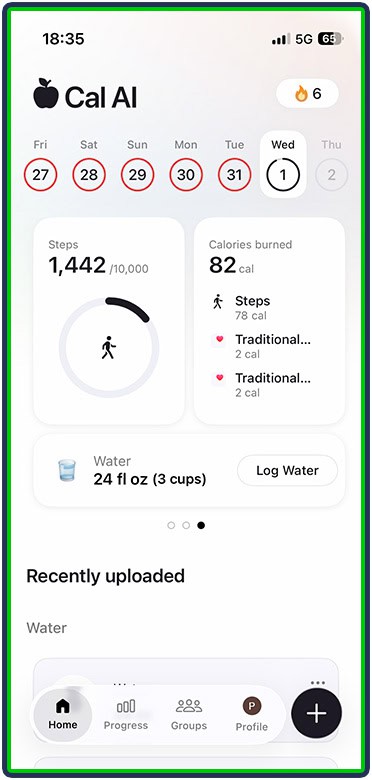
Lastly, swiping once more led me to my daily steps (along with my goal), calories burned, and logged water intake.
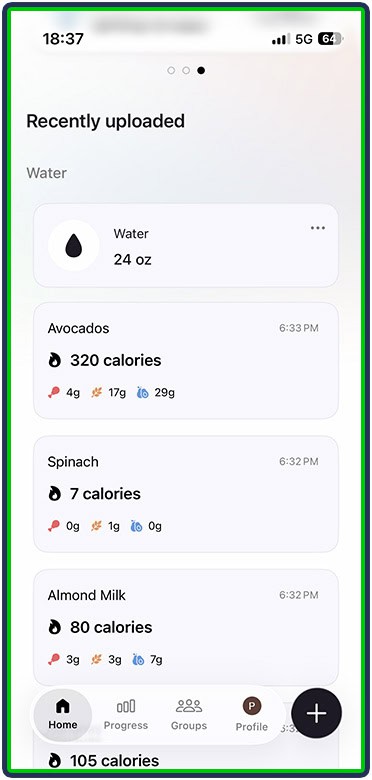
Below the main section, I could see recently logged foods and drinks, as well as exercise activity synced through Apple Health.
3. The Ability to Log Exercise
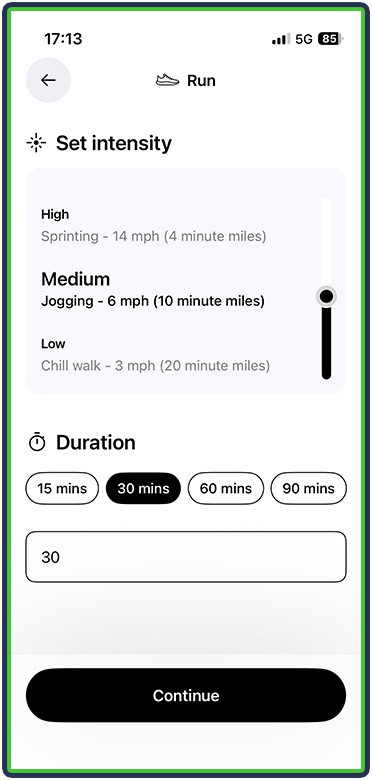
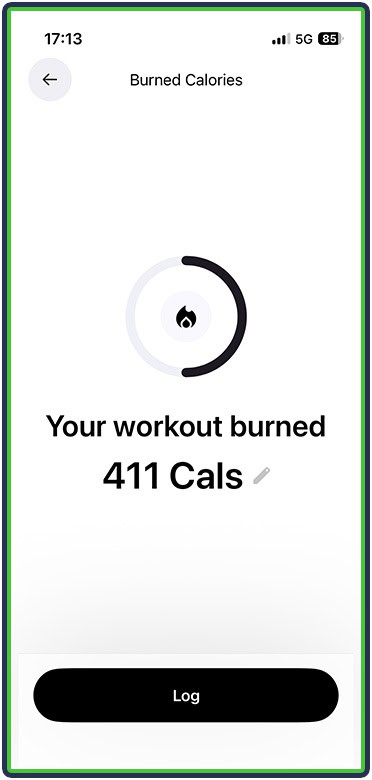
Cal AI’s exercise logging is not super detailed, but it covers the essentials: type of activity, duration, and intensity. Along with the data it already has (such as your physical size and gender), it can calculate the calories you’ve burned.
For instance, I could easily log any run I did, and it would calculate the calories burned:
Same for weight training sessions:
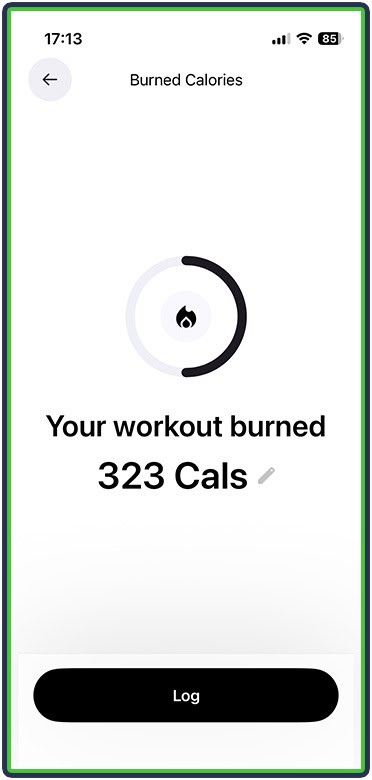
Since I wanted the app to add back calories burned through exercise, it did so. Every exercise logged automatically increased my daily calorie and macro targets.
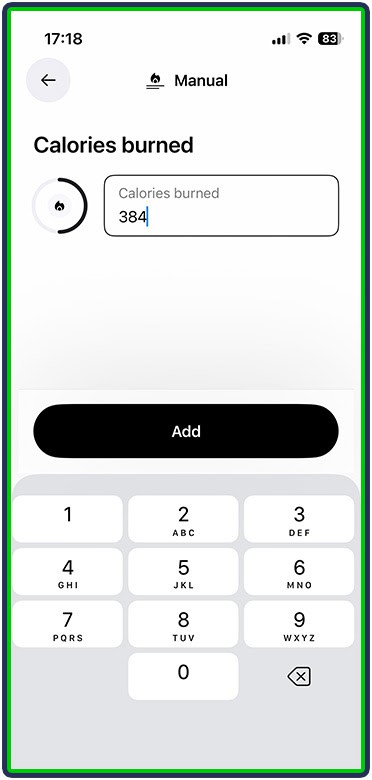
I also liked the manual adding option. If I knew how many calories I had burned (say, by using another device or Apple Health), I could just log them, and Cal AI would add them to my total:
4. The Active Streak & Badges
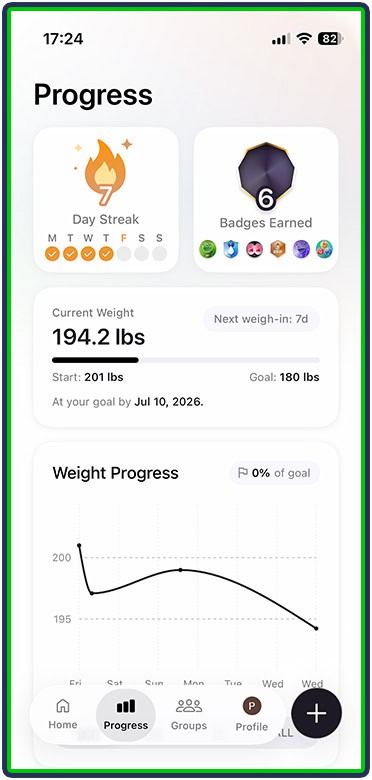
Cal AI rewards consistency through its active streak. Each day you use the app adds to your streak, which can be a nice way to stay motivated and not fall off.
Personally, I didn’t find the active streak such a big deal at first, but by days 7-8, I was more engaged and found myself proactively reaching for the app to log my meals and exercise so I wouldn’t lose it.
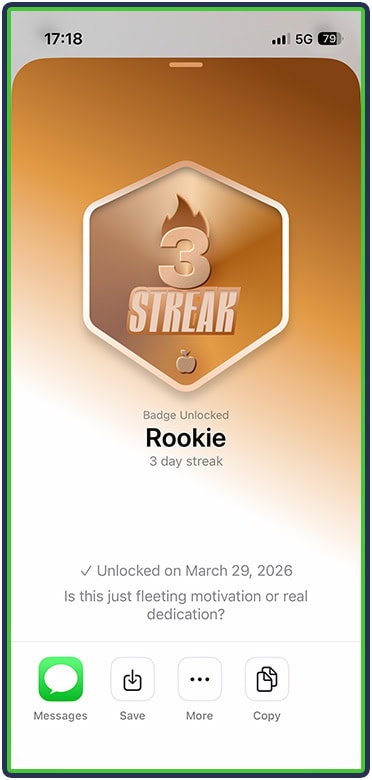
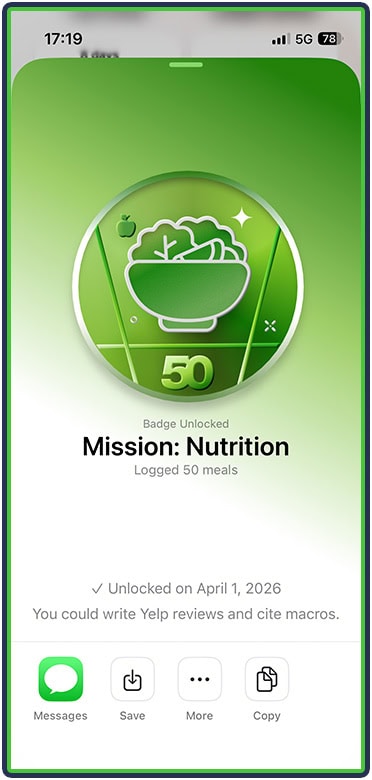
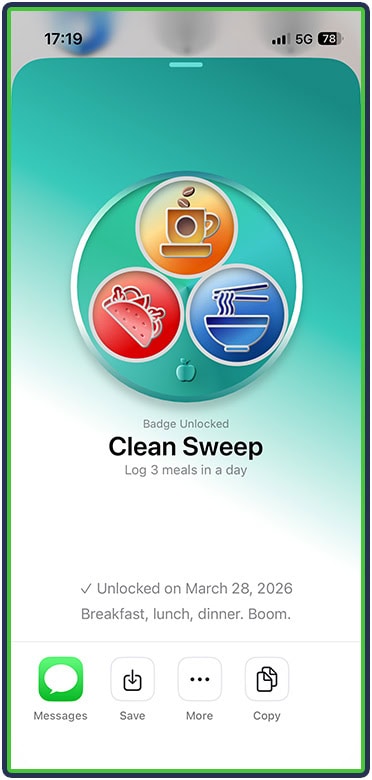
The badges were also a nice touch, adding a gamified element to nutrition logging. Similar to the active streak, this isn’t a make-or-break thing, but it’s nice to collect achievements.
No Days Off (365-day streak), Heavy Exit (lose 50 pounds), and Bullseye (hit calorie goal 30 days straight) are some really nice achievements to work toward. But the app also has some lower-hanging fruit that got me going:
- Rookie – 3-day streak
- Mission: Nutrition – log 50 meals
- Clean Sweep – log 3 meals in one day
5. The Progress Tracking (As a Whole)
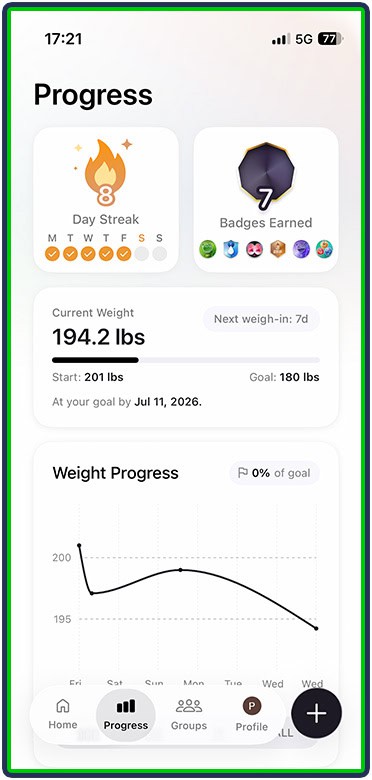
Cal AI has an informative progress section. At the top, it displays the active streak and number of badges earned. Below that, I was able to see my last logged weight, my starting weight, and my goal, along with a graph and an estimate for when I’ll reach my goal:
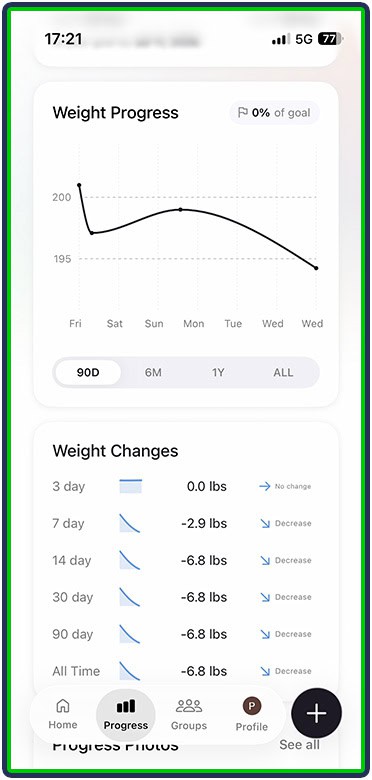
Next, I was able to track weight changes over 3, 7, 14, 30, and 90 days, as well as all time. This is a cool way to show progress and keep things in perspective, which can be helpful for motivation during a short-term plateau.
Below that, I was able to track daily average calories consumed, with each day’s graph split based on the macronutrient ratio – a super informative way to monitor my nutrition at a glance.
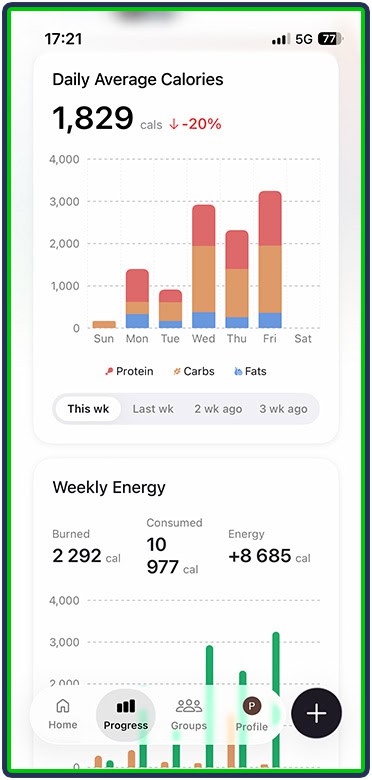
On the opposite end of the equation, Cal AI displayed my weekly calories burned from logged and synced workouts, as well as daily steps. It compared those numbers to consumed calories, which made it easier to track if I was maintaining a steady balance.
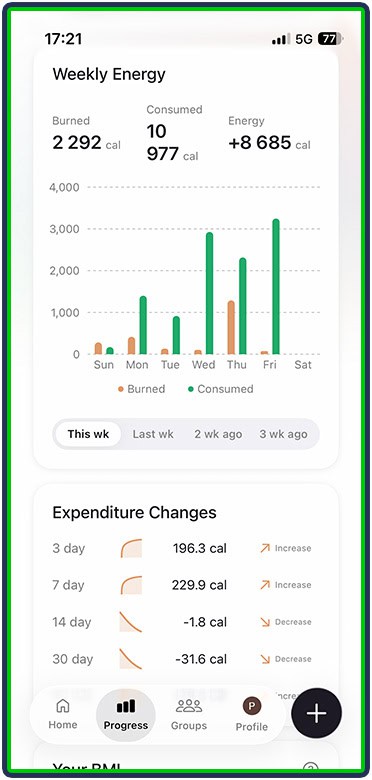
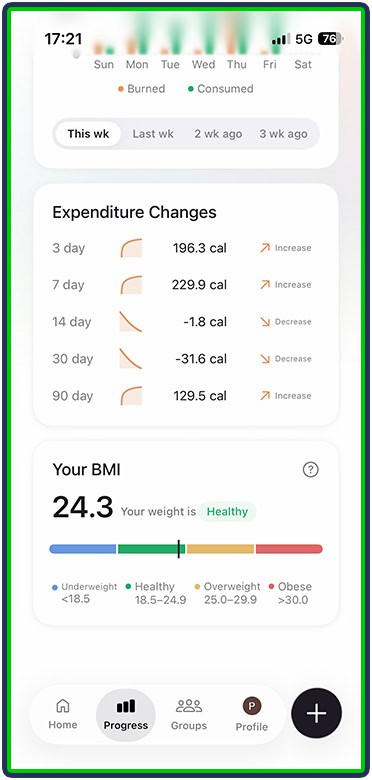
This isn’t the most surefire way to stay on track with calorie intake goals, but it can be informative at a glance.
Lastly, Cal AI allows users to upload progress photos along with body weight. The default option is to upload the information with the current date, but I was also able to open my calendar and select another date.
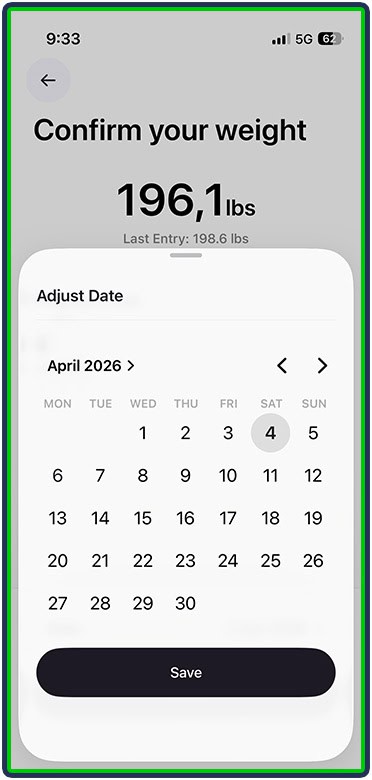
Comparing progress photos is also a useful feature, making it easier to track smaller visual changes.
That said, I wasn’t particularly happy about the way weight logging works. Read about that next.
What I Didn’t Like About Cal AI
1. Weight Logging
To log weight, I had to navigate to the Progress tab, tap the Current Weight section at the top, and use the slider to set my current weight.
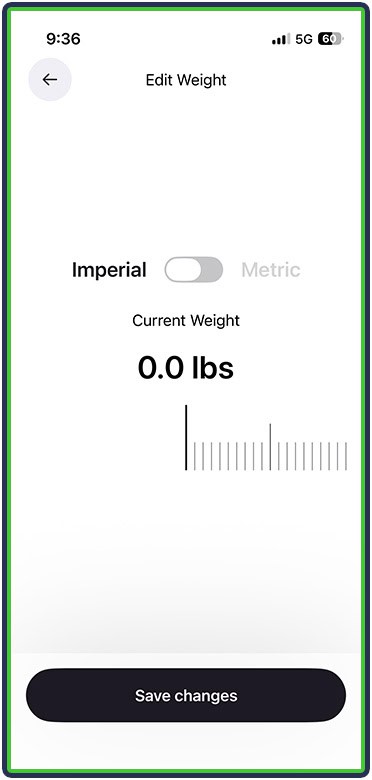
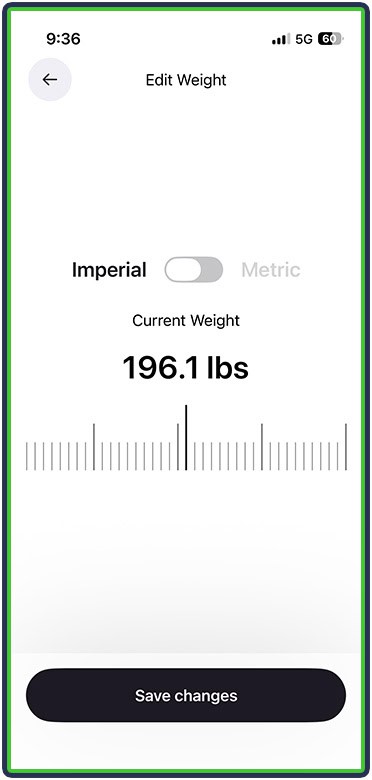
I didn’t find the experience intuitive, and I didn’t like that this action was labeled “change your weight” instead of something more familiar and concrete, like “log today’s weight.”
2. No Body Measurements
At the time of writing, Cal AI doesn’t support body measurements like chest, waist, and thighs. This isn’t a huge deal, but it is somewhat limiting since many people use circumference measurements to track body composition changes, especially during fat loss.
3. Editing Nutritional Goals
As briefly mentioned above, I didn’t like Cal AI’s approach to editing nutritional goals. For example, if I were to go to Settings > Edit nutritional goals and change my calories, my macronutrients don’t update accordingly. This is a huge oversight because the sum of the macros consumed must equal the total calories.
However, unless I manually update my calories and then update my macros, that wouldn’t be the case. For example:
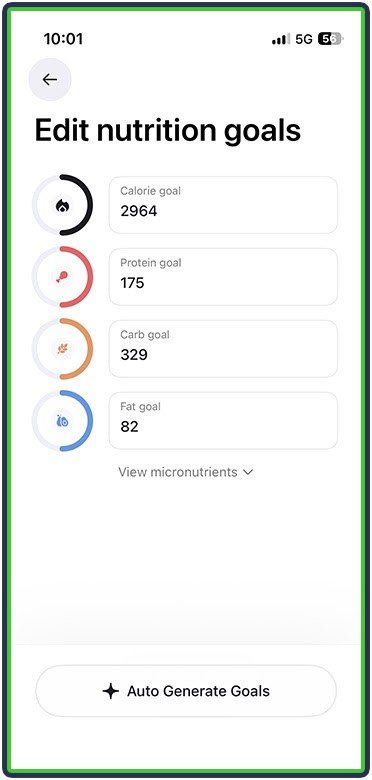
In this case, the total calories for these macros are 2754:
- 82 grams of fat = 738 calories
- 329 grams of carbs = 1316 calories
- 175 grams of protein = 700 calories
- Total = 2754
However, my total calories for the day are 2964.
Ideally, these values should be interconnected so that editing one instantly affects the others. Otherwise, someone who doesn’t know better would just update one value and start eating the wrong number of calories for their goal without realizing it.
4. The Barcode Scanner
I’m going to preface this by saying that I live in Europe, so the experience may be much better for those in North America. However, I found that Cal AI came up blank for several everyday foods I tried to barcode-scan.
However, I was able to fall back on the nutritional label scanner and simply adjust the portion size, making for an overall fast logging experience.
5. No Free Version
Lastly, Cal AI doesn’t have a free version and only offers a 3-day free trial to test. Other apps, including MacroFactor and MyFitnessPal, offer longer free trials of at least 7 days or even a month.
Key Features & Benefits
| Feature | Benefit |
|---|---|
| AI photo food logging | Removes the biggest friction in calorie tracking (manual entry), making it easier to stay consistent |
| Ability to describe meals in text | Adds a fallback for when photos aren’t enough, making logging more effective in the real world |
| Integration with MyFitnessPal’s food database | Increases accuracy and coverage, especially for restaurant meals and branded foods you’d otherwise struggle to log |
| Personalized onboarding | Gives you a tailored starting point instead of generic targets |
| Flexible calorie handling | Adding back calories burned and rolling over calories lets you align tracking with your lifestyle, whether you prefer strict targets or more flexibility |
| Saved meals and frequent foods | Speeds up repeat logging, which is super helpful if you eat the same things often |
| Clean dashboard | Makes key data scannable, helping you understand your daily nutrition without digging through menus |
| Exercise logging with calorie estimation | Log activity and nutrition in one place, giving a more complete overview of energy balance |
| Active streak | Boosts motivation and promotes daily habits through behavioral psychology |
| Achievement badges | Adds a sense of progression and small wins, which can make a repetitive task feel more engaging |
| Weight tracking with graphs | Helps you spot trends instead of obsessing over daily fluctuations |
| Energy balance comparison | Being able to easily compare calories consumed vs calories burned makes it easier to assess whether you’re in a surplus, deficit, or maintenance |
| Progress photos | Monitor and compare visual changes that the scale weight alone might miss |
What Other Customers Think
At the time of writing, Cal AI holds an impressive 4.8-star rating on the App Store with 300,000+ reviews, and 4.7 stars on Google Play with 260,000+ reviews.
People love the app’s overall usefulness for tracking nutrition and health, as well as its simple meal logging. One user wrote:
“The app is great, definitely one of the best out there right now for tracking your health goals. If you expect to just be able to take pictures of every meal and go on with your day, this is not that, but the camera feature is great for when you’re out to dinner. The barcode and nutrition label options make the app worth it.”
Other users also love Cal AI’s flexibility and how it conforms to personal needs:
“I love how the app has multiple options to customize and tailor to your needs and preferences.”
And others simply love the simplicity and can use the app in a care-free way, and still make progress toward goals:
“Cal AI has been a real game changer. Just with pictures (and a few tweaks every now and again), I’ve been able to track my calories for months now. I’ve successfully lost 15 lbs, and I’m on my way towards 15 more.”
How Much Does Cal AI Cost?
Cal AI comes with a 3-day free trial. Beyond that, the subscription options are:
- $3.49 weekly
- $9.99 monthly
- $19.99 quarterly
- $49.99 annually
There is also a family plan that costs $59.99/year.
Who Should Use Cal AI?
Cal AI is a good option for people who:
- Want a quick, low-effort way to log food without manually searching a database
- Value convenience over perfect accuracy when tracking calories and macros
- Like visual progress tracking (graphs, photos, trends) to stay motivated
- Get motivated from gamification (streaks and badges) to stay consistent
- Enjoy a clean, simple, and informative dashboard with no fluff
Who Should NOT Use Cal AI?
Cal AI would not be the best option for those who:
- Want highly precise tracking and full control over every logged detail
- Expect macros and calories to auto-adjust intelligently
- Track body measurements alongside weight and photos
- Want a free app
Sign Up For Cal AI
As mentioned before, one of Cal AI’s advantages is the simple setup process. Download the app and start the onboarding process. Select your gender, weekly workout frequency, and height and weight.
Answer a couple of closed questions, select your goal, and your goal weight.
Similar to other apps, Cal AI lets you select a preferred rate of progression, with the recommended option working well for the average person.
Let the app know about your biggest roadblocks and the type of diet you follow.
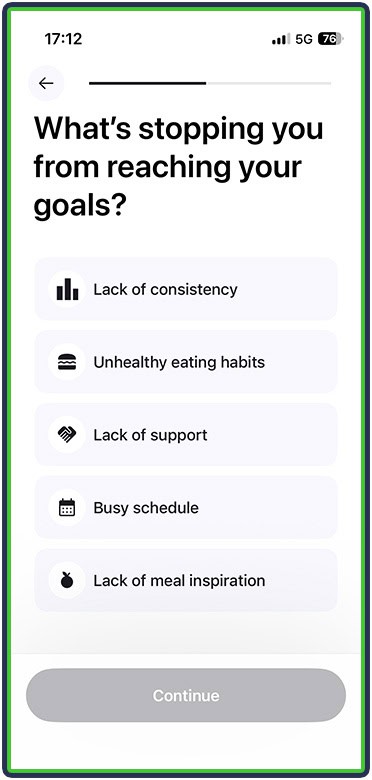
This is where Cal AI also asks whether you want to eat back the calories burned through exercise and whether leftover calories should roll over to the next day.
That’s it. The onboarding is complete, your plan is ready, and you can start using the app.
If you’re new to calorie tracking, check out our guide to the best calorie trackers for beginners to find an app that fits your needs.
Cal AI Alternatives
We’ve tested 20+ nutrition apps and compared many of them head-to-head. Based on our experience, here are two good alternatives if Cal AI doesn’t seem to be the right fit:
1. MacroFactor – Ideal If You Want a Guided Experience
Cal AI does a lot of things right, making food logging and progress tracking easier. However, it takes some experience to use and correct at crucial times. MacroFactor is the ideal alternative for less experienced people and those who don’t want to think about their nutrition.
It has the same photo-food-logging and barcode-scanning options, the food database is smaller but far more detailed and accurate, and, most importantly, it updates your nutritional targets based on progress.
2. MyNetDiary – Better If You Want a Free Solution
MyNetDiary is an excellent free alternative because even its free version offers full calorie and macronutrient tracking, barcode scanning, water and step tracking, and access to a built‑in community, so users get a complete tracking experience without paying. It also provides more micronutrient coverage in the free tier than many competitors, including both tracking and target‑setting for over 100 nutrients, which is rare at the free level. Food logging is fast and convenient thanks to an efficient search experience, a free barcode scanner, flexible units on the main logging screen, and offline logging that works well when traveling or training where data is poor. On top of that, features like Daily Analysis, Food Grades, progress graphs, and progress photos help educate users on healthier choices and keep them motivated toward their weight‑related goals
Watch our video review of MyNetDiary
Frequently Asked Questions
Is Cal AI Good for Weight Loss?
Thanks to its quick, intuitive logging (meal photos, barcode scanning, a food database, and the option to save foods and meals) and detailed progress tracking, Cal AI is a good option. The only downside is that you can’t record circumference measurements in the app.
Is Cal AI Free?
No. Cal AI doesn’t have a free version, only a 3-day free trial.
Is Cal AI Compatible With Apple Watch?
Yes, Cal AI is available on Apple Watch.
Is Cal AI Accurate?
Cal AI is somewhat accurate for estimating nutritional needs and mostly accurate for logging meals via photos. That said, it still makes mistakes and requires some manual input. But from my experience using it and from what other users have said, it’s perfectly fine for fast, low-effort logging that works well enough and brings you closer to your goals.
How Do I Cancel My Cal AI Subscription?
The most effective option is through your phone’s subscription settings – for example, in the App Store if you use an iPhone. Navigate to subscriptions and cancel with one tap.
Other App Review
Cal AI Comparison
About The Author

Philip Stefanov is a certified conditioning coach, personal trainer, and fitness instructor. With more than nine years of experience in the industry, he’s helped hundreds of clients improve their nutritional habits, become more consistent with exercise, lose weight in a sustainable way, and build muscle through strength training. He is passionate about writing and has published more than 500 articles on various topics related to healthy nutrition, dieting, calorie and macronutrient tracking, meal planning, fitness and health supplementation, best training practices, and muscle recovery.
Why Trust Our Content
On Staff at FeastGood.com, we have Registered Dietitians, coaches with PhDs in Human Nutrition, and internationally ranked athletes who contribute to our editorial process. This includes research, writing, editing, fact-checking, and product testing/reviews. At a bare minimum, all authors must be certified nutrition coaches by either the National Academy of Sports Medicine, International Sport Sciences Association, or Precision Nutrition. Learn more about our team here.
Have a Question?
If you have any questions or feedback about what you’ve read, you can reach out to us at info@feastgood.com. We respond to every email within 1 business day.
