
If you’ve been around FeastGood for a while, you’ll know that MacroFactor is consistently our #1-rated nutrition app. We describe it as “having a nutrition coach in your pocket.”
When MacroFactor launched its new Workouts app and gave us early access to test it, we were curious.
Thus, it should feel like Macrofactor Workouts Review—having a fitness coach in your pocket.
In this Macrofactor Workouts Review, I personally used the app for two weeks and ran a comprehensive initial setup. Additionally, I completed workouts at home in my basement gym, a commercial gym, and my hotel during a business trip.
Here I share what I learned about setting up the app.
Additionally, I cover what I liked and didn’t like.
It notes who the app is best for and offers pro tips to maximize its advanced features for training.
If you want to use MacroFactor before buying, use code FEASTGOOD to get an extra week on your free trial (two weeks total versus one).
Key Takeaways
- MacroFactor Workouts has the most extensive and customizable equipment library I’ve ever seen in an online workout program
- MacroFactor Workouts is best for intermediate to advanced strength-based athletes
- MacroFactor Workouts is going to leave you on your own for general warm-ups and cool-downs, cardio, and video demonstrations for certain exercises
Getting Started With MacroFactor Workouts
The onboarding process for MacroFactor Workouts is simple and clean – very on-brand for MacroFactor. Just like its nutrition app, you get a practical setup experience that is data-driven and efficient.
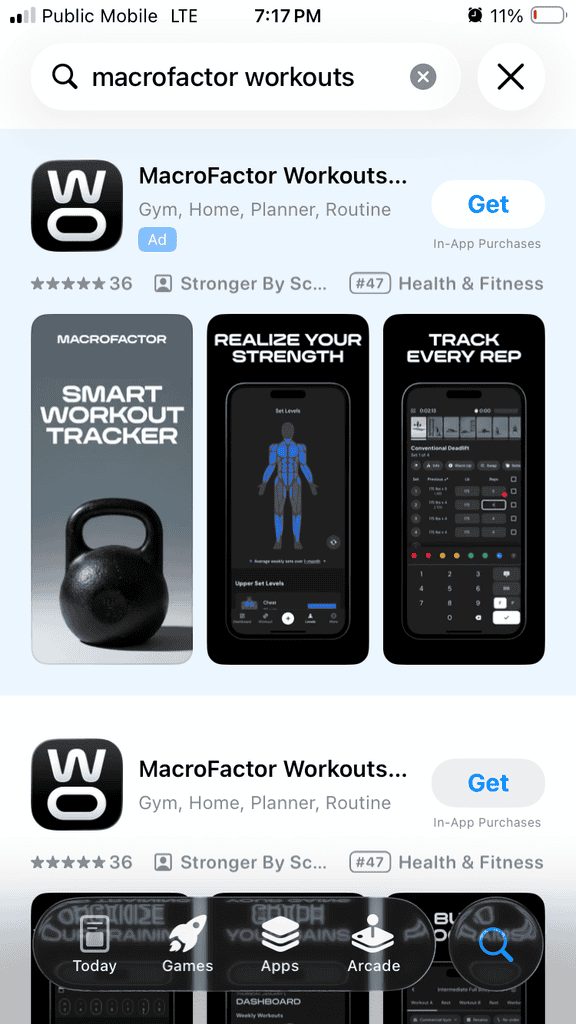
Here is what the app looks like in the Apple app store.
Moreover, it promises to deliver.
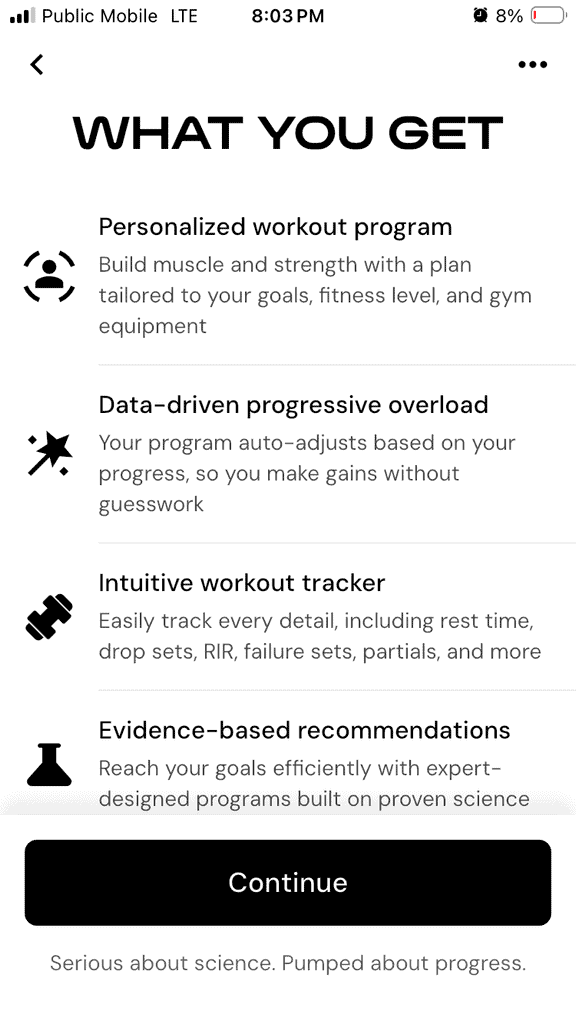
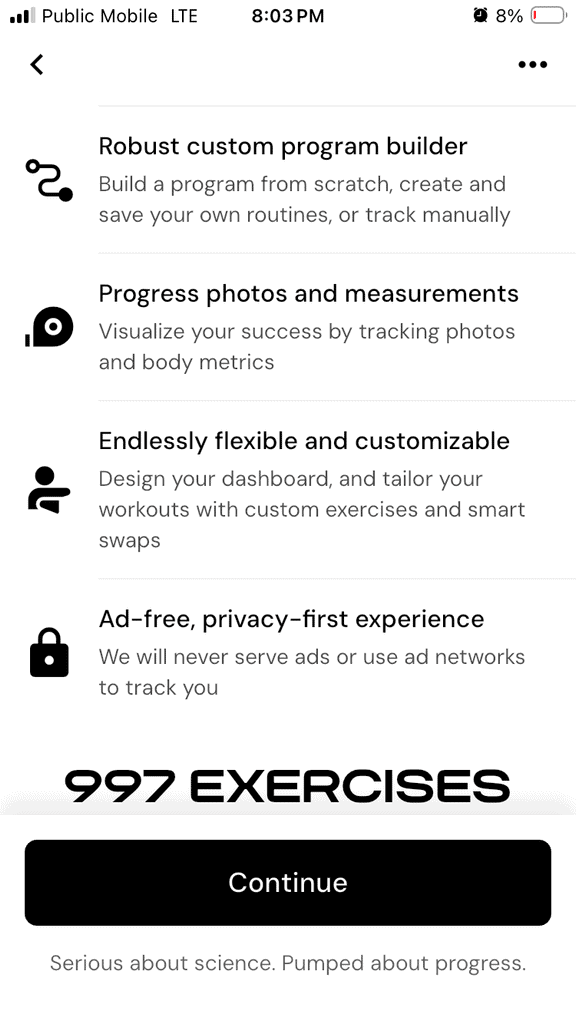
Just download the app, sign up, and create a profile.
Moreover, you’re on your way to achieving fitness goals with a science-backed, AI-generated custom workout program.
Additionally, it is designed to support long-term progress.
Goals
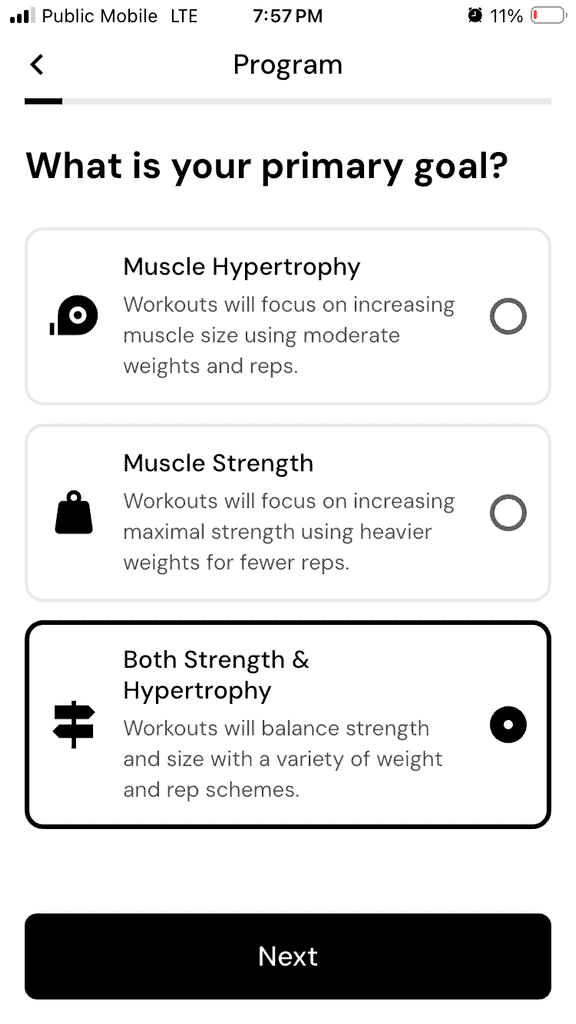
Similar to the nutrition app, you’ll select a primary goal for your workout program:
- Muscle Hypertrophy
- Muscle Strength
- Both Strength & Hypertrophy
It doesn’t overcomplicate things with niche categories. This is good.
However, it’s very much focused on resistance training – there are no goals related to improving cardiovascular fitness (and no cardio exercises in the app – more on that later).
I selected Both Strength & Hypertrophy as my goal to see what variety of weight and rep schemes I would see in my program:
Once you’re selected your goal, you need to let the app know what equipment you have available. This guides what exercise recommendations the app will include in your program. The end result is a truly personalized workout program that caters to your goals, fitness level, and available equipment.
You can see my colleagues’ 8-week transformation using the nutrition app here.
Equipment Selection
To me, the equipment selection was one of the most impressive features of the app. You can select (and then further customize) from the following:
- Full gym access
- Limited equipment
- Dumbbells only
- Machines only
- Home gym setups
I’m just going to share some of the many screenshots I could have taken of the Gym & Equipment options. I really liked that for Bumper Plates, Dumbbells, Kettlebells, Medicine Balls, and Weight Plates, I could use “Edit Weights” to select exactly what weights I had for each piece of equipment, as well as how many
For example, I have pairs of dumbbells for most weights, but only one 50-lb dumbbell.
You also have the option to choose between lbs or kg:
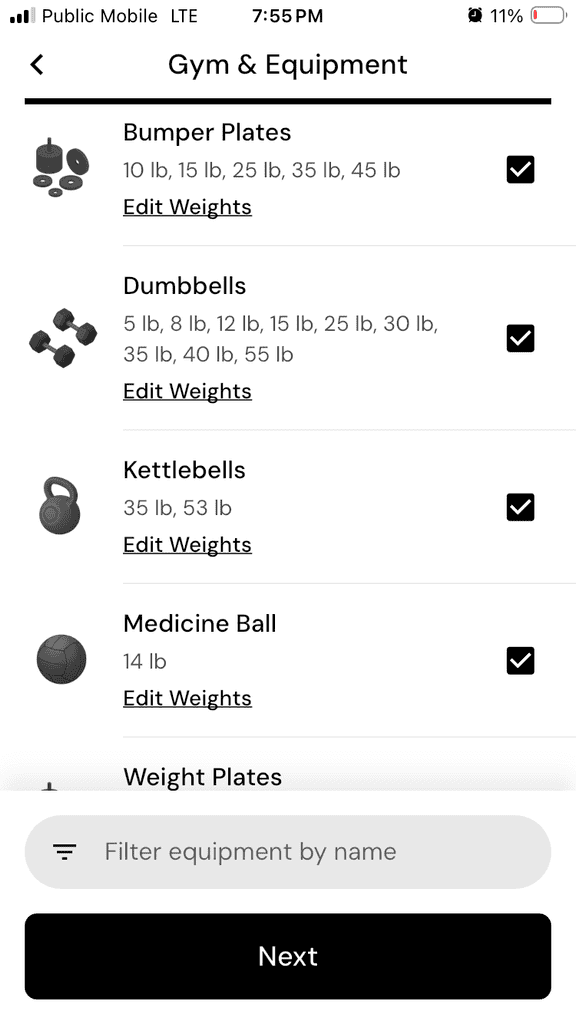
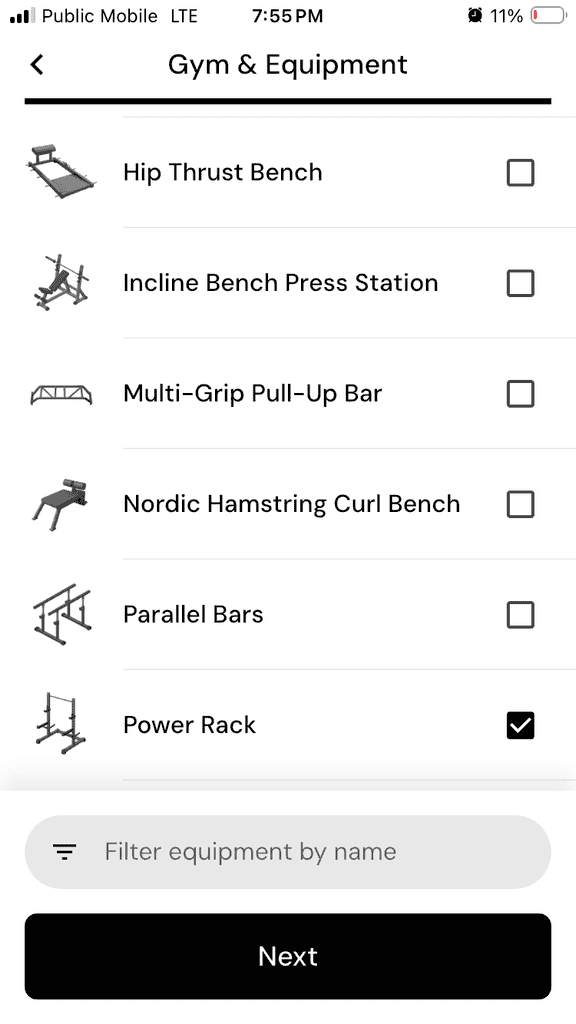
As I searched through the equipment, I was impressed that there wasn’t a single piece of equipment that I couldn’t find. In fact, I was blown away by the creativity in the “Other” equipment section, which included “Another Human”, “Bed”, and “Couch” – perfect for home gyms or hotel rooms.
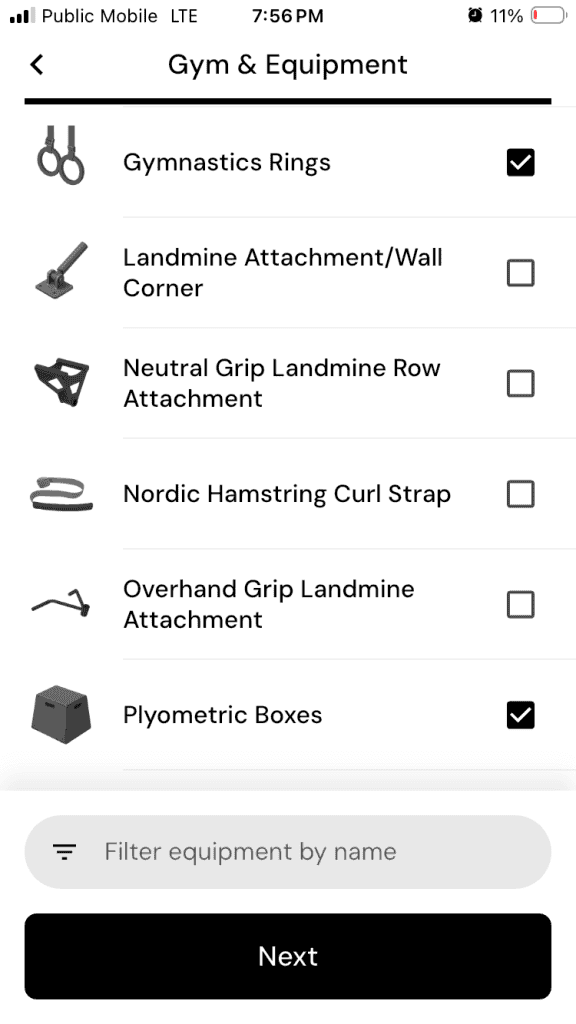
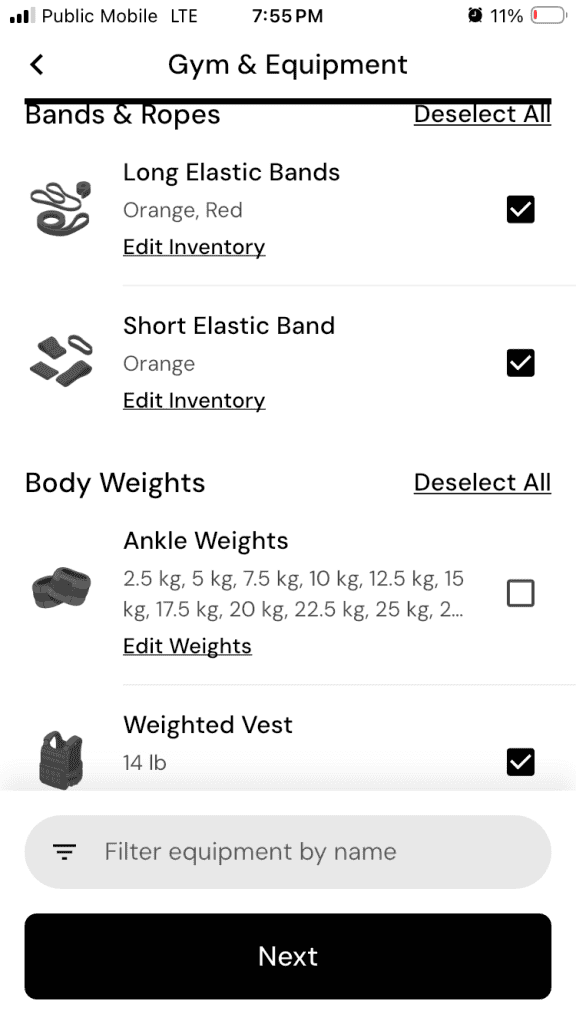
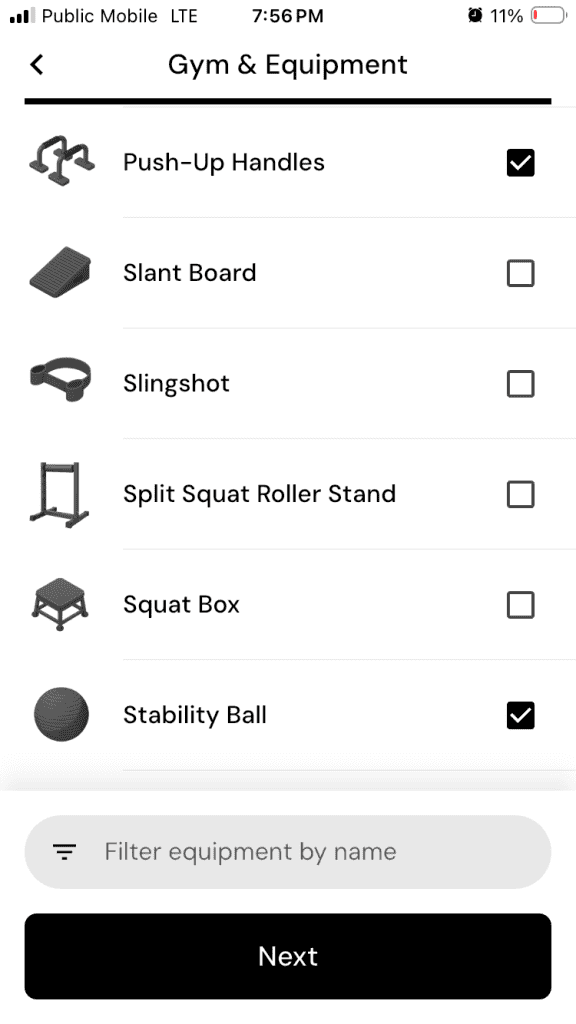
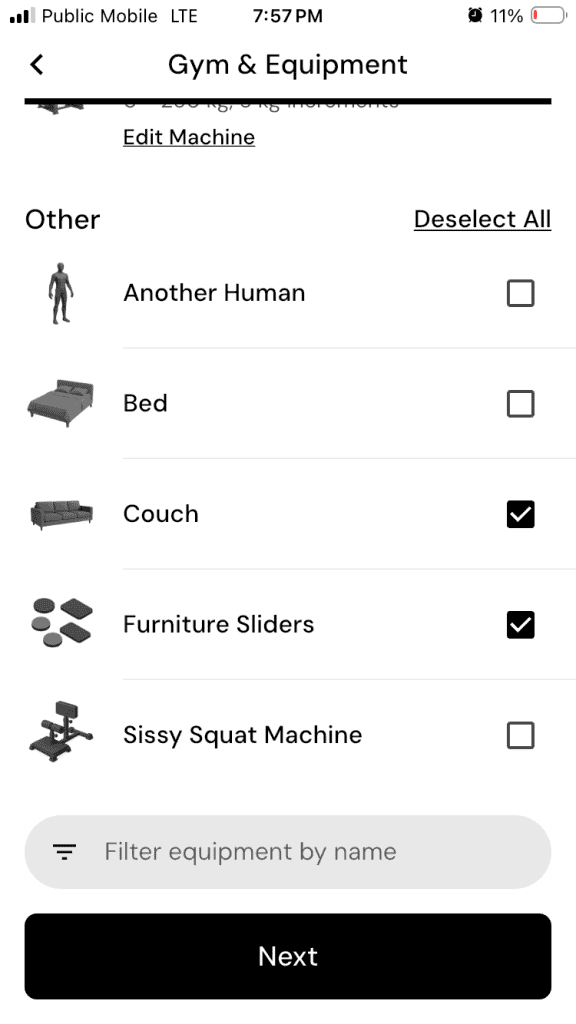
I set up “Lauren’s Home Gym,” but you can also set up multiple “gym profiles,” each with its own equipment list, in case you work out from different locations on different days.
You can select a different gym profile for each specific workout, and the app will adjust the exercise recommendations for that workout based on available equipment.
You cannot, however, change the active gym profile in the middle of a workout. That said, if a certain piece of equipment is not available (out of commission for maintenance or being hogged by another gym-goer), you can adjust the equipment list for the gym and the workout will instantly change the selected exercise.
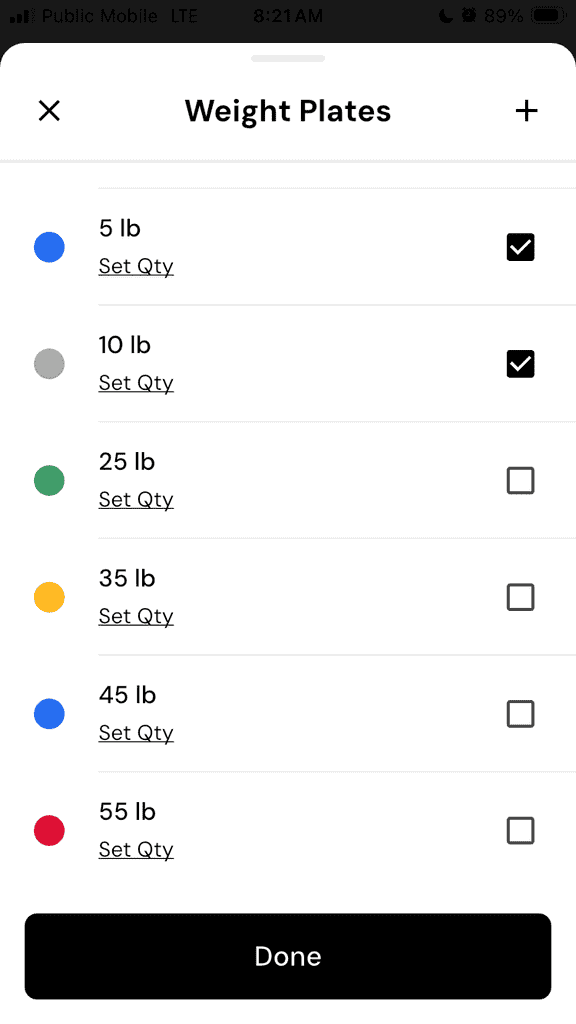
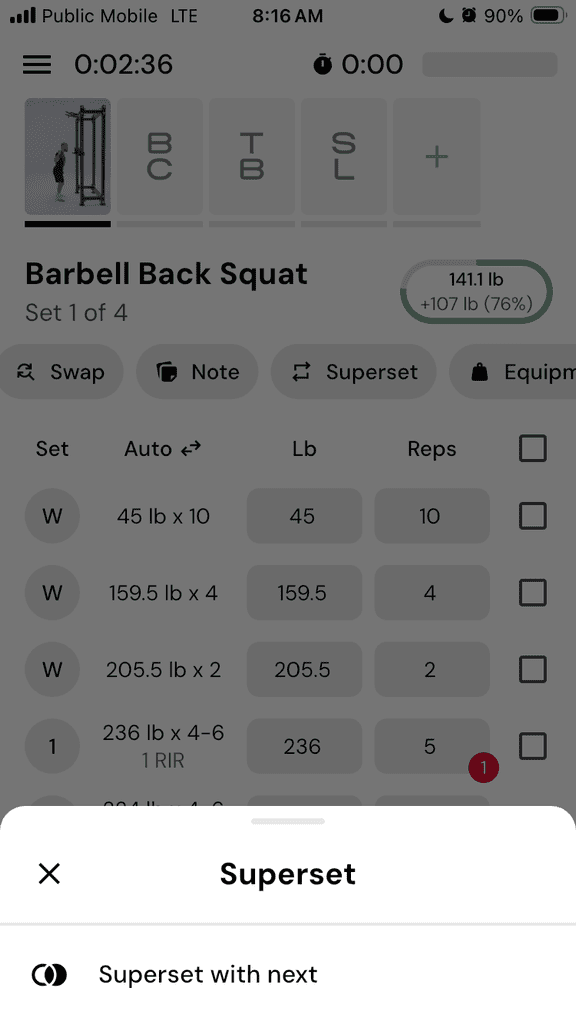
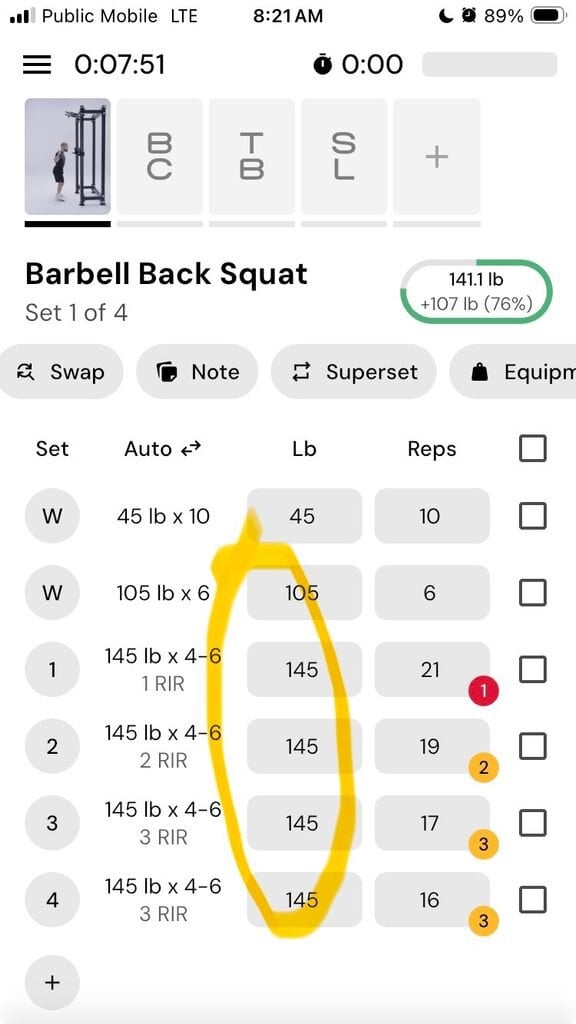
For example, in the middle of a heavy back squat session I removed the heaviest weight plates from my available equipment list, and the app instantly adjusted the weight downward (to match what was possible based on the remaining plates) and increased the number of reps to compensate for the lower weight.
Here are the screenshots where I went into the Equipment menu to adjust my available weight plates, removing all but the 5-lb and 10-lb plates:
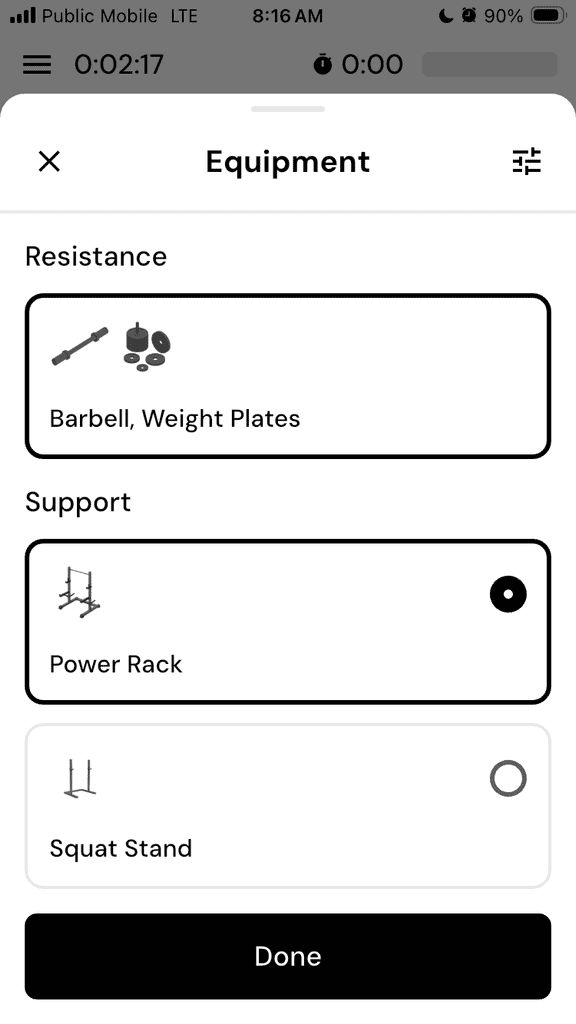
Once I made that adjustment, the suggested loading dropped down to 145 lbs – you can see the original programming suggested my first working set at 236 lbs for 5 reps; the revised set after I adjusted the equipment was 145 lbs for 21 reps:
I loved that I was able to quickly make this change without disrupting my goals. No guesswork; all gains.
Workout Frequency & Duration
After setting up my gym profile, it was time to set my desired workout frequency (number of days per week) and duration (time per session).
I selected five days per week of training, and 40-60 minutes per training session. Keep in mind that there are no cardio exercises in the app or its programs, so if you’re planning to do cardio as part of a session, you will need to budget extra time for that.
It also would be nice if you could budget for certain longer or shorter sessions on certain days (for example, I have more time available for training on the weekends), but as of right now, the session length applies to all training sessions in the week.
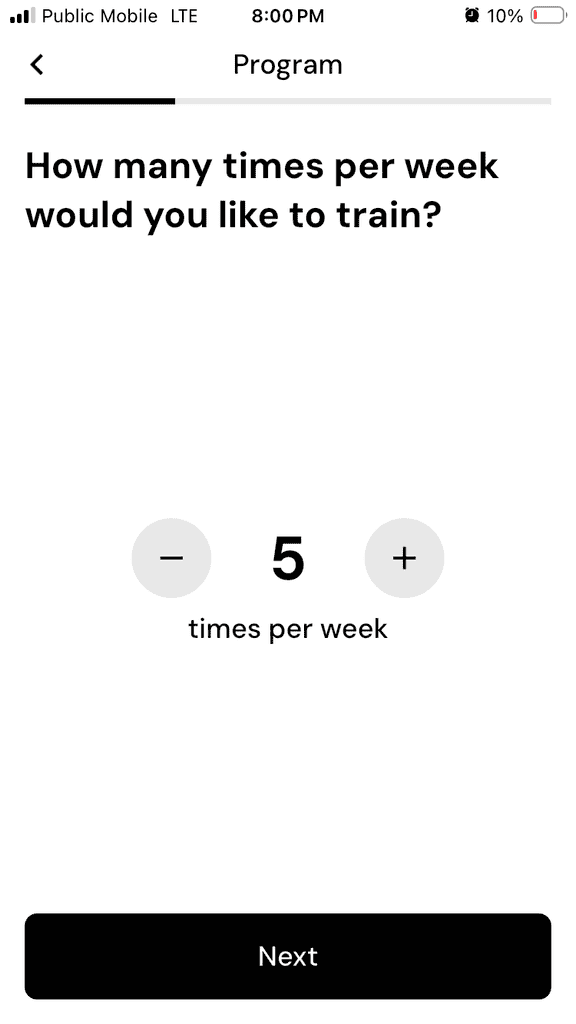
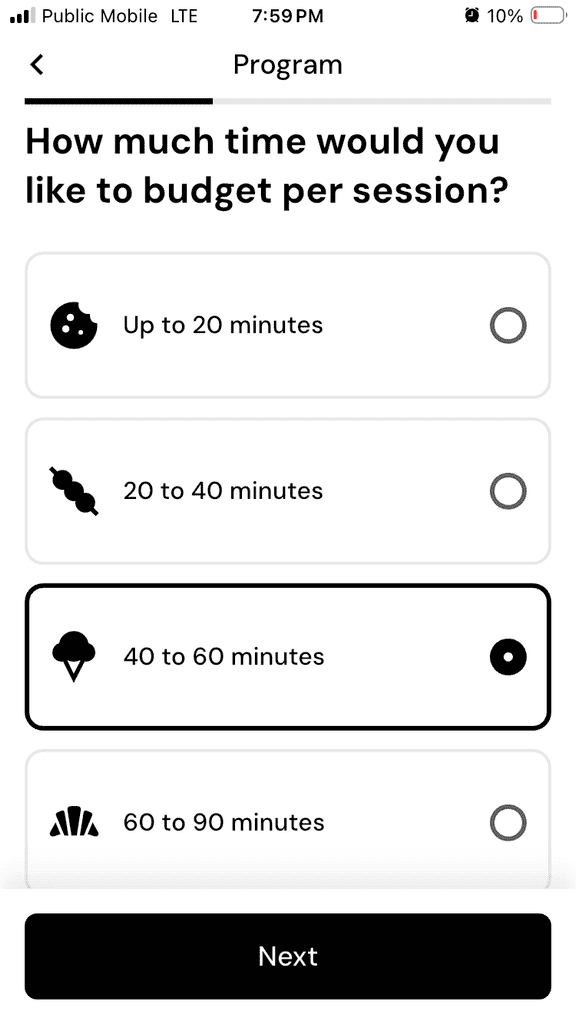
Some nice customizations include whether to automatically include a deload week, and a custom display for the program (icon and color). And this is just the beginning when it comes to the nearly endless customizations and flexibility the app has to offer.
Program Structure & Baseline
I liked that the app also asked for a little information to help set a baseline for my starting strength level, including whether I could do sets of strict pull-ups or chin-ups, dips, push-ups and bench press.
The app also lets you decide if you want to give extra focus to certain muscles and/or deprioritize any specific muscles.
For example, if you really want to build a “bubble butt,” you can give extra focus to the glutes, and the program will include more targeted exercises for the glutes.
Or, if you already have bulging biceps, you can deprioritize biceps.
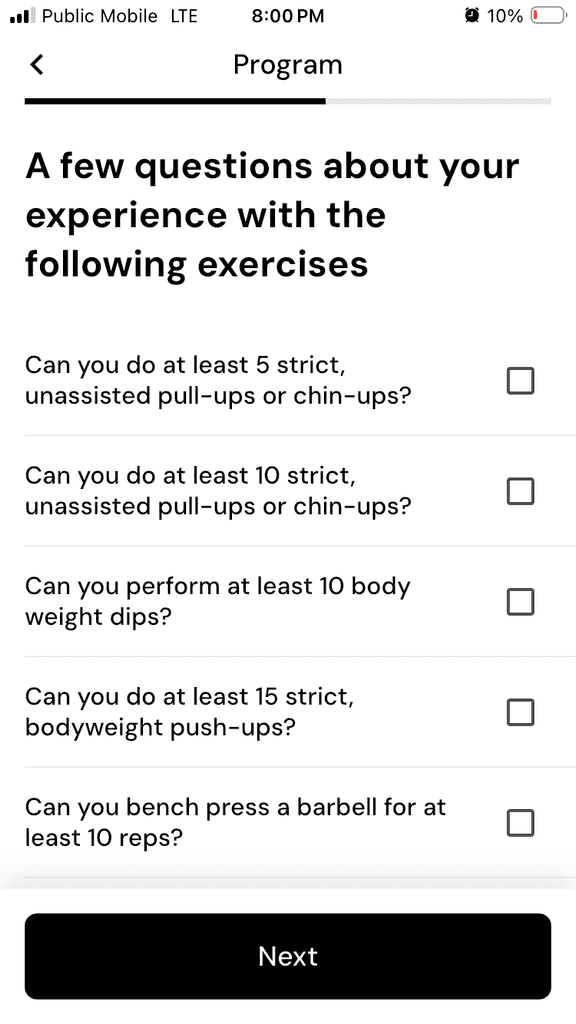
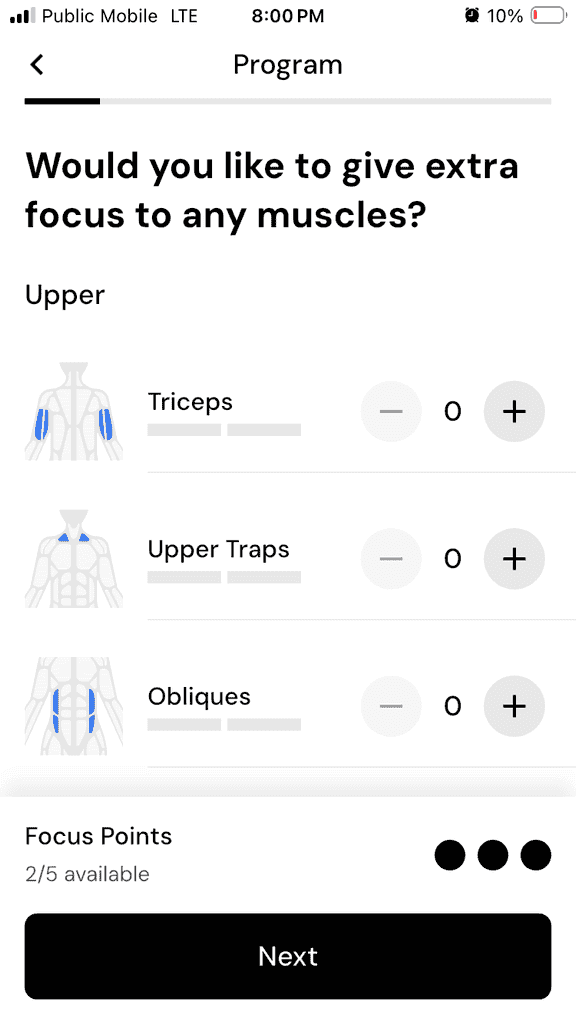
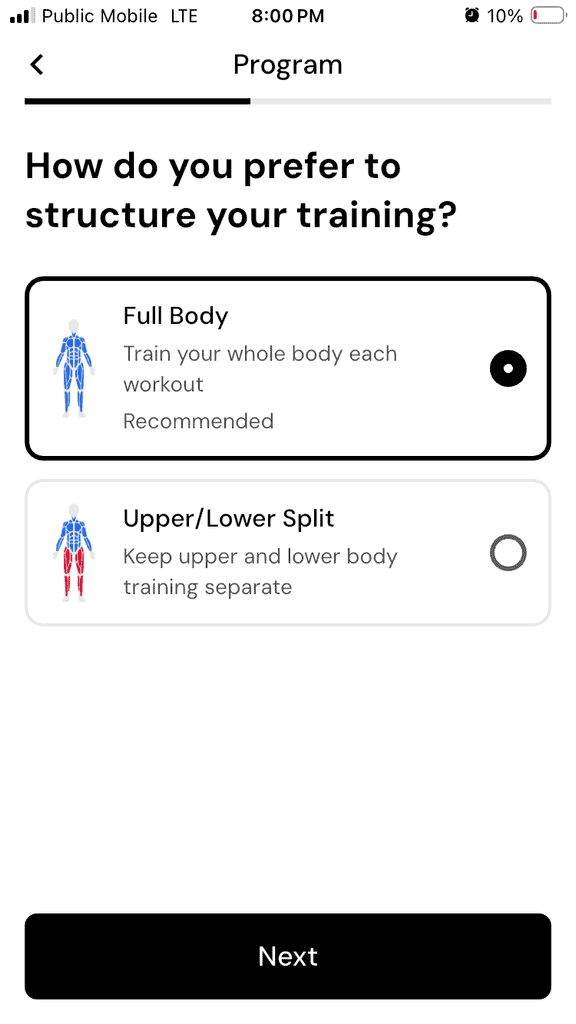
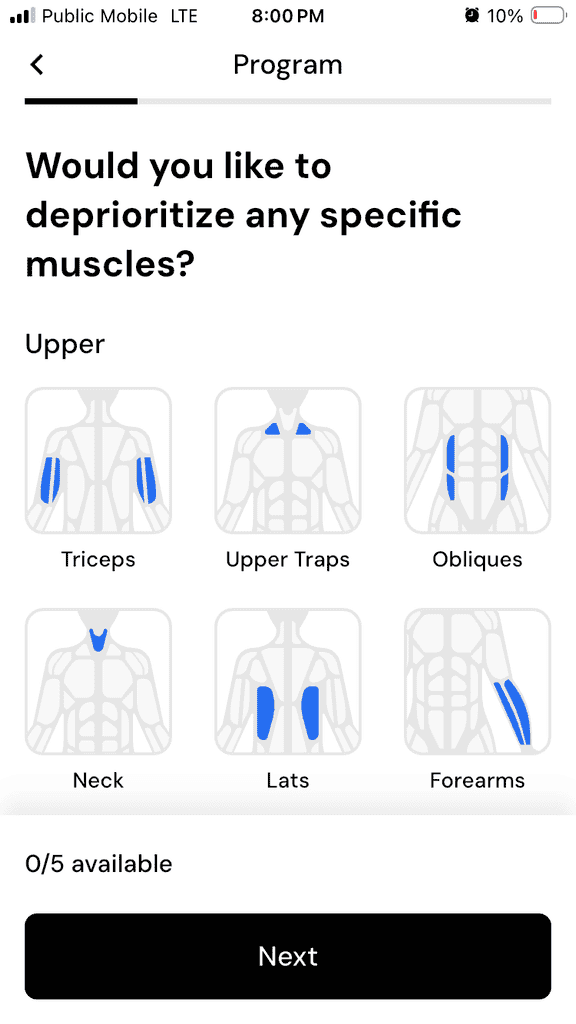
Once these steps are complete, it will generate your custom workout program.
Not surprisingly, there is a Health Disclaimer for using the app (just like with nutrition coaching apps, we strongly encourage you to discuss any changes to your diet or fitness regimen with your primary health care provider).
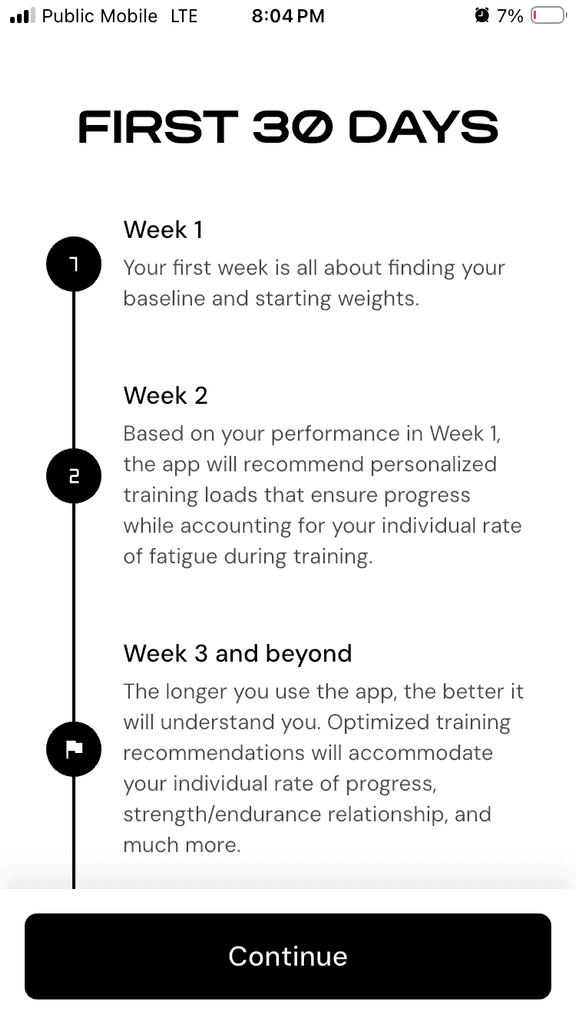
The “First 30 Days” section does a good job setting the scene for what you can expect from the app in your first month of use.

Program Creation
You can build a program from scratch or let the app create a personalized program based on your goals and available equipment. I was keen to see what the expert algorithms built into the app would do, so I opted for the latter:
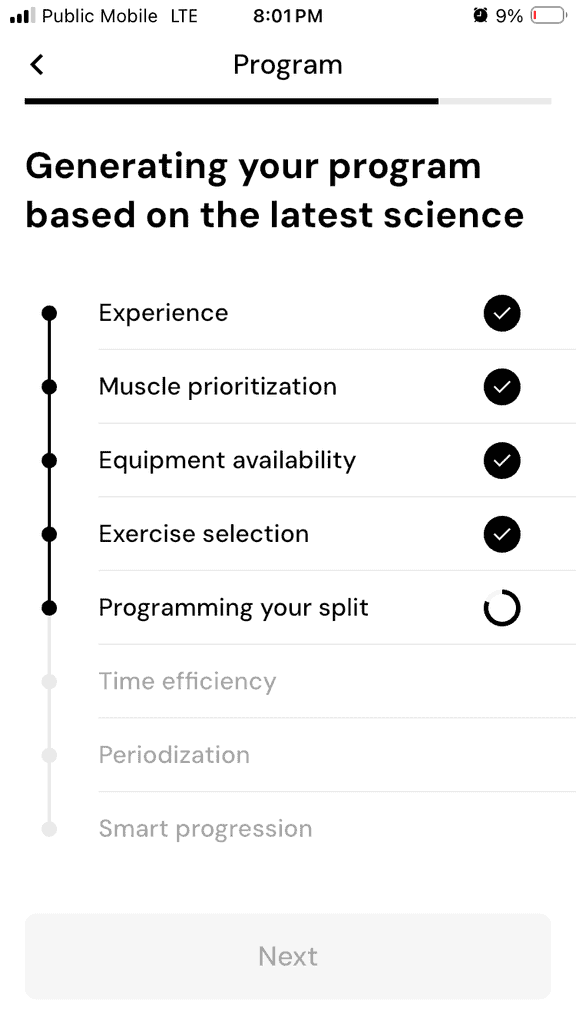
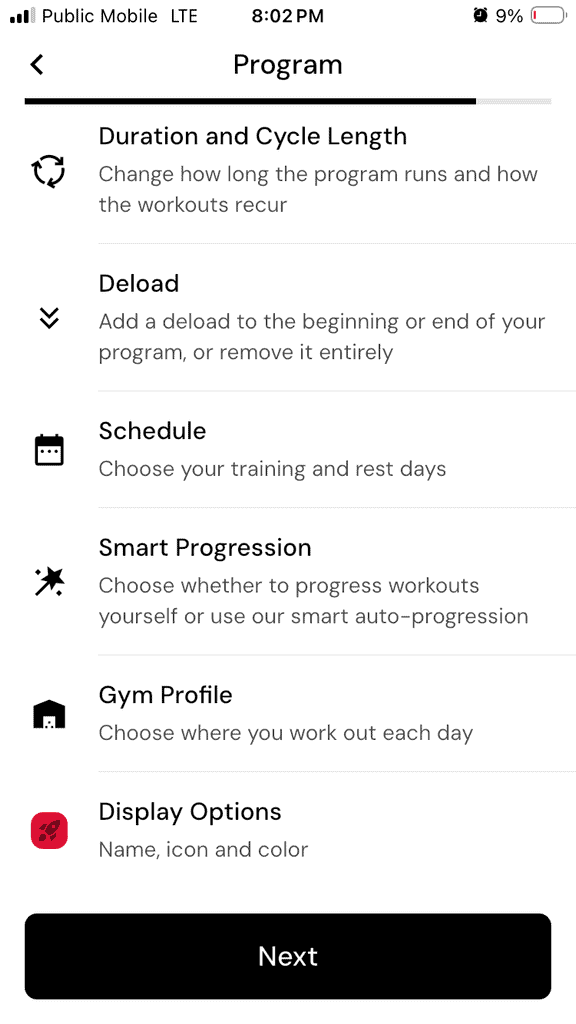
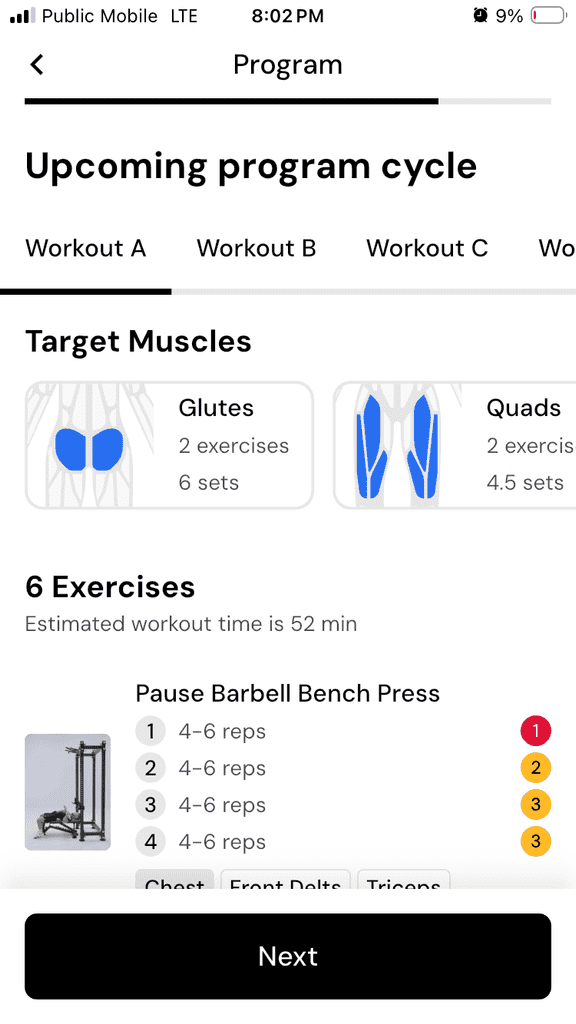
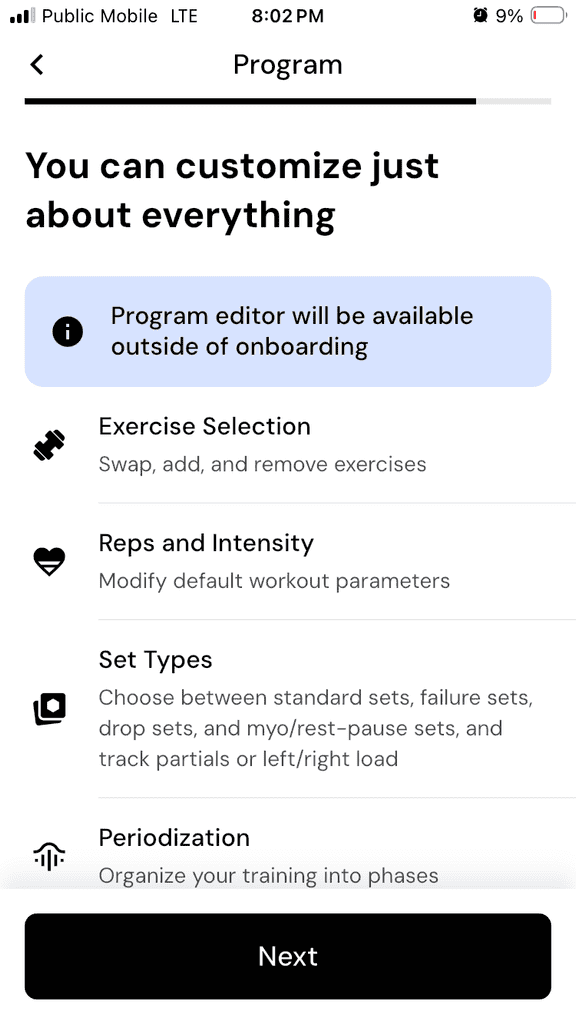
During the initial program setup, I wasn’t able to fine-tune for things like:
- Injuries
- Preferred movement patterns
- Exercise dislikes
- Sport-specific training
But, once I was in the program, I was able to manually swap out exercises, and set certain exercises as “Do Not Recommend” (more on that later).
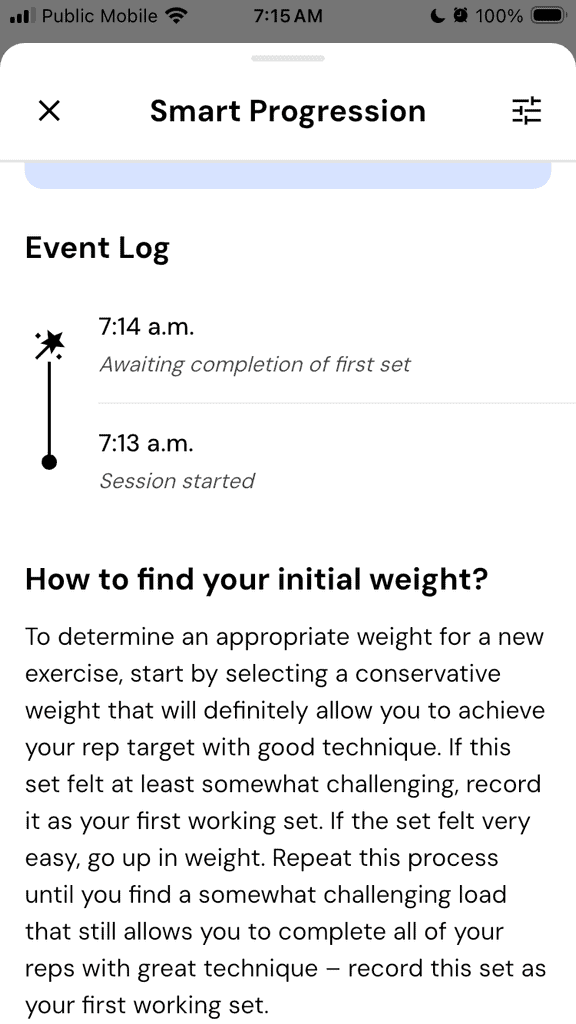
I also liked that the app had some smart tips about how to find the initial weight (load) for a set:
What I Liked About MacroFactor Workouts
Super Easy Logging
Workout tracking in MacroFactor Workouts is easy, intuitive and FAST. Compared to my old pencil-and-paper method, I felt like I was catapulted into the future with the seamless workout tracking.
After using the MacroFactor nutrition tracking app (also an industry-leading logging experience in terms of minimal number of clicks and intuitive, easy use), it felt totally natural to log weights, reps, and RIR (reps in reserve) for each of my sets.
It only took seconds after each set, and completing the set triggered the start of the Rest Timer (more on that below). MacroFactor Workouts boasts an intuitive workout tracker.
This tracking also enables analytics to see progress over time, which is very motivating.
Realistic Workout Times
I felt like MacroFactor Workouts really had a chance to shine with the realistic workout times. As soon as you “Start Workout,” a cumulative timer starts running on the top left of the screen.
The app also has an option for “smart” rest times: a rest timer starts a countdown as soon as you log completion of the set. Assuming you stick with those rest times, your overall workout usually stays within the selected time range (40-60 minutes for me).
Here you can see the cumulative timer at 3:28, and my rest timer shows 1:48 remaining after my first set of pause barbell bench press:
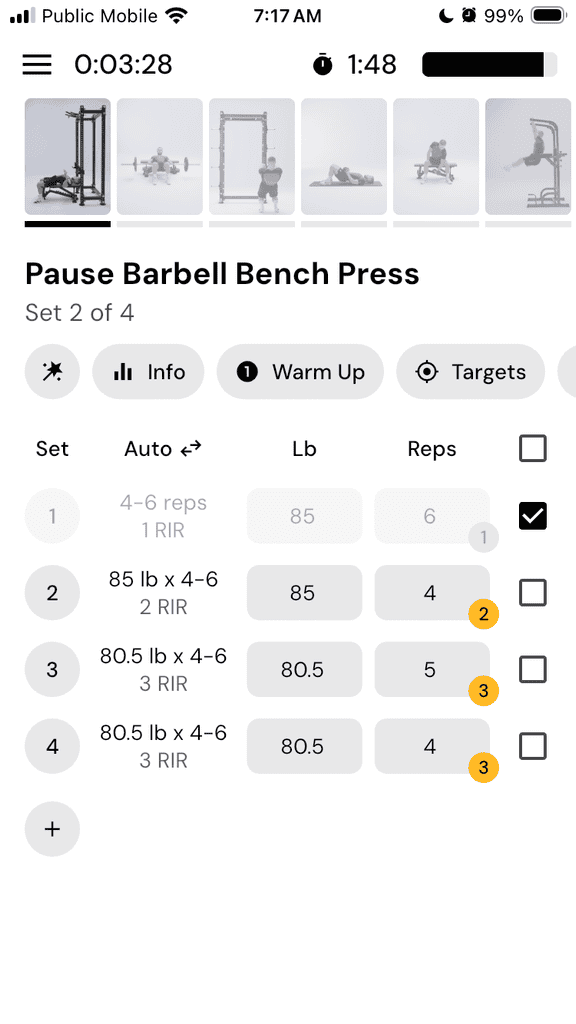
There aren’t any surprise 90-minute sessions hidden inside a “40-60 minute” promise. Volume per session feels manageable.
I did find that the estimated workout time increased in the second week, once the app had initial data on which to base “smart warm-up” suggestions. Those added warm-up sets pushed my total workout time up to just over an hour.
Overall, this felt like a win though because I was disappointed that the first week of workouts did NOT have any warm-up sets.
Lauren’s Program Highlights:
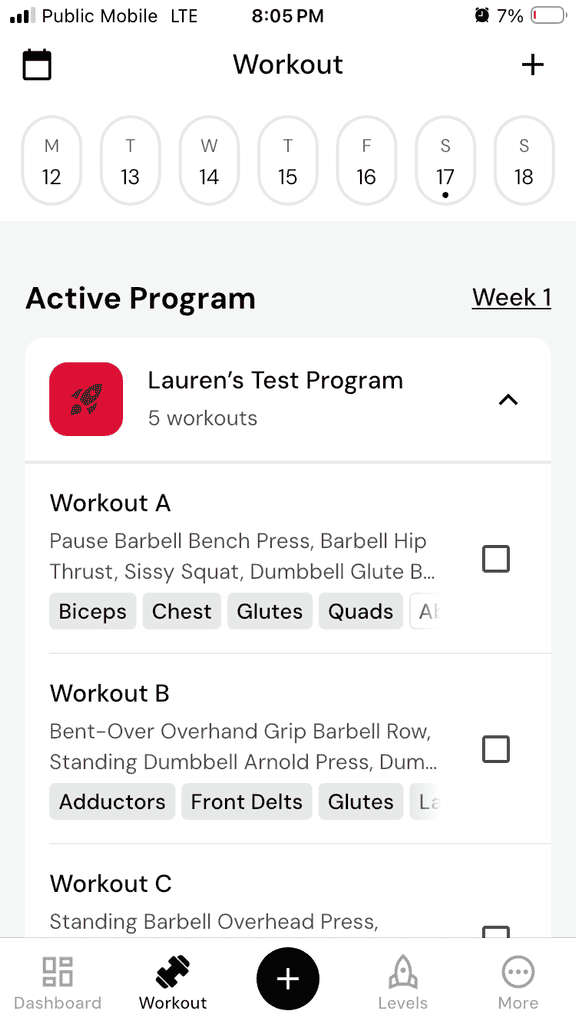
- Workout A: 6 Exercises; estimated workout time 1 hr 4 mins
- Workout B: 5 Exercises; estimated workout time 1 hr 3 mins
- Workout C: 5 Exercises; estimated workout time 1 hr 1 min
- Workout D: 5 Exercises; estimated workout time 50 mins
- Workout E: 4 Exercises; estimated workout time 49 mins
MacroFactor doesn’t overload sessions with unrealistic volume in terms of number of exercises, and it doesn’t leave you feeling under-trained either.
For busy adults? This is a win. As anyone balancing work, kids, or just life in general knows, this matters more than people think.
Consistency beats complexity and MacroFactor gets that.
Smart Progressions
The app uses RIR (Reps in Reserve) to guide intensity for data-driven progressive overload, which is a smart move.
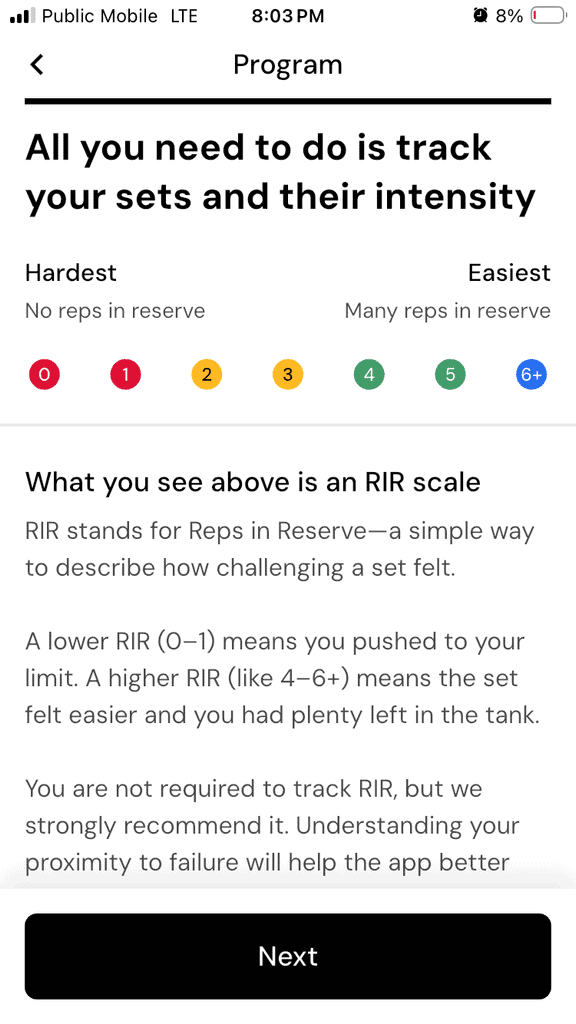
Instead of forcing linear progression like “Add 5 lbs every week no matter what,” the app automatically adjusts reps for upcoming sets (and the starting point for the exercise the next time it appears in your program) based on how many reps you felt you had left in the tank.
Keep in mind that this is where it helps to be an intermediate to advanced athlete, who can accurately estimate how many more reps they can do at a given weight while maintaining good form for the exercise. This is the definition of Reps in Reserve.
If you report that a set felt easier than expected (several RIR), the app adjusts the number of reps and/or load upward for the next set.
If you struggled (fewer or no RIR at the end of the set), the app will adjust the number of reps and/or load downward for the next set.
It was pretty cool to see this happening “live” in the app as I input the results for each set (number of reps, weight lifted, and my estimate of RIR). Upcoming sets would adjust automatically based on my input.
This type of real-time adjustment or “autoregulation” is valuable – especially for intermediate lifters who don’t recover identically every week.
However, (and I’ll cover this later), the progression logic isn’t always perfect and sometimes led to some nonsensical suggestions for weights and/or rep ranges.
Overall the framework is solid.
Built-in Rest Timer
There’s a built-in rest timer between sets in the app. You can either use the app’s suggested rest times, or manually set your desired rest time between sets.
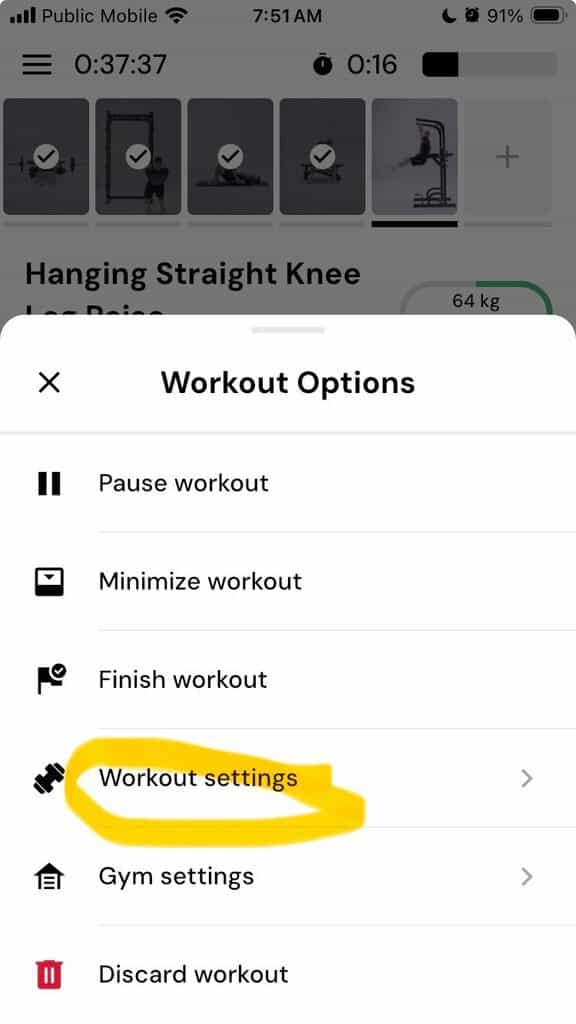
Go to Workout settings within the Workout Options, and the select the Rest Timer:
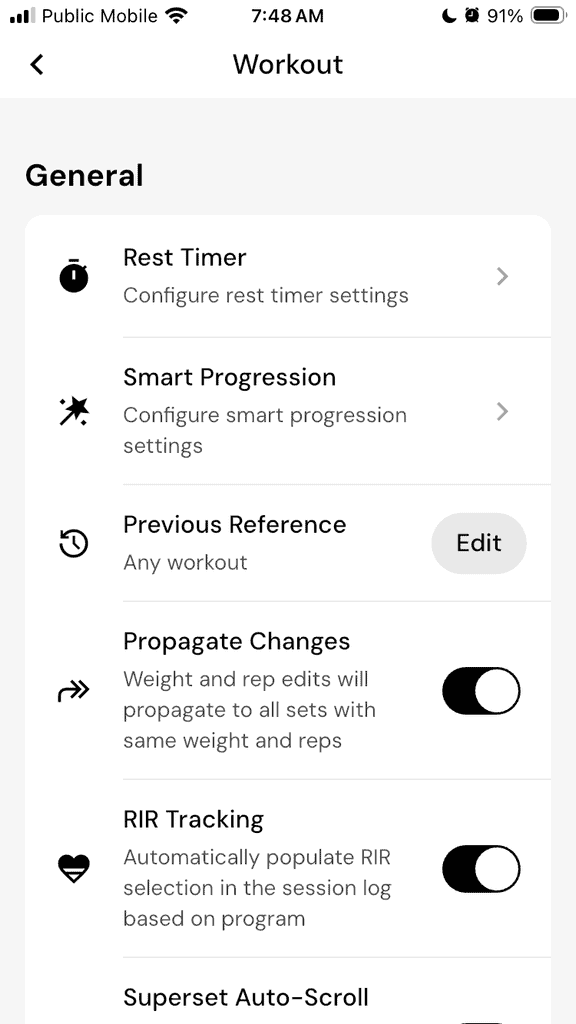
As soon as you log your set, the timer starts running. Simple. Functional. You don’t need a separate timer app.
The timer vibrates, but I was never able to get it to play an audible sound (it’s supposed to). It also appears as a popup if you’ve switched over to another app – a great way to prevent endless scrolling between sets.
For people who tend to lose focus during rest periods, this is helpful.
Demonstration Videos
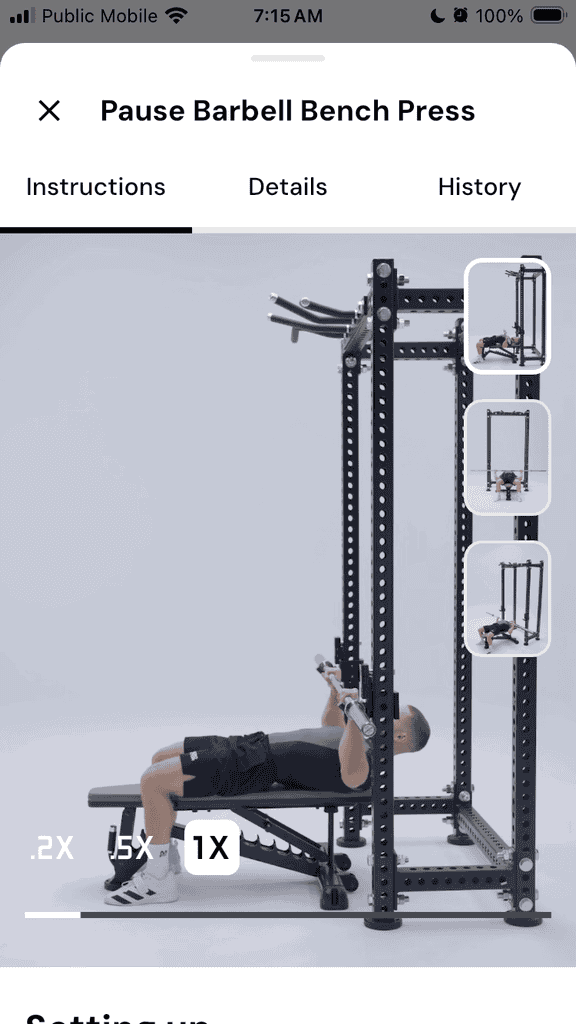
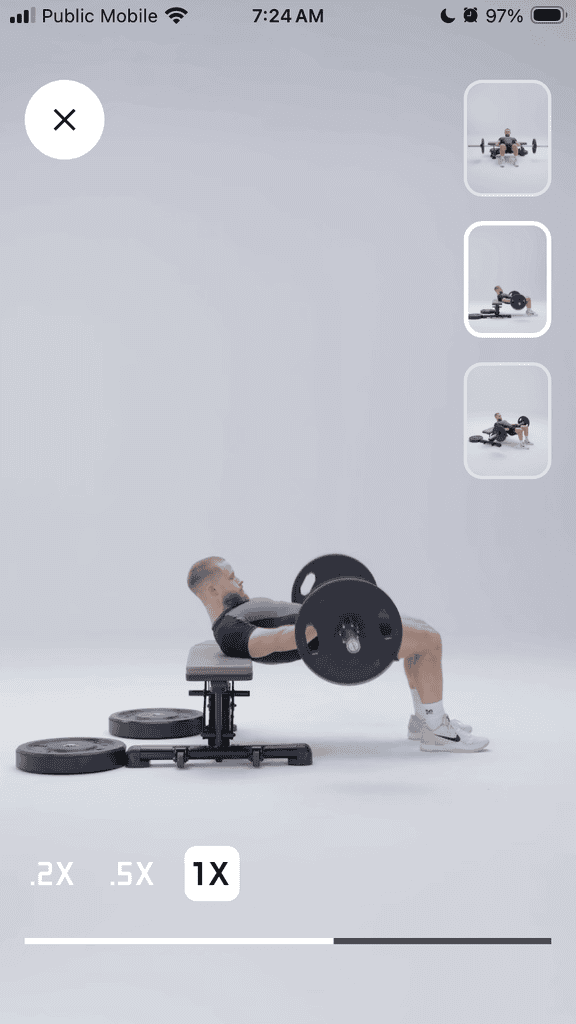
Most exercises include short demo videos, shot from at least 3 angles. They’re clean and concise, and executed with good form.
It reduces guesswork and builds confidence when trying unfamiliar movements.
There is no audio track to describe the exercise, though, so you have to rely on the video alone. I’ll expand on this in the “What I Didn’t Like” section.
Here are some screenshots from the video demonstrations for Pause Barbell Bench Press and Barbell Hip Thrust. Note the three small icons for three different video angles, plus three different playback speeds if you really want to see the movement in slow-motion to understand it:
What I Didn’t Like About MacroFactor Workouts
Now for the limitations – because there are several that are important to consider, or that you at least need to be aware of.
No Warmups or Cool-downs
MacroFactor Workouts does not program:
- General warm-ups
- Mobility work
- Activation drills
- Cool-downs
It assumes you’ll handle that yourself. And if you do, you’ll have to budget time for this on top of the suggested workout time.
For experienced lifters, that may be fine – most of my experienced lifter clients know how to and will do their own warm-ups.
But beginners often skip warm-ups entirely if they aren’t programmed, and likely wouldn’t have the knowledge, skill or experience to come up with an appropriate and effective warm-up.
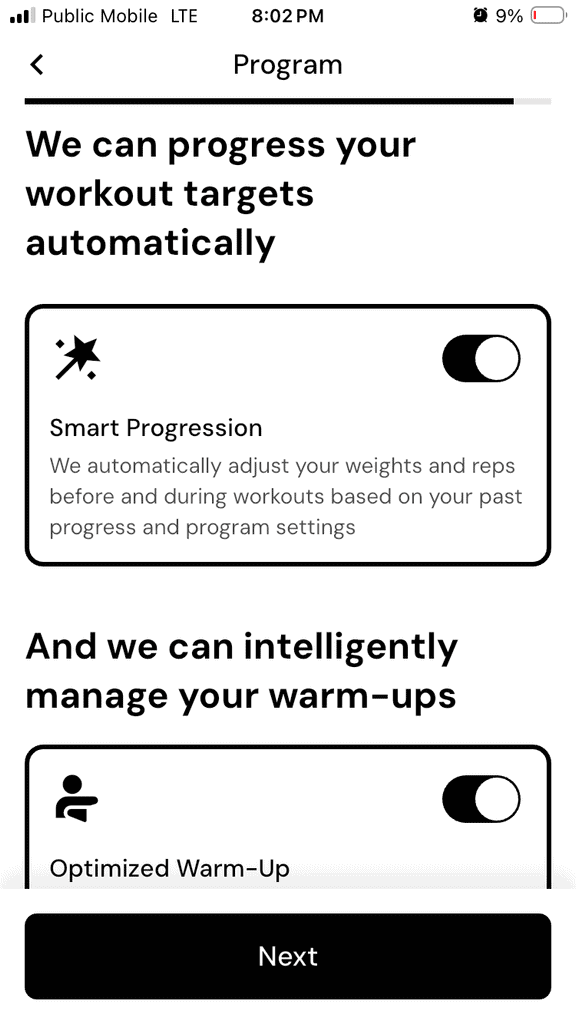
Note that in the second week, the app does add specific warm-up sets for each exercise (usually just the exercise itself done at lighter weights that progressively increase up to working weight over a few sets).
These warm-up sets are the “Optimized Warm-up” sets shown here:
A simple 5-minute general dynamic warm-up section would significantly improve usability.
Unrealistic Progressions
While the RIR-based progression is smart in theory, sometimes the load and/or rep range jumps felt too aggressive. This both increased my injury risk (from overload) and felt mentally discouraging.
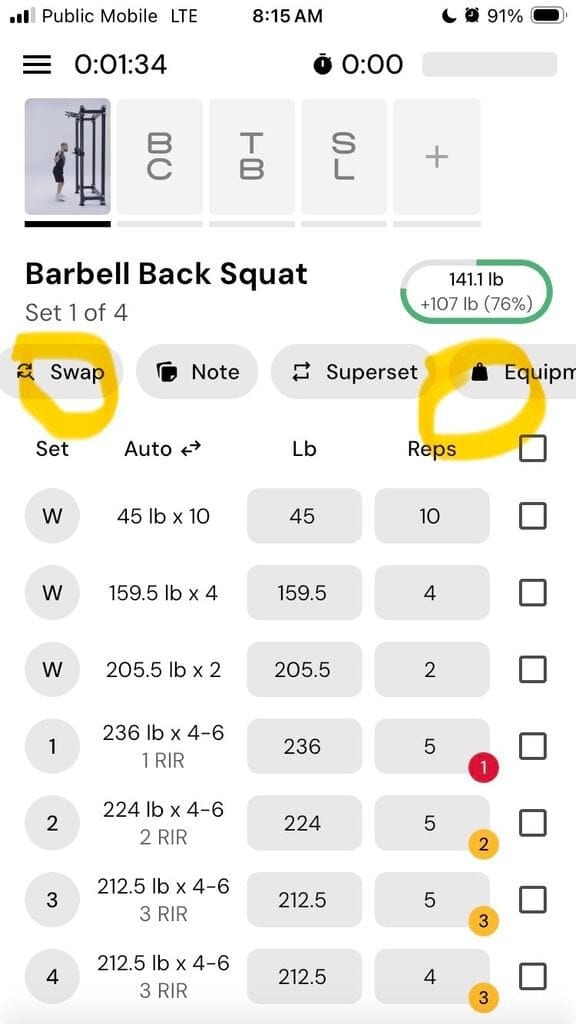
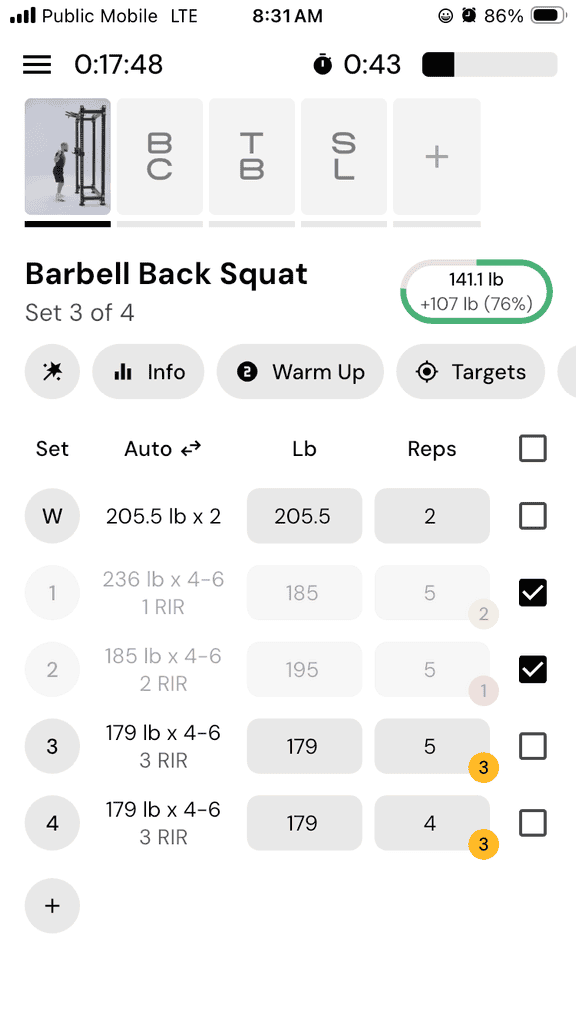
For example, in week 1, my final set of back squats topped out at 195 lbs. In week 2, my first working set after the warm-up was programmed at 236 lbs (+21%). This wasn’t a realistic weight for me, and I adjusted accordingly, but I worry about “ego lifters” or beginners running the risk of injury pushing for loads that are not realistic:
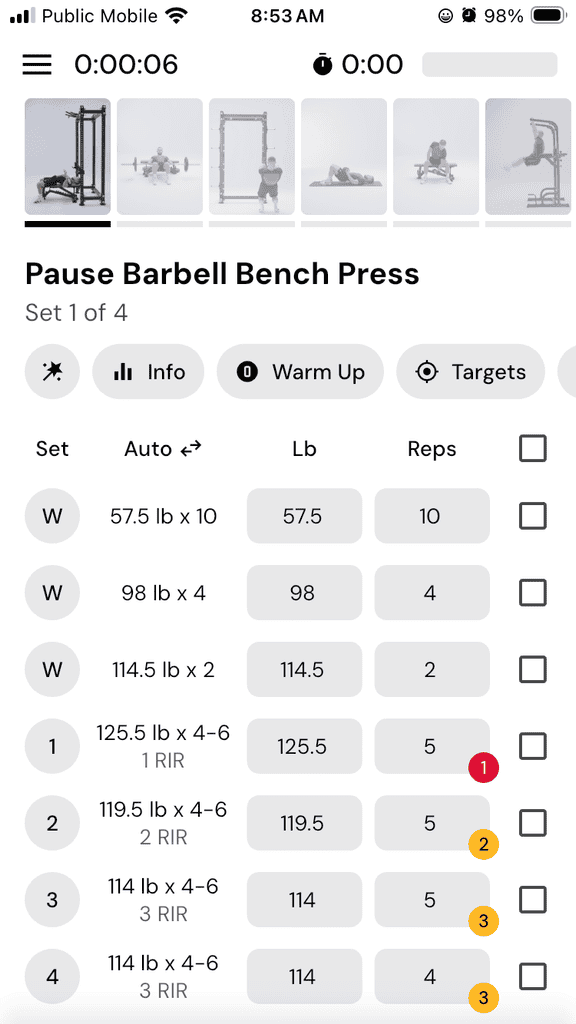
The same thing happened with my bench press. In week 2, my final set of bench press topped out at 105 lbs. In week 2, my first working set was programmed at 125.5 lbs (+19.5%):
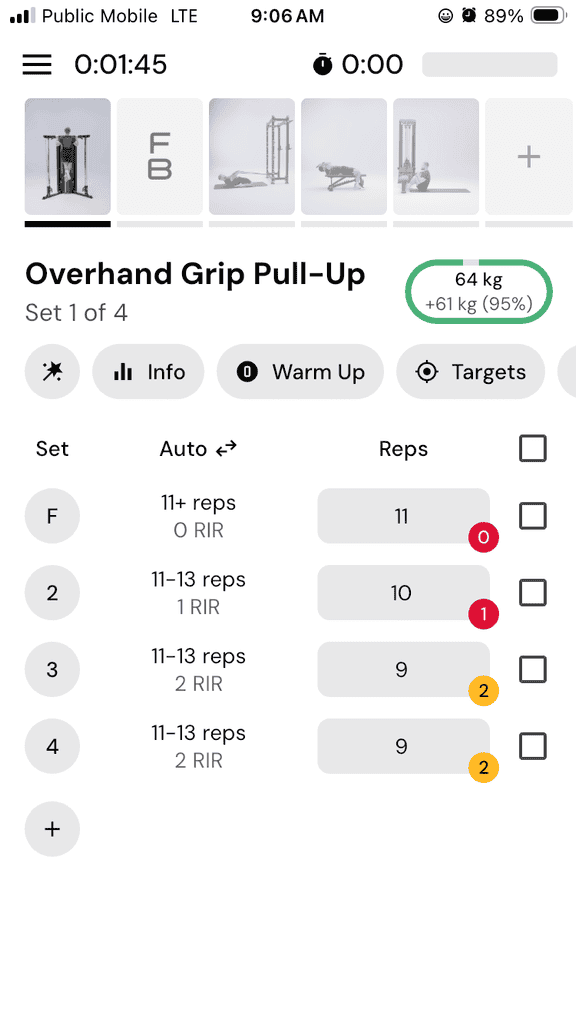
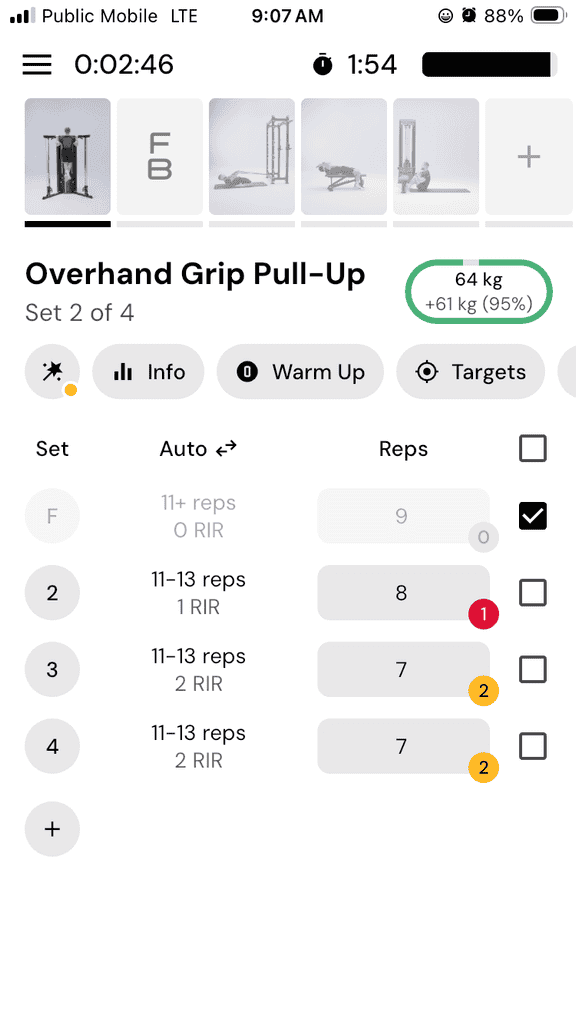
I also felt demoralized when my first set of strict pull-ups was programmed at 11+ reps, given that my intake stated that I could do a set of 5 (and not a set of 10).
I was pretty pleased to get a set of 9!
There’s nuance in how quickly increases occur, for what exercises. You can manually adjust, but that means overriding the app’s suggestion – which defeats the purpose of automation and requires a level of knowledge that a coach or personal trainer would have.
Confusing Loading
I was definitely thrown off by some of the suggested loading – a band-assisted reverse Nordic curl will always have a reduction in weight based on the support provided by the band, so I wasn’t sure how to start with a weight of 0 lbs (unless I was meant to do unassisted reverse Nordic curls), and my bands don’t have clear weight ratings on them to delineate between 13 lbs of support versus 21.5 lbs of support.
I just made sure to start with a lighter band and use a heavier band for the next set:
No Tempo
There are no tempo prescriptions. You won’t see instructions like:
- 3-1-X-1 tempo
- Controlled eccentric
- Pause at bottom
Every movement defaults to “standard” reps, and if you’re new to lifting you might have no idea of an appropriate tempo for an exercise.
For hypertrophy-focused lifters, tempo can significantly impact stimulus.
The absence of tempo makes the programming feel more generic.
Missing Demonstration Videos
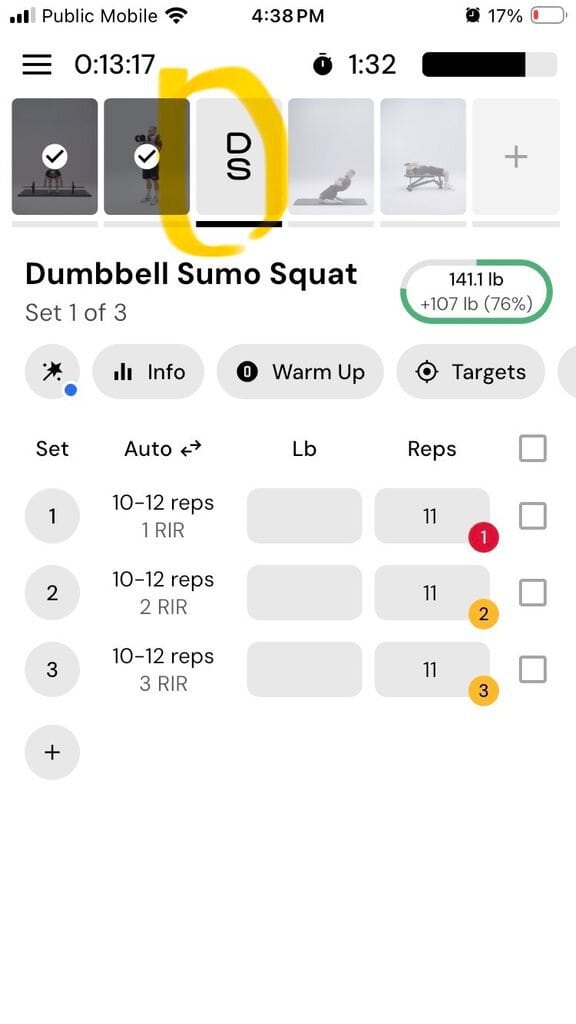
While many exercises include demos, some don’t, particularly niche movements like Olympic lifts.
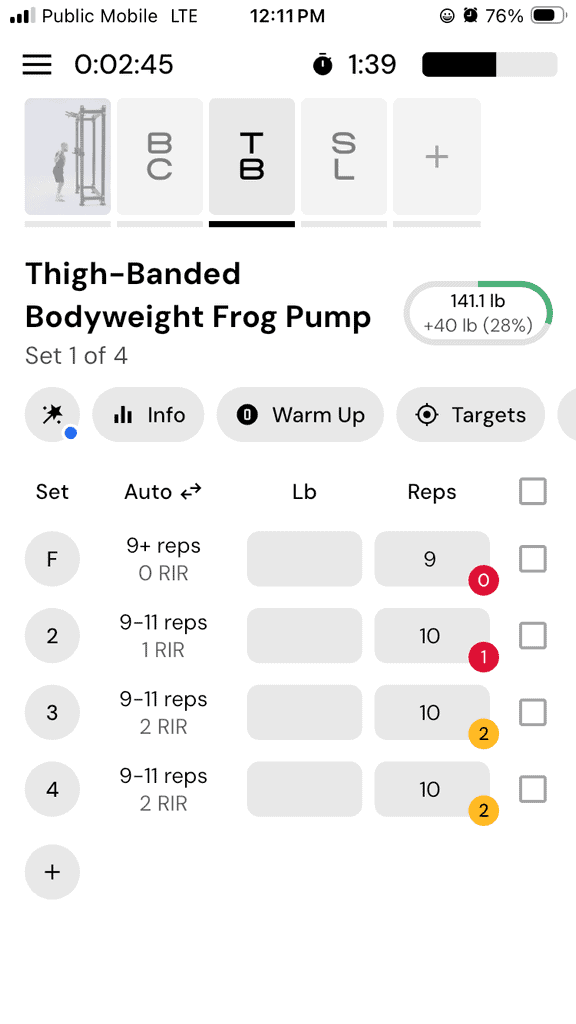
My Workout E had a total of 4 exercises, and only 1 of them had a video – the other 3 did not. This meant that I had to leave the app and look up the videos on YouTube, and hope that the video I found matched the actual exercise the app programmed.
Here is what the video icon looks like when there is no video: see the “DS” for Dumbbell Sumo Squat:
For example, I had no idea what to expect with a “Thigh-Banded Bodyweight Frog Pump”:
Since the app just went live in January, I’m confident that the MacroFactor Workouts team is hard at work creating even more videos for its nearly 1,000 exercises.
Bodybuilding Focus
Since I have a background in competitive CrossFit and powerlifting, I was a bit disappointed that the app had such a strong bodybuilding vibe to it. There were some Olympic lifts available in the exercise library (but no demonstration videos), and no CrossFit “gymnastic” movements such as kipping or butterfly pull-ups, handstand push-ups, muscle-ups, and more.
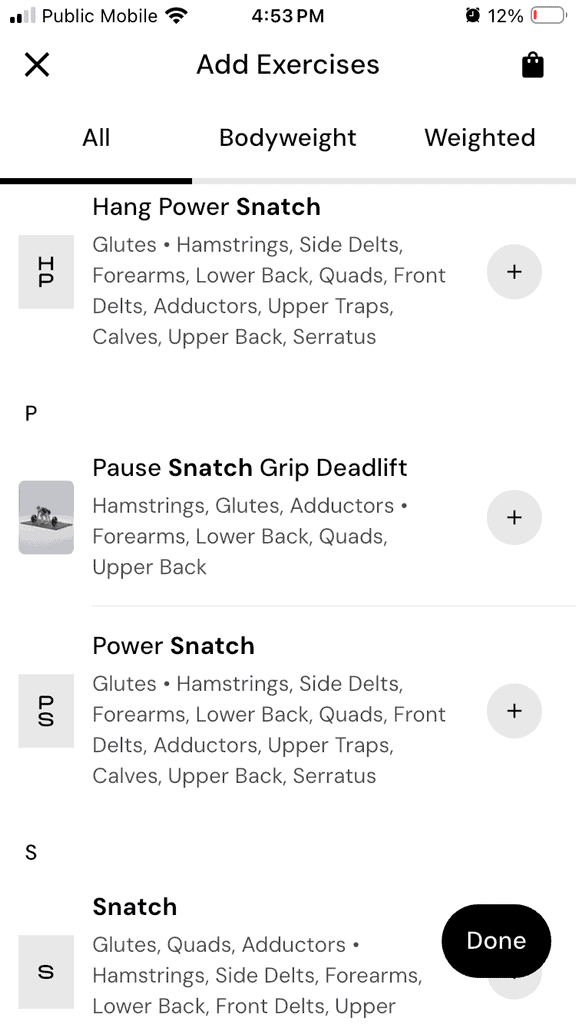
So, even if I wanted to manually build a program to mimic my CrossFit training, I wouldn’t have been able to input my regular slate of exercises, and the timer function wouldn’t have done common CrossFit time formats such as EMOM, AMRAP, etc.
Who Should Use MacroFactor Workouts
MacroFactor Workouts are best for general population clients looking to improve muscle size and strength, and already have experience with resistance training:
From my perspective, MacroFactor Workouts will work best for:
- Lifters who already understand basic form
- Users already tracking macros in the MacroFactor nutrition app
- People who want structured resistance training sessions without hiring a coach or personal trainer
- Busy professionals who need efficient sessions
- Data-driven individuals who like RIR tracking
If you want a straightforward resistance training program that integrates seamlessly with your nutrition tracking this makes sense.
It’s convenient, and convenience drives adherence, and adherence drives results.
Who Should Not Use MacroFactor Workouts
MacroFactor Workouts are not recommended for beginners, or “hybrid” athletes who want more functional training with metabolic conditioning (e.g., CrossFitters).
I would not recommend MacroFactor Workouts to the following clients:
- True beginners who need detailed coaching
- Athletes training for sport-specific performance
- People wanting advanced hypertrophy techniques
- Lifters who love tempo work or advanced intensity methods
- Anyone seeking cardio programming inside their strength plan
It’s not bad. It’s just basic bodybuilding (and done very well, I might add). And for many people, basic bodybuilding is more than enough to sculpt the body of their dreams and meet their fitness goals. But not always, and not for everyone.
Pro Tips For Success
If you decide to use MacroFactor Workouts, here how to get the most out of it:
Plan for Warmups, Cool-downs and Cardio
When selecting workout duration, plan for an additional 10-15 minutes to cover your own general warm-up and cooldown.
If you’re new to working out, I highly recommend scheduling at least a few sessions with a coach or personal trainer to learn about principles of an effective general warm-up.
If you don’t have the budget for that, you can do an online search, and at a minimum, I would recommend 5-10 minutes of gentle cardio (think walking on a treadmill and gradually increasing the tempo and/or incline) to increase heart rate gradually, and increase breathing rate and body temperature.
Then do some lightweight movements mimicking the movement patterns of the upcoming exercises in the workout to prepare the joints, tendons and ligaments.
For example, if you will have bench press and back squats in your program, your warm up should include some pressing movements (with a band, PVC pipe or empty barbell) and air squats. Execute these movements slowly, with control, through a full range of motion.
A cool down is the opposite in many ways, aiming to gradually decrease heart rate, breathing rate and body temperature. A few minutes of gentle cardio can do this. Controlled stretches for the muscles targeted during the session can help ease the surrounding tissues and promote recovery.
For cardio, you’ll need to decide when and how to incorporate sessions – will they be “added on” at the end of your strength workout? Or scheduled at a different time during the day, or on a different day? Make your plan and stick to it.
Honesty
When logging sets, reps and RIR, be honest. It can take some time to truly understand and accurately estimate how many more reps you could do without actually doing them.
Do your best, and don’t overestimate the number of reps you could complete with good form just because you want to get more reps and/or heavier weight on the next set or session (ego lifting).
The algorithm depends on accurate feedback. It’s a classic case of garbage in / garbage out. As you log works, the app adjusts your program automatically to help you continue making gains without guessing when or how to increase difficulty – but this only works if your logging is honest and accurate.
When it works, it works really well. MacroFactor Workouts’ auto-progression even works for programs you build in the app yourself.
Here is a screenshot of logging the number of reps (12) for a given weight (20 lbs), and the RIR is the small number in the circle at the bottom right (1) for this set:
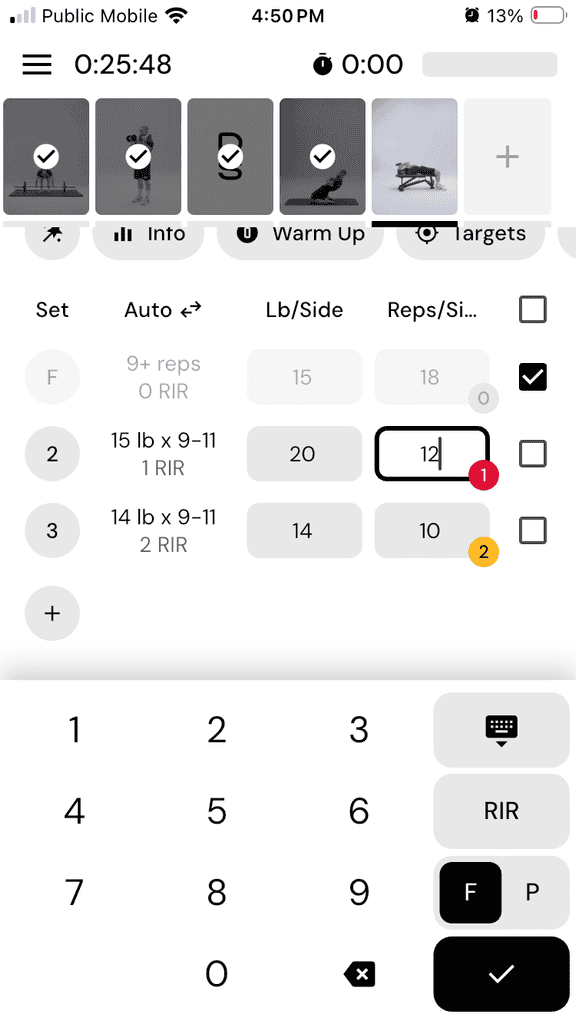
RIR
It’s important to understand what RIR actually means and what it feels like. Reps In Reserve is an estimate of how many more reps you could complete in a given set at a given weight with good form.
If the set says 2 RIR, you should finish the set knowing you could have done 2 more reps with good form. If you realize you really couldn’t have done even a single extra rep (0 RIR), it’s important to input that accurately so that the app will make the appropriate adjustments for the next set/session.
RIR requires self-awareness. If you’re new to RIR, spend a few weeks learning how true failure feels, in a safe environment.
Otherwise, progression will be inconsistent and the suggested weights and reps won’t match your reality.
Advanced Features
MacroFactor Workouts allows for more customization than most people realize, and these features really do step the app up a notch compared to other workout apps.
Exercise Swaps
You can swap exercises for others that target the same muscle groups, in a similar movement pattern.
For example:
- Barbell back squat → Hack squat
- Bench press → Machine press
- Lat pull-down → Pull-ups
Here is a screenshot for the exercise swap for a barbell back squat:
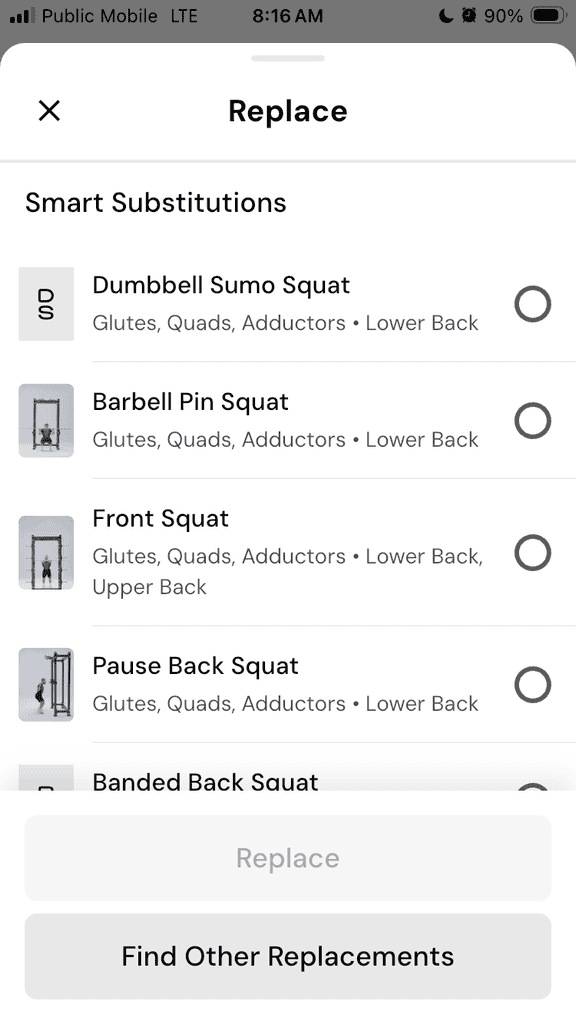
The app adjusts loading suggestions accordingly. This is especially helpful if equipment is unavailable.
It’s also useful if a movement aggravates a joint or otherwise feels uncomfortable – more on that, next.
Do Not Recommend
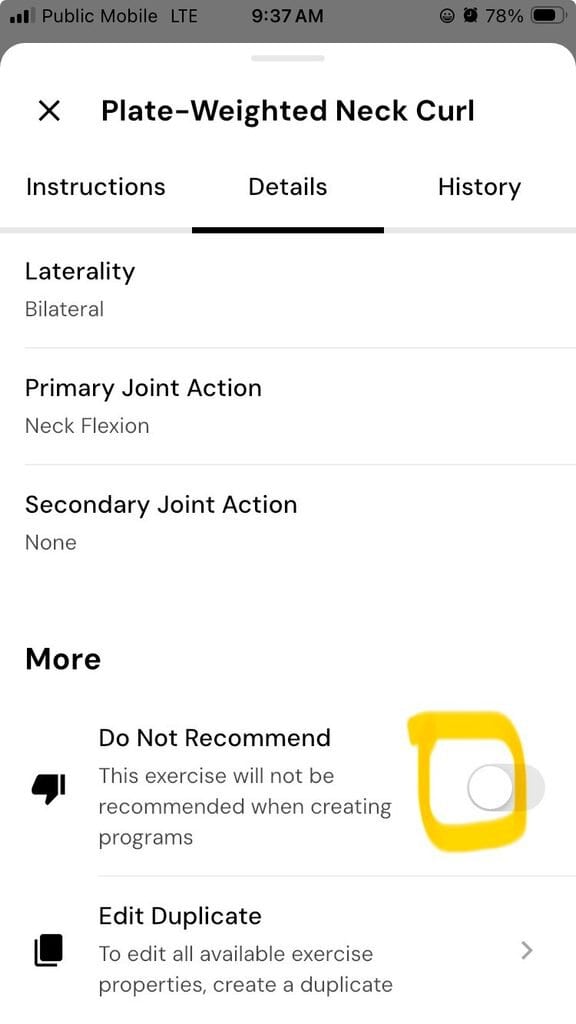
If a movement aggravates a joint or otherwise feels uncomfortable (or you just plain don’t like it!), you can not only swap it for another exercise (as explained above), you can flag it as “Do Not Recommend” and the exercise will not show up in any future workouts/programs.
For example, I personally don’t like barbell hip thrusts, so I swapped for deadlifts and told the app “Do Not Recommend” barbell hip thrusts.
Here is a screenshot showing the “Do Not Recommend” slider for Plate-Weighted Neck Curl:
Supersets
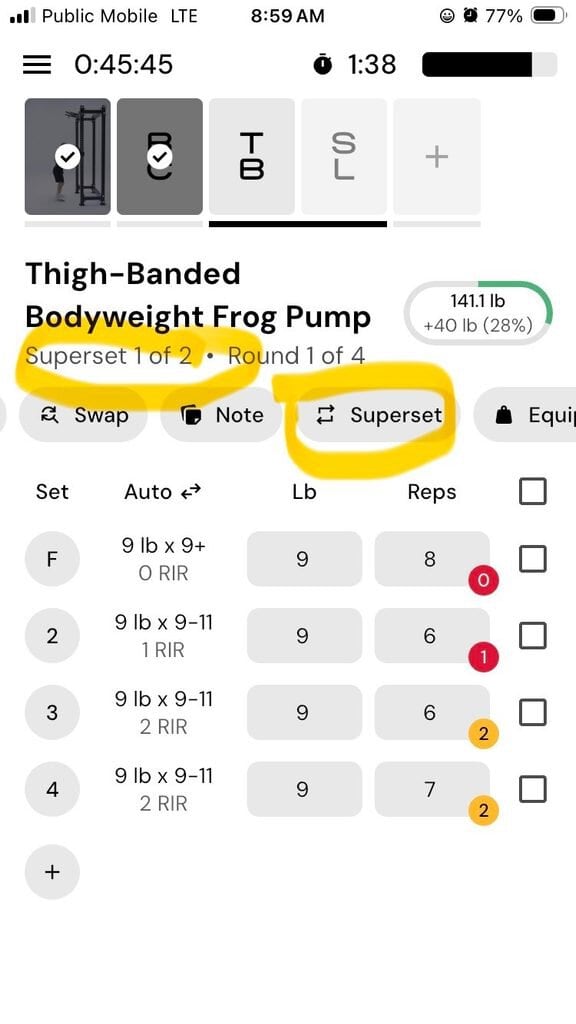
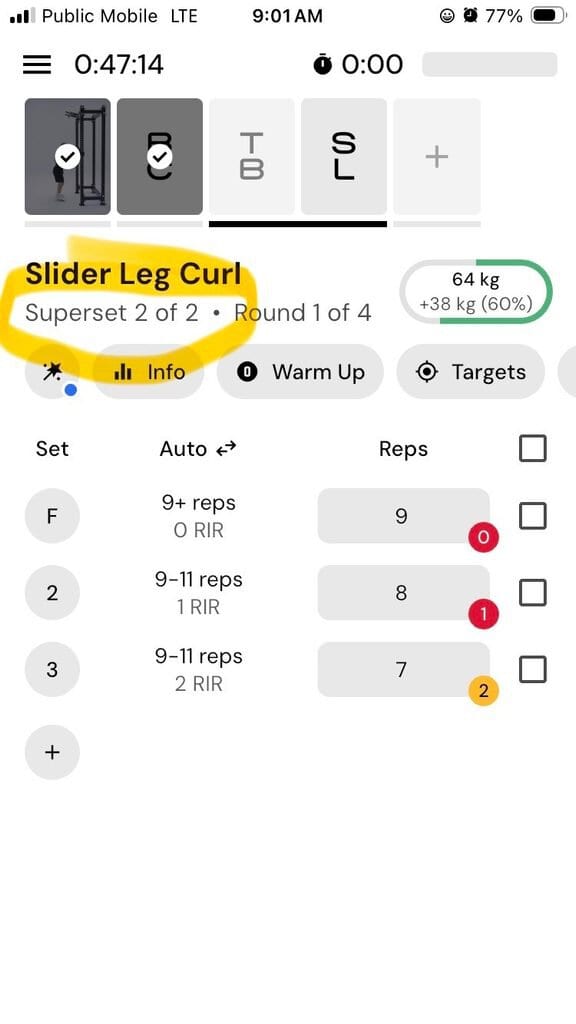
MacroFactor Workouts includes superset options, allowing you to superset an exercise with the exercise before and/or after it.
That said, the rest timing between paired exercises isn’t necessarily intuitive – a true superset usually does not have rest time between the paired exercises, only after the pair has been completed.
The load progression can also feel inconsistent, and the app may allow you to superset exercises that otherwise wouldn’t be paired together by a knowledgeable trainer.
Here you can see that I created a superset for Thigh-Banded Bodyweight Frog Pump and Slider Leg Curl:
Final Thoughts: Is MacroFactor Workouts Worth It?
MacroFactor Workouts is one of the most advanced, thoughtfully designed and customizable fitness apps I’ve seen. The workouts are clean, efficient, structured, and seamlessly integrated with macro tracking.
For someone already using MacroFactor for nutrition, adding workouts is convenient and cost-effective.
The workouts are not revolutionary, but their delivery is cutting edge. They won’t replace an experienced coach, but they’re better than going it alone or following a static PDF plan.
If you want a smart, practical resistance training program that respects your time, MacroFactor Workouts absolutely delivers.
About The Author

Lauren Loveswell is a Precision Nutrition Level 1 certified nutrition coach. She focuses on helping busy professionals balance healthy eating and purposeful movement. Lauren has a background in competitive swimming and is currently competing as a CrossFit athlete. She has a passion for training, teaching, and writing.
Why Trust Our Content

On Staff at FeastGood.com, we have Registered Dietitians, coaches with PhDs in Human Nutrition, and internationally ranked athletes who contribute to our editorial process. This includes research, writing, editing, fact-checking, and product testing/reviews. At a bare minimum, all authors must be certified nutrition coaches by either the National Academy of Sports Medicine, International Sport Sciences Association, or Precision Nutrition. Learn more about our team here.
Have a Question?
If you have any questions or feedback about what you’ve read, you can reach out to us at info@feastgood.com. We respond to every email within 1 business day.
