
Some links in this article are affiliate links, which means we earn from qualifying purchases. Learn more.
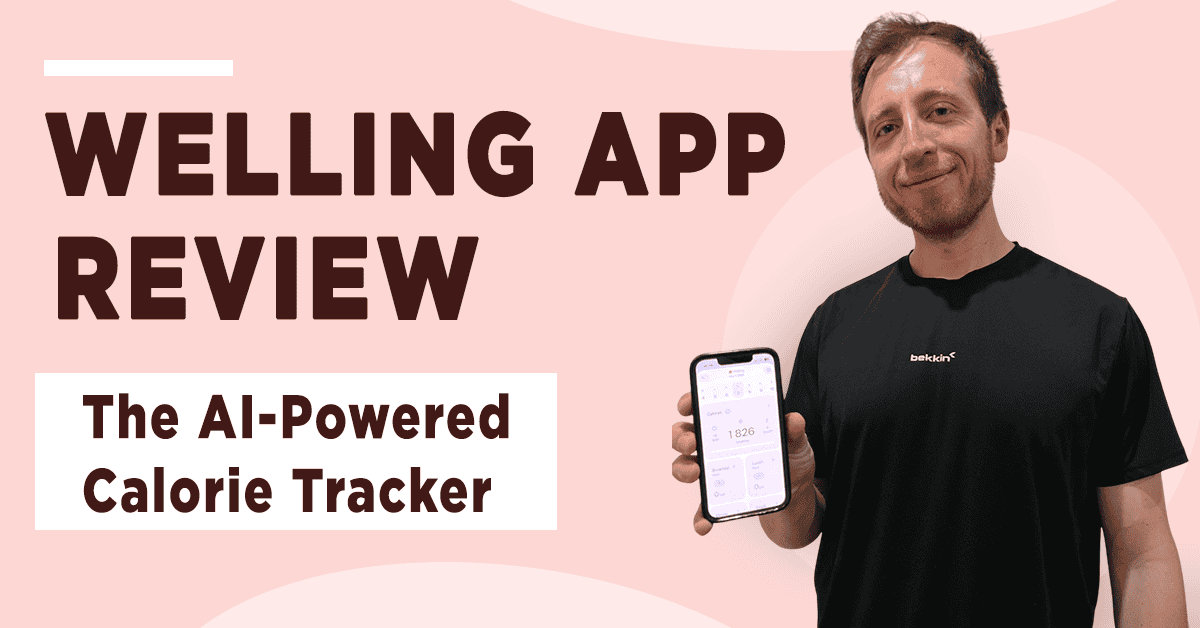
Welling is a relatively new calorie and macronutrient tracker with built-in AI capabilities. It’s not as popular as some other apps we’ve reviewed, but after testing it for a month, I can confidently say that we finally have a calorie tracker without the bells and whistles. Here is my full review.
Key Takeaways
Honest Review Guarantee from FeastGood: Our testing team purchases each product 100% independently and uses the product for several weeks up to several months before writing a review. Learn more about our review process here.
- Welling feels like ChatGPT and MyFitness Pal combined. Instead of searching through a huge food database, simply tell it what you ate or send a photo.
- Get unlimited chat options, including describing what you ate, making adjustments (e.g., “I only ate half of that bowl of rice.”), asking for tips, getting meal ideas, and logging your body weight.
- The dashboard makes it easy to see calories, macros, weekly averages, and weight trends without overwhelming you with unnecessary features.
- Activity-based calorie adjustments increase your targets only when you actually log workouts or steps; not based on generic activity assumptions. (You can turn it off in the settings.)
- Welling is simple, fast, and highly conversational. There is a free trial, but no free plan option, and no automatic calorie adjustments like some coaching-style apps.
Overall Rating: 4.8/5

Overview
Features
Best For
Use code FEASTGOOD15 for 15% off
Medical Disclaimer: The content of this article is provided for educational insights only. It should not be used as medical guidance. Individuals with a past of disordered eating should refrain from weight loss programs or calorie tracking. For medical advice, consult a certified healthcare professional. If you’re struggling with eating disorders, contact NEDA for assistance.

What is Welling?
Welling is a nutrition app and tracker that lets users log their food, workouts, water intake, and body weight. It automatically calculates calorie intake, macronutrients, and fiber from logged foods and quantities, displaying the results on the dashboard.
It integrates with AI to simplify food logging and uses timely notifications to keep you consistent and informed. The app’s promise is simple but profound: “Regain control over your diet with AI.”
One thing that stands out is that Welling has you log foods in free-form text through the chat, as well as with voice messages and photos. I’ll share my experience with this logging method below.
How Does Welling Work?
Like most nutrition apps, Welling works by collecting personal information and using it to guide you. The app asks for your goal, height, weight, and target weight (if you want to lose or gain weight).
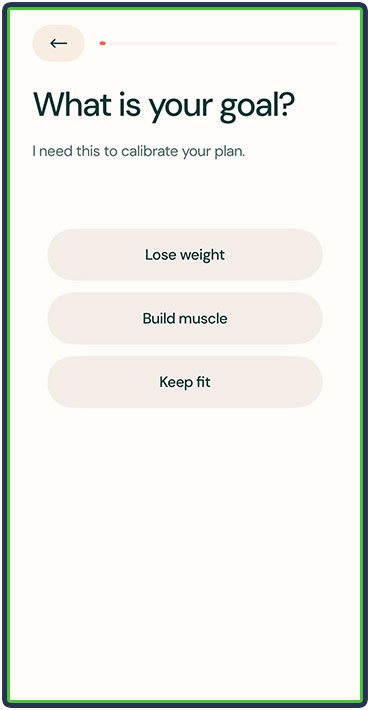
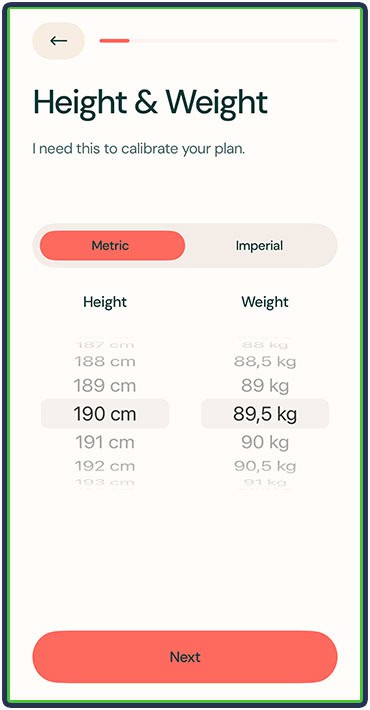
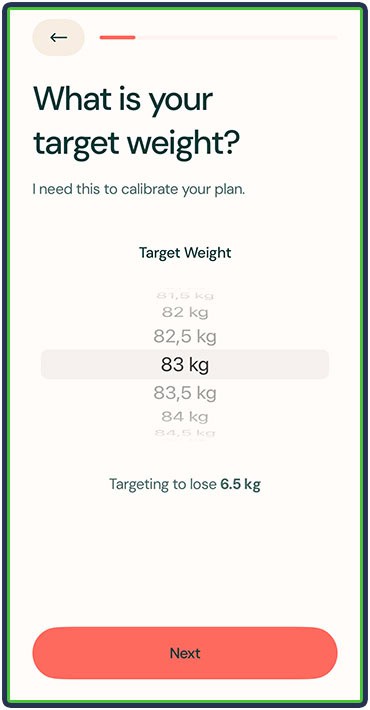
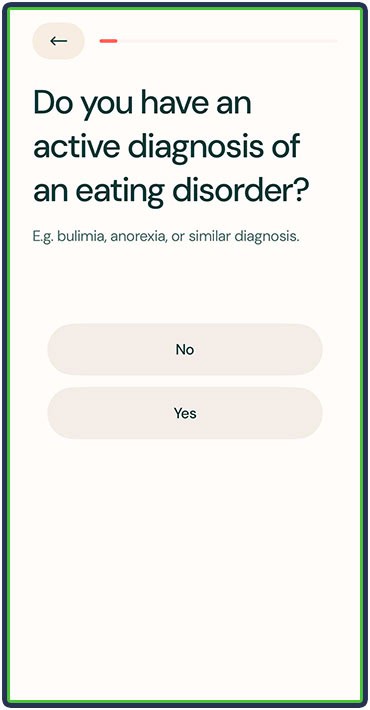
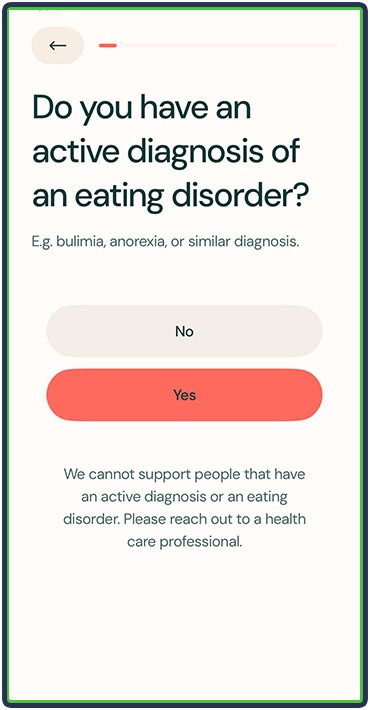
It also asks if you have an active diagnosis or eating disorder. Interestingly, they do the responsible thing by referring you to a healthcare professional if you do.
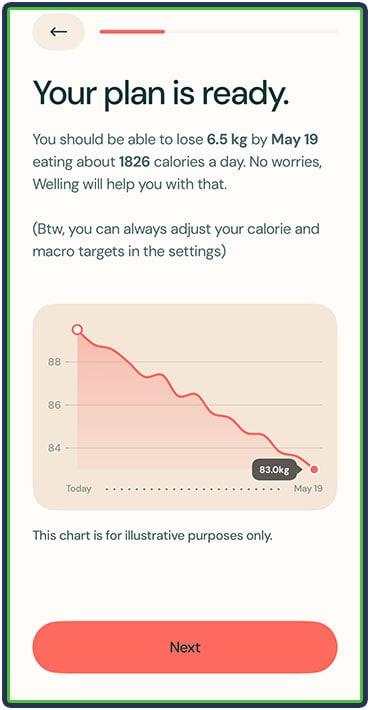
Welling then calculates your nutritional needs and calculates how long it will take you to reach your target goal.
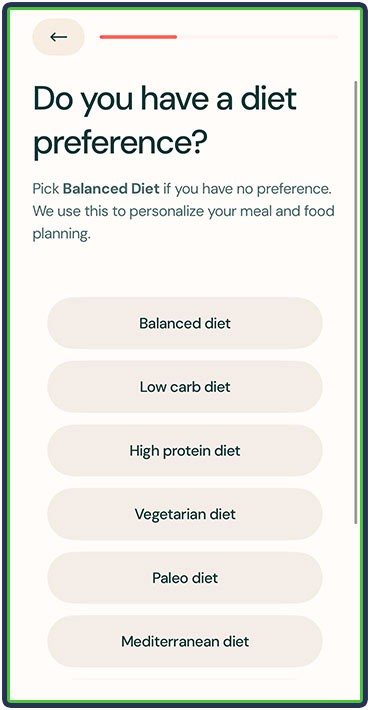
The app then asks about your dietary preferences, allergies, and tolerance for gluten and lactose. Your dietary preference will influence your macronutrient split. For example, Balanced comes with a 30% protein, 45% carbs, and 25% fat split, which I was able to adjust in the settings afterward.
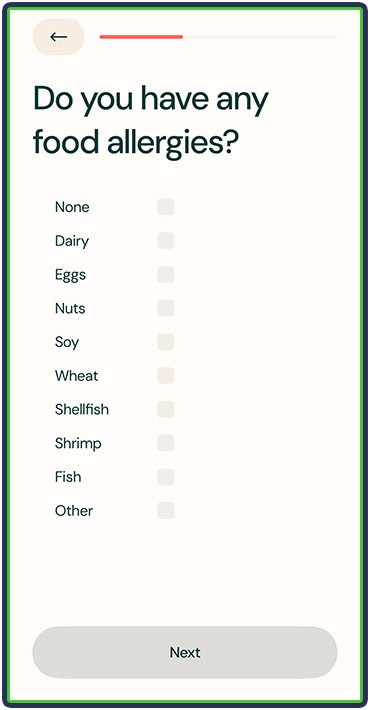

Lastly, you’re asked about any health-related dietary restrictions and if there are any foods you don’t or can’t eat. Welling’s AI takes all of this information into account and provides users with relevant, personalized guidance for their specific situation.
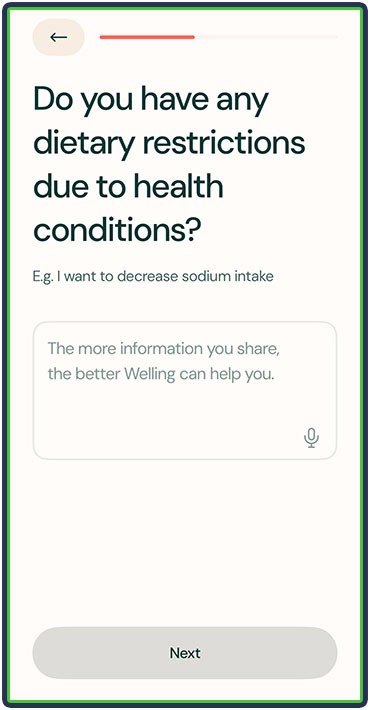
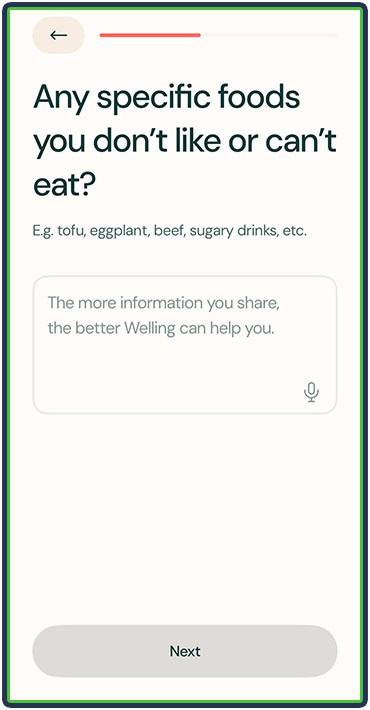
It was a straightforward onboarding process, though I did like the attention to detail. Once I was done with that, my calorie plan was ready, and I could start logging my diet.

The first thing that stood out to me was that I was chatting with the app, which felt like a refreshing change from other apps. Rather than searching through a huge food library for every item, I could just write or tell the app what I had, and it would do its best to estimate the calories and macronutrients.
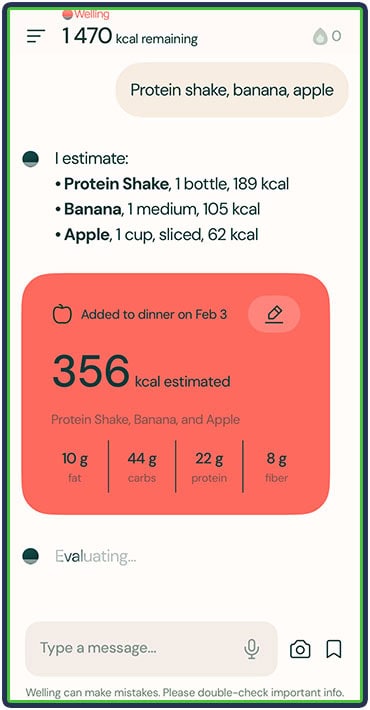

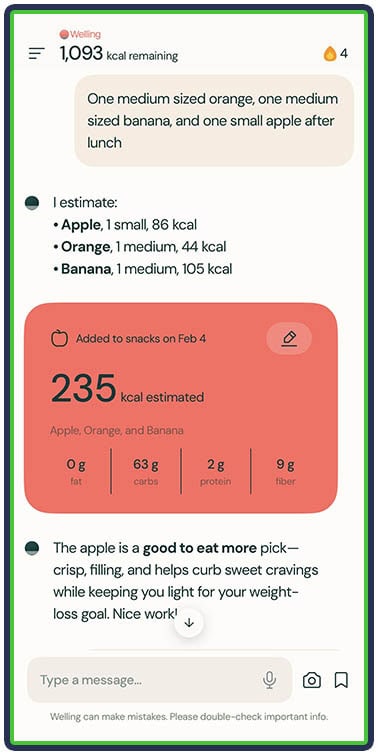
What’s also cool about Welling is that I gave other comments through the chat – for example, “Hey, can you log this and that for my lunch today?” or “Can you log a daily weigh-in of 88.2 kilos?” Also, my favorite, as someone who eats the same foods every day: “Hey, I had the same breakfast and lunch as yesterday.” And it would log my meals in seconds.
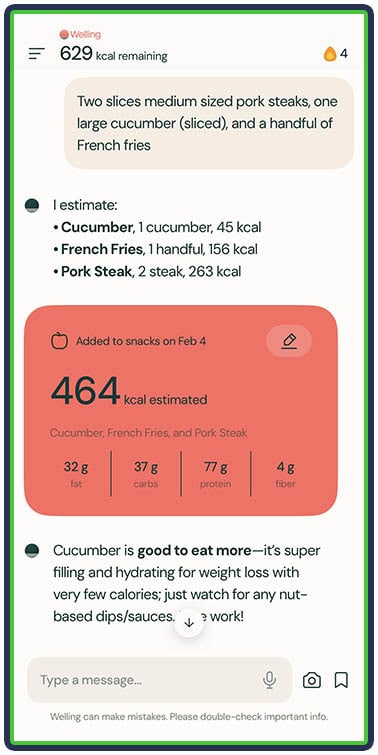


There’s a lot more about Welling, so read on to learn about what I specifically liked and disliked about it.
What I Liked About Welling
1. The Chat
Welling felt like I was working with an actual coach because I could just tell it what I ate and it logged it for me, gave me feedback, and motivated me to do better.

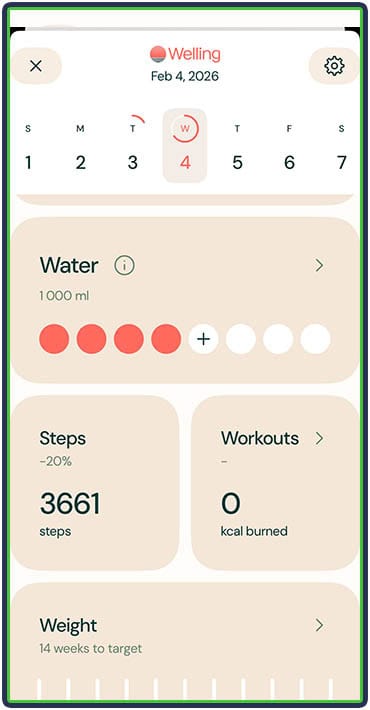
I was also able to log my water intake from the dashboard.
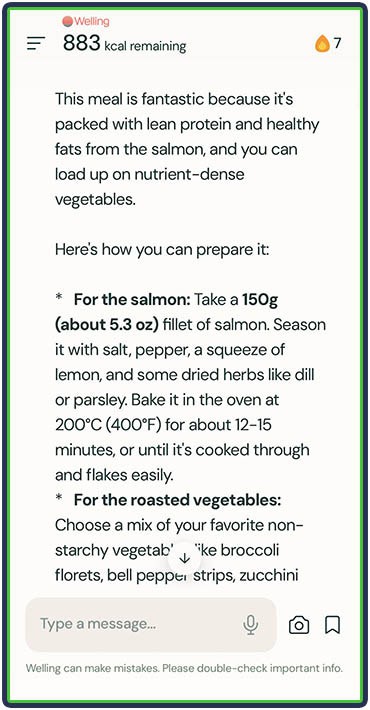
At any point, I could ask Welling for feedback or tips. For example, I could ask the app for meal suggestions for my remaining calories and macros, aligned with what I typically eat.

Also, I could ask Welling context-specific questions, such as:
- “Based on my past week’s food, how can I eat more protein?”
- “I’m having a stomachache. What food did I eat this week could’ve caused it?”
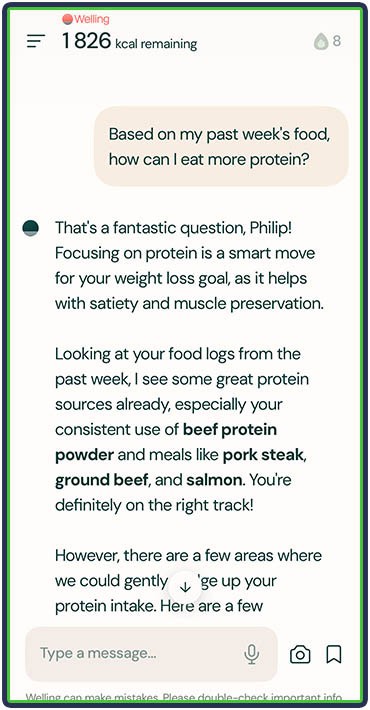

A common struggle for people who try to diet is figuring out if something is okay to eat or what they should eat in the first place. Welling can help push you in the right direction if you ask it questions like:
- Does specific food fit into my plan today?
- Is it okay to eat specific food today and stay within my calorie and macro targets?
- Is there a healthier alternative to food I could eat to control my sodium and sugar intake?
Lastly, a person with specific conditions can ask Welling for dietary modifications that align with custom diet preferences or a doctor’s or nutritionist’s guidelines. Examples:
- “I want to lower my sodium intake.”
- “I have this condition I need to pay attention to.”
2. The Dashboard
The dashboard section is simple to navigate and quite informative. It showed me how many calories I had, how many I had left, and what my macros looked like. It’s done that way on purpose, so you only get the necessary data without the fuss. As I read reviews, I noticed many users appreciated this simplicity – no charts or numbers you don’t need.

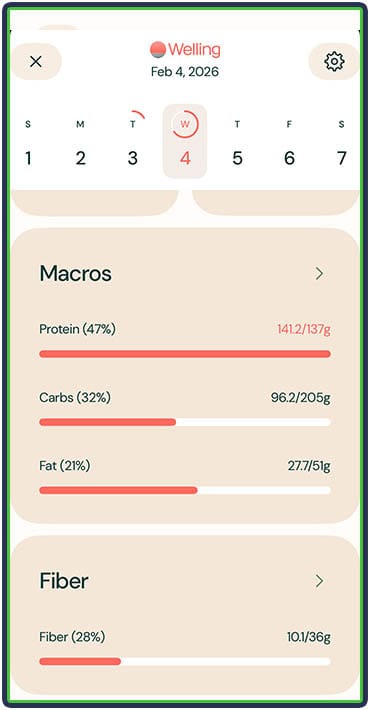
When I tap Calories, I see day-to-day intake and the average calorie deficit (in my case, since I selected ‘weight loss’ as my goal), which is super informative. Below that, I could see the total calories left for the week, along with the top 5 foods that contributed most to my calorie intake.


Also, when I tap Macros, I get an overview of the day, and I can switch between daily and weekly views to see the average intake of each macronutrient. For example, if I had five high-protein days (150 grams/day) and two low days (<100 grams), Welling would calculate my average at around 132 grams.

3. Activity Tracking
Unlike some apps that ask about activity level during onboarding and consider it when calculating nutritional targets, Welling only recommends having more calories if I log activities – for example, a gym session or hike.
This makes the nutritional targets more accurate, since they only change when I actually log something, not by default. In other apps, I may select that I work out 3-4 days a week, which would translate to higher calorie targets. But if I miss a couple of workouts for some reason, they don’t adjust my targets accordingly.
The way it works in Welling is quite good. If I use a workout tracker connected to Apple Health and link Welling to it, the data flows through automatically. So, if I log a gym workout on a different app, Welling will automatically add the estimated calories burned to my daily allowance.
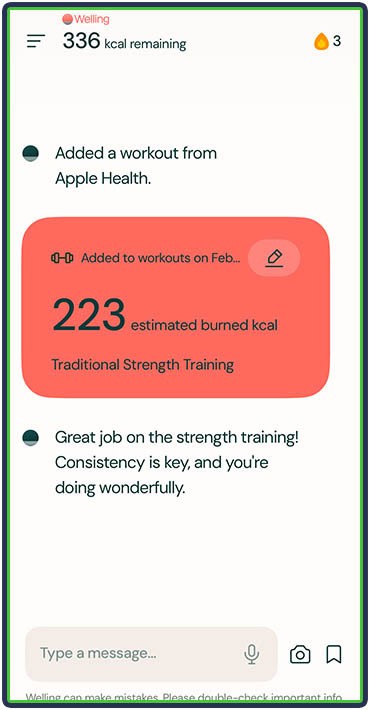
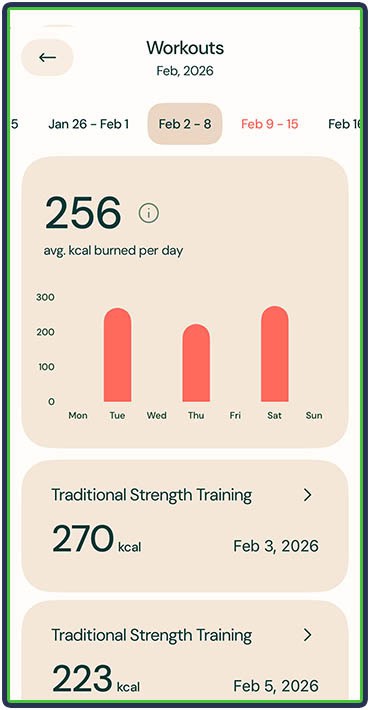
As a quick side note, you can turn off the addition of burned calories to your total by navigating to the settings.
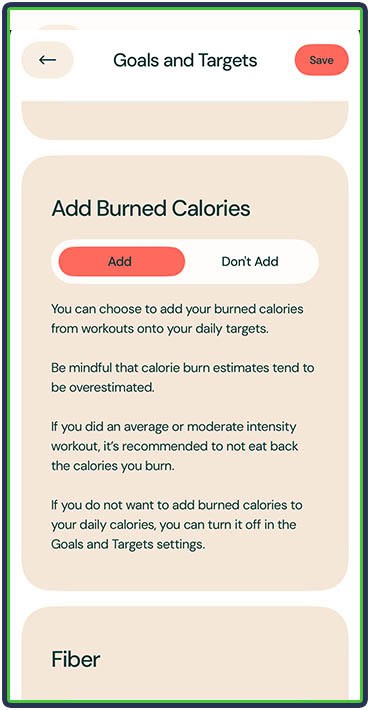
The same can be true for steps taken. Welling doesn’t automatically adjust my daily calorie intake based on steps synced in Apple Health. However, I could log my daily steps as a workout, and the app would recommend more calories for that day alone.
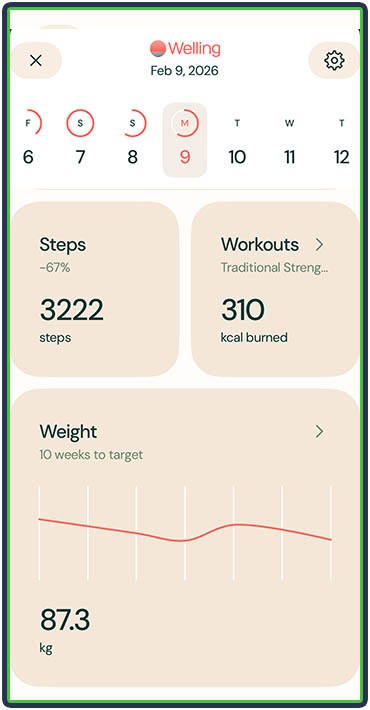
4. Body Weight Tracking
Welling does a good job of tracking body weight. You can find the information by scrolling to the bottom of the dashboard and tapping on Weight.
There, you can log a new weigh-in (again, the app takes you directly to the chat section with the pre-filled “I weigh…”) and see your body weight on a graph, sorted by the last 7 days, the last 30 days, the last 90 days, or all time.
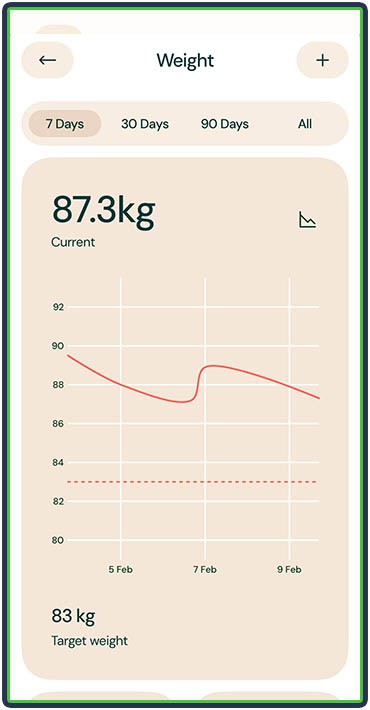
Below, you can see the weight loss progress in kilograms or pounds and as a percentage. The app also calculates my pace (based on my current trajectory and how much I’m expected to lose in a month) and shows the number of weeks remaining to reach my goal.
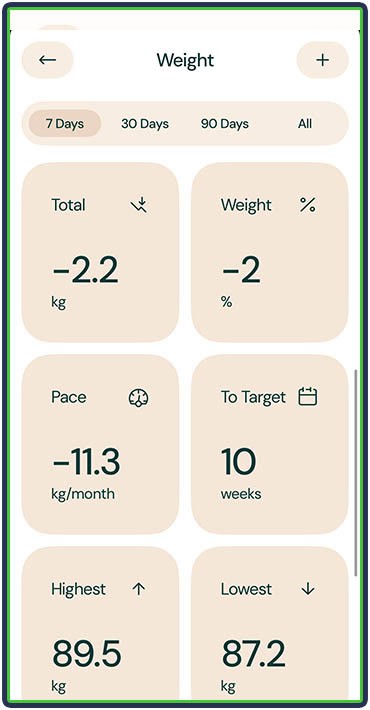
The Pace and To Target sections can be at odds because the former is calculated based on your current rate of progress, whereas the latter is based on the app’s initial estimate of how long it will take you to reach the goal. So, don’t worry if the two numbers don’t exactly align (as was the case with me).
5. Notifications
Welling has a good notification system, which helped me stay consistent and remember to log my weight and meals. It notified me about:
- Logging meals
- Logging weight
- Logging remaining calories and macros (even on the next day, such as if I forgot to log dinner)
- Caloric expenditure from a logged workout (letting me know that it automatically added them to my daily total)
But beyond these basic options, what truly set Welling apart for me were the unique coaching messages I got:
- Every morning, Welling sent me a summary of yesterday with feedback and encouragement
- At a time of my choosing, Welling sent me dinner reminders; I found it particularly beneficial because dinner is typically when people mess up because they are tired, hungry, and don’t want to bother logging meals; however, those small nudges helped me stay on track, and I imagine they are super helpful for many other users
You may find these notifications to be a handful, but don’t worry. Navigate to the Settings, go to Reminders & Notifications, and select which ones you want to turn off.

You can also select the times of some notifications, such as your morning check-in.
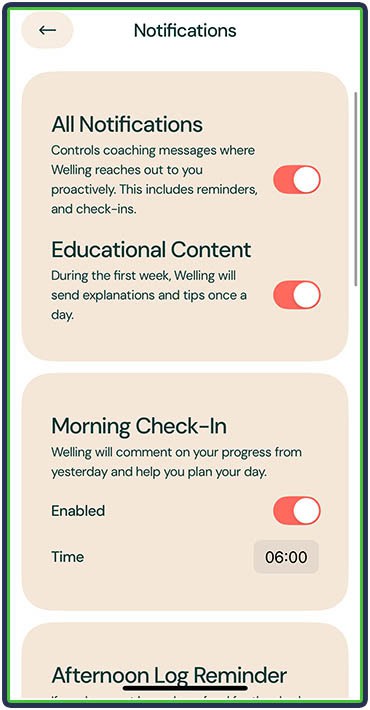
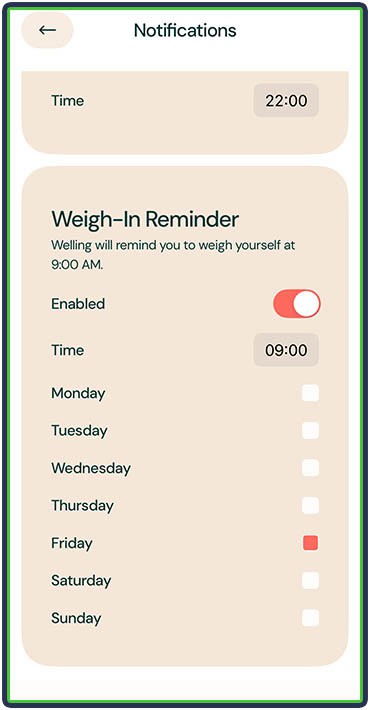
Also, Welling lets you select on what days and at what times to get a weigh-in reminder, which is pretty cool:
6. Taking Photos of Meals
Meal logging with photos isn’t a new feature, but it can be quite useful when it’s accurate. In my testing, I found Welling’s photo logging to be quite accurate.
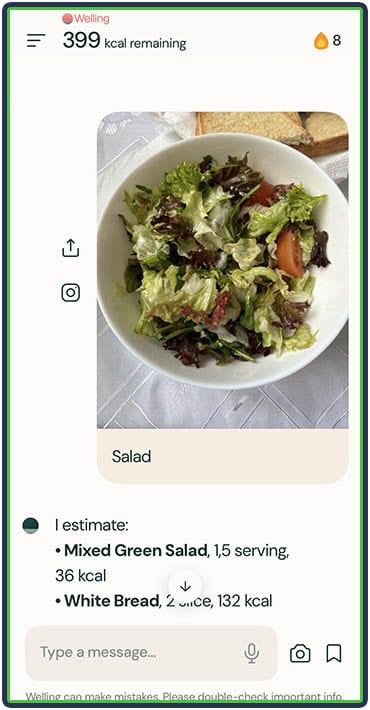
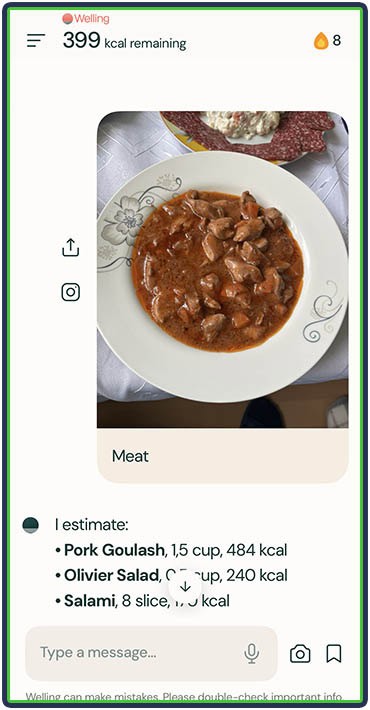
I was also able to easily modify my entries and immediately set the meal time. For example, I could type, “I only ate half of this dish,” or “I didn’t eat the eggs,” and Welling would modify and log the calories and macros accordingly.
Alternatively, I could just look at the log (what Welling generates from the photo) and tap the plus and minus buttons for quick edits.
Plus, the app always gave me feedback on my meals, which I found useful. Beginners would benefit greatly from this, as it teaches them about their food choices and how to eat better.
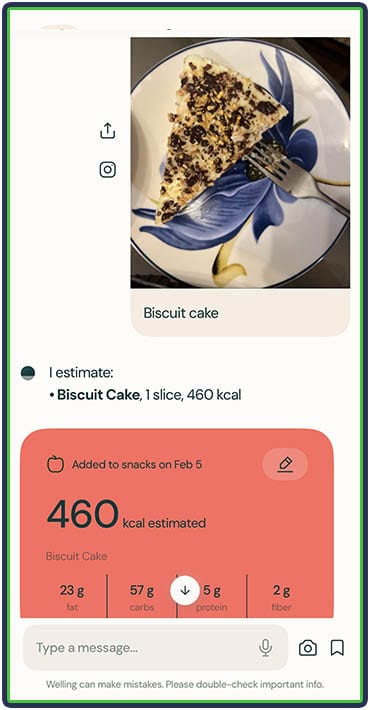
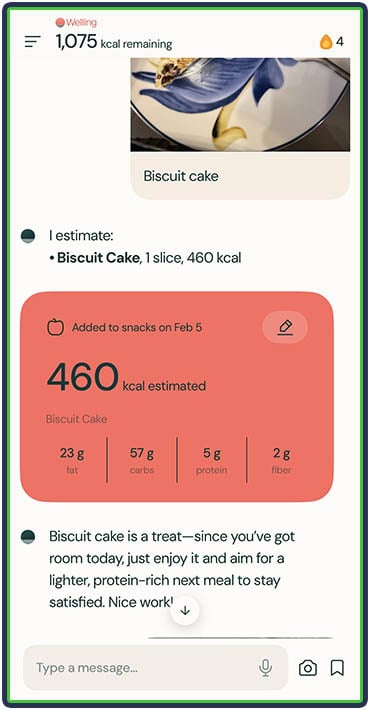
That said, Welling isn’t always accurate here, and you might need to do some manual edits and give a small explanation of what exactly you’re eating. However, that’s common with his feature, even when using a popular nutrition tracker like MacroFactor.
7. Log Sharing
In the settings, I was able to set up an automatic log sharing of my meals, photos, macros, water intake, steps, and synced workouts. All I had to do was add the email of the person I wanted to keep informed.
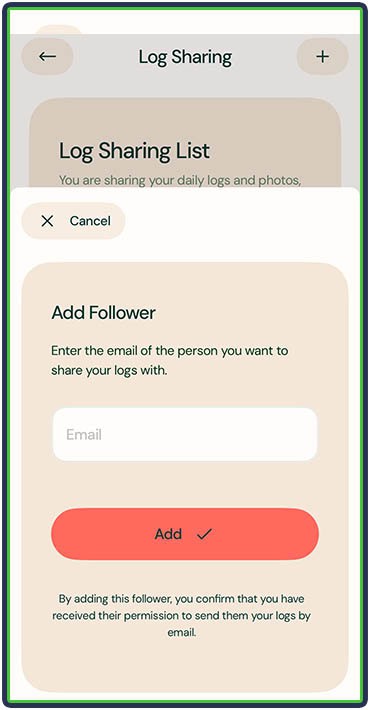
This is a pretty neat feature if you also want a coach or a more knowledgeable friend to review your nutrition and give you feedback.
Welling AI App
Welling is a nutrition tracking app that lets users log food, workouts, water intake, and body weight. It automatically calculates calories, macronutrients, and fiber from logged foods and displays them on the dashboard.
Use code FEASTGOOD15 for 15% off
What I Didn’t Like About Welling
1. There’s no Free Version
This is not a huge deal, but it’s definitely something worth knowing. Welling offers a 7-day free trial, but you’ll need to pay to continue using it afterward. There isn’t a free, limited version.
2. No Automatic Calorie Adjustments
Unlike apps like MacroFactor and Carbon Diet Coach, Welling doesn’t automatically adjust nutritional targets based on progress. It was up to me to determine if my intake aligned with my goal and preferred rate of progression.
The cool thing about Welling is that I can ask it in the chat, and it will give me feedback and instructions. So, while it doesn’t update my targets, it gives me helpful directions and the freedom to ultimately decide for myself.
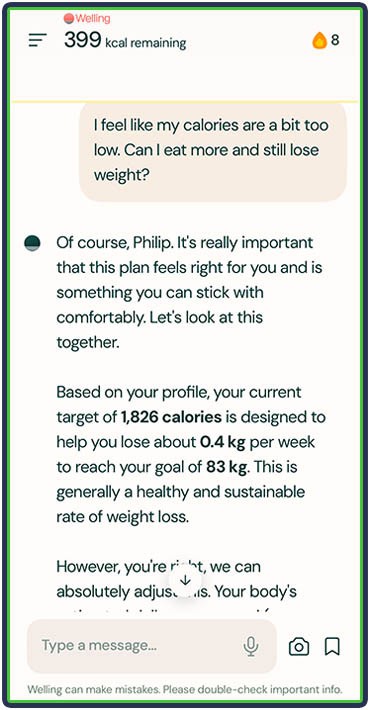
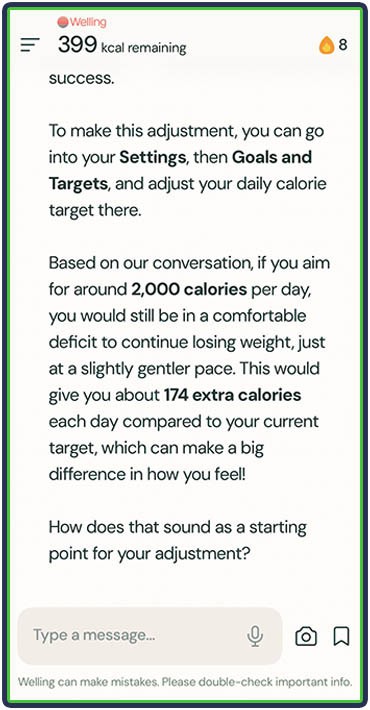
3. My Initial Calorie Target Felt a Bit Too Low
While Welling explained how it calculated my calorie intake, it was low for my level of activity and physical size. My starting daily calorie intake was 1826, and my protein target was 137 grams.
Following these macros for a week caused me to lose just about two kilos (4.5 lbs) in eight days, which felt a bit too aggressive. So, I had to increase my calorie allowance in the Goals and Targets section in the settings.
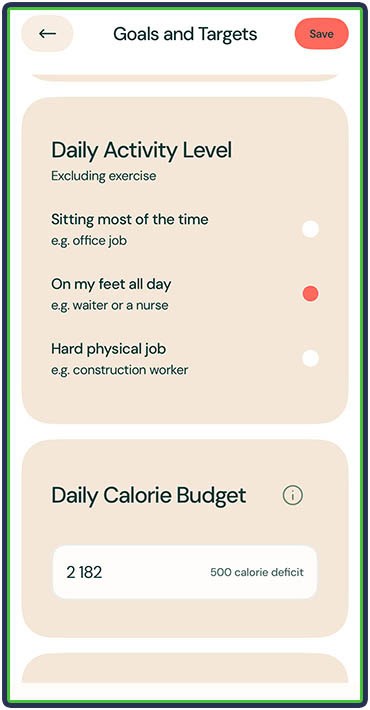
This was most likely because I underestimated my activity level and selected a more sedentary lifestyle. After discussing this point with their support, the folks at Welling clarified that the app sets a standard maximum deficit of 500 calories, but never less than 1,200 total calories for females and 1,500 for males.
As such, when inputting data correctly, this should result in a deficit of around 3,500 calories per week, equivalent to about 1 pound of fat loss. Plus, the deficit can be changed in the settings, so if you feel like yours is too small or too large, discuss it with Welling in the chat and adjust accordingly.
4. No Option to Upload Progress Photos or Body Measurements
At the time of writing this, Welling doesn’t support progress photos or circumference measurements. So, if you want to keep track of these, you’ll need to store photos in a folder and log measurements elsewhere.
Key Features & Benefits
| Feature | Benefit |
|---|---|
| Chat | Simply use the chat to communicate with Welling. Tell it what you ate, how much you weigh, and more. Ask questions and get personalized tips based on your logged meals and progress. |
| Voice Command | Send voice messages instead of typing. This is ideal if you’re busy and helps maintain consistency by reducing the effort. |
| Photo Meal Logging | Snap a photo and let AI estimate calories and macros. This is a good way to log meals on the go and limit the manual input. |
| Smart Notifications | Proactively gives daily planning help twice a day. Reminds users to log meals, weight, and remaining calories. Improves adherence and reduces missed entries. |
| AI Feedback on Meals | Provides feedback and suggestions for healthier swaps after logging meals. This educates users and promotes better decision-making over time. |
| Diet and Progress Analysis | Ask Welling to look at your past week’s food intake or your weight progress and get help analyzing your progress and improvement points. |
| Customizable Nutrition Targets | Being able to adjust your calorie targets and macronutrient split helps you stay more consistent, follow a diet you enjoy, and make steady progress toward your goal. |
| Fiber Tracking | Follow Welling’s recommended fiber target or set a new one and keep track to ensure you’re eating enough. |
| “Same as Yesterday” Logging | Re-log recurring meals instantly. This is ideal for people who eat the same things daily. |
| AI Meal Suggestions | Suggests meals based on remaining calories and macros. Helps users stay on track without having to guess what to eat. |
| Interactive and Neutral Dashboard | Clear overview of your calories consumed, remaining calories, and macro distribution. Makes daily progress easy to understand. Neutral design: no red or green labels and colors for when you go over or under. |
| Daily & Weekly Macro Averages | Switch between daily and weekly views. It encourages long-term consistency rather than obsessing over single days. |
| Activity-Based Calorie Adjustments | Increases calorie targets only when workouts or steps are actually logged. (You can turn this off in the settings.) |
| Water Intake Tracking | Track hydration from the dashboard or chat. This encourages better health habits, not just calorie counting. |
| Active Streak | Welling displays how many days in a row you logged your nutrition, which helps with consistency and motivation. Being consistent and accurate 80% of the time for a very long time is better than trying to be 100% perfect and giving up after two weeks. |
What Other Customers Think
At the time of writing, Welling has a 4.8-star rating on the App Store, with more than 1,000 reviews.
Some of the things people love about the app include how simple it is to use and track. It has a simple UI and presents data in a clean, understandable way. Welling also does the thinking for you and is a good option to track what you eat when you’re out.
As one user puts it,
“It’s fast, it’s easy, and it has everything I need. Welling is by far the fastest and easiest way I’ve found to track calories.”
Another thing users love about Welling is that guidance and accountability are always available, making people feel supported and cared for.
As explained by another user,
“My favorite thing about the app is how you can actually talk to it. If I ask how my day is looking so far, it gives me a quick rundown. If I need to know how much more protein I need, it tells me instantly and even suggests good ways to get there. It also gives feedback after you log a meal, letting you know what was great or what could be improved.”
Here are some other things users love about Welling:
“It’s like having a personal trainer and dietician by my side 24/7.”
“Even just “someone” to check in with when I’m feeling really hungry and I know I don’t need any more food.”
“Eliminate inconvenience from manual logging and being overly specific.”
“I can ask it future facing questions to work out what to eat and drink.”
How Much Does Welling Cost?
Welling comes with a free 7-day trial. Beyond that, you get three payment tiers:
- Month to month – $19.99
- For three months – $39.99 (comes out to $13.33/month)
- Annual plan – $119.99 (comes out to $9.99/month)
Who Should Use Welling?
- If you’re busy but want to improve your diet without thinking too much.
- If you hate searching food databases and would rather just tell the app what you ate
- Beginners who want guidance, feedback, and a sense of accountability
- Users who want AI-style coaching and the ability to ask all sorts of nutrition questions
- Users who prefer a clean, simple interface
- People who are comfortable adjusting their own calories and macros
Who Should NOT Use Welling?
- Those who prefer a food and beverage database
- Those who want the app to automatically update nutrition targets based on progress
- Those who want a free app
Sign Up For Welling
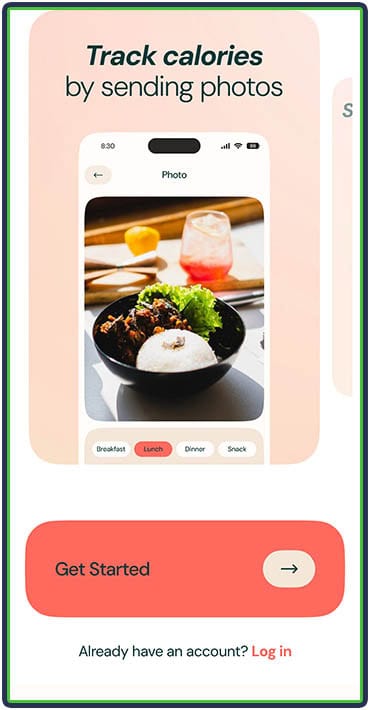
Welling’s motto is “It’s better to be 80% consistent for a very long time, than try to be 100% perfect and give up after 2 weeks.” If this resonates with you, download Welling on the App Store today and create a new account in less than a minute.
Then, answer a few basic onboarding questions (like age, sex, height, weight, and goals), and you’ll be able to activate a free trial and start testing the app.
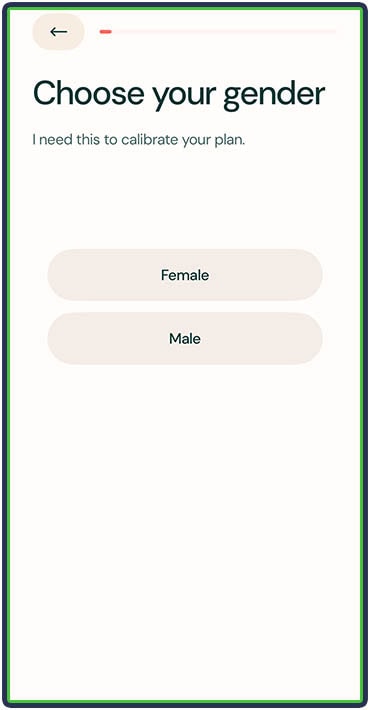
What’s cool is that you can indicate any food allergies or intolerances, and Welling will keep that in mind when making future meal suggestions.
You can also share some dietary preferences, health concerns, and foods you don’t want to eat.

Welling Alternatives
We’ve tested 18+ nutrition apps. Check out the full list here. Based on our shared experience, here are the top 2 alternatives:
1. MacroFactor – Best For a Guided Coaching Experience
MacroFactor is great if you want automatic calorie and macro adjustments based on your progress. Unlike Welling, it uses an algorithm that updates your targets weekly, which makes it a solid option for users who want precision without manual tweaking.
2. Noom – Better For Psychology-Based Calorie Tracking
Noom focuses less on macros and more on behavioral change. If you’re looking to improve your mindset around food, build long-term habits, and follow a structured educational program, Noom offers a more psychology-driven approach compared to Welling.
Frequently Asked Questions
Is Welling Good for Weight Loss?
Welling helps with weight loss by making calorie and macro tracking easier. It gives feedback tailored to your goals, which can improve consistency and help you build better habits.
Is Welling Free?
There is a free 7-day trial, but Welling doesn’t have a free version.
Is Welling Compatible With Apple Watch?
Welling doesn’t have a dedicated Apple Watch app, but it can sync activity data through Apple Health to adjust calorie targets.
Is Welling Accurate?
Welling is designed for fast and effortless ballpark tracking throughout the day. If you’re on strict targets and want to track every last gram or calorie, maybe Welling isn’t for you.
How Do I Cancel My Welling Subscription?
Manage and cancel your subscription through your phone’s app store subscription settings (e.g., iPhone Settings > Subscriptions).
About The Author

Philip Stefanov is a certified conditioning coach, personal trainer, and fitness instructor. With more than nine years of experience in the industry, he’s helped hundreds of clients improve their nutritional habits, become more consistent with exercise, lose weight in a sustainable way, and build muscle through strength training. He is passionate about writing and has published more than 500 articles on various topics related to healthy nutrition, dieting, calorie and macronutrient tracking, meal planning, fitness and health supplementation, best training practices, and muscle recovery.
Why Trust Our Content
On Staff at FeastGood.com, we have Registered Dietitians, coaches with PhDs in Human Nutrition, and internationally ranked athletes who contribute to our editorial process. This includes research, writing, editing, fact-checking, and product testing/reviews. At a bare minimum, all authors must be certified nutrition coaches by either the National Academy of Sports Medicine, International Sport Sciences Association, or Precision Nutrition. Learn more about our team here.
Have a Question?
If you have any questions or feedback about what you’ve read, you can reach out to us at info@feastgood.com. We respond to every email within 1 business day.
