
If you’ve been around FeastGood for a while, you know I’ve tested just about every nutrition tracking app out there—from beginner-friendly calorie counters to advanced macro tracking platforms built for serious athletes.
And while MyNetDiary often flies under the radar compared to bigger names, it continues to quietly dominate in one key area: simplicity that actually drives consistency, backed up by a level of detailed and comprehensive support that is undeniable.
But does upgrading to MyNetDiary Premium make sense in 2026?
The answer is a resounding YES. As to how I reached that conclusion? After using it as both an athlete and a nutrition coach, here’s my honest breakdown.
Key Takeaways
Honest Review Guarantee from FeastGood: Our testing team purchases each product 100% independently and uses the product for several weeks up to several months before writing a review. Learn more about our review process here.
- MyNetDiary’s Premium and Premium Plus features (AI for voice food logging and auto-adjustments to calorie targets are just a few) make it well worth the investment
- MyNetDiary Premium’s ease of tracking, helpful visual charts, and educational features such as Food Grades and AI tools make it perfect for users who are new to tracking calories and/or macros
- MyNetDiary Premium’s dedicated GLP-1 Companion (bundling a medication tracker with reminders, custom macro plan and protein-first dashboard) is a first-in-class option to support clients in this population
Overview
MyNetDiary Premium is the paid version of MyNetDiary, a calorie and macro tracking app designed primarily for weight loss and habit building. Keep in mind that it also supports weight gain goals, too.
MyNetDiary focuses on ease of use, visual feedback, and guided nutrition insights, making it especially appealing for beginners and intermediate users. You can expect not just to reach your goals, but also to build an understanding and awareness of why and how you were able to meet those goals, based on your food and exercise habits. This sets a foundation for long-term, sustainable success in improving and maintaining body composition and good physical health.
What surprised me, though, is that the simplicity is only the front door. MyNetDiary is just as well-suited for advanced users and serious athletes as it is for beginners. The clean interface hides remarkable depth: a 2M+ staff-verified food database built on USDA and NCC research-grade sources, up to 108 nutrients per food entry (more than any other consumer nutrition app), automatic metabolism adjustment (MyNetDiary’s “Advanced Autopilot,” analogous to MacroFactor’s adaptive algorithm), calorie and macro cycling, advanced trend analysis, a fully customizable dashboard, and custom trackers for sleep, stress, training load, or anything else that matters to you. Premium also adds blood glucose and insulin tracking, medication adherence with reminders, 12 body measurement types, and habit tracking. It’s a feature set most competitors either split between separate apps or skip entirely.
Most apps in this category force a tradeoff: clean and simple, or deep and powerful. MyNetDiary doesn’t, in my view, which is why I’d put it among the most powerful nutrition tracking apps on the market right now.
The Premium and Premium Plus versions are where most of that depth lives — sophisticated AI, integrated tracking, and the long-term analysis tools that turn a food diary into something closer to a coaching system.
What’s Free in MyNetDiary (And It’s a Lot)
Before diving into Premium, it’s worth pausing on what MyNetDiary gives you without paying a cent – because honestly, this is one of the most generous free tiers I’ve encountered in the calorie-tracking space.
You don’t even need to create an account to start. Open the app, set your goals, and start logging in minutes.
Here’s what’s included for free:
- Up to 108 nutrients tracked – calories, macros, vitamins, minerals, amino acids, and fatty acids. For context, MyFitnessPal’s free tier tracks just 18 nutrients and Lose It!’s only 4.
- Custom macro and nutrient targets – set your own targets by grams or by percentage of total calories.
- Barcode scanner – fast and free.
- Voice logging – speak your meals to log them.
- Completely ad-free – no banners, no interstitials, no unskippable videos. Of the major trackers, MyNetDiary is the only free tier that doesn’t run ads.
- Progress photos, water tracking, step tracking, weight trend graphs – all free.
- hopping list – free (MyFitnessPal has this in Premium+).
- Customizable dashboard, friends, in-app community, food sharing with family.
- Works offline.
- Professional Connect — share your tracking data with your own dietitian or coach through a free in-app connection.
Premium Features
Here’s what you can expect from MyNetDiary Premium:
Calorie targets and macro planning tools
MyNetDiary has a fairly standard intake process that calculates a suggested calorie intake for your goals, based on your age, weight, height, sex, activity level and timeframe to achieve the goal.
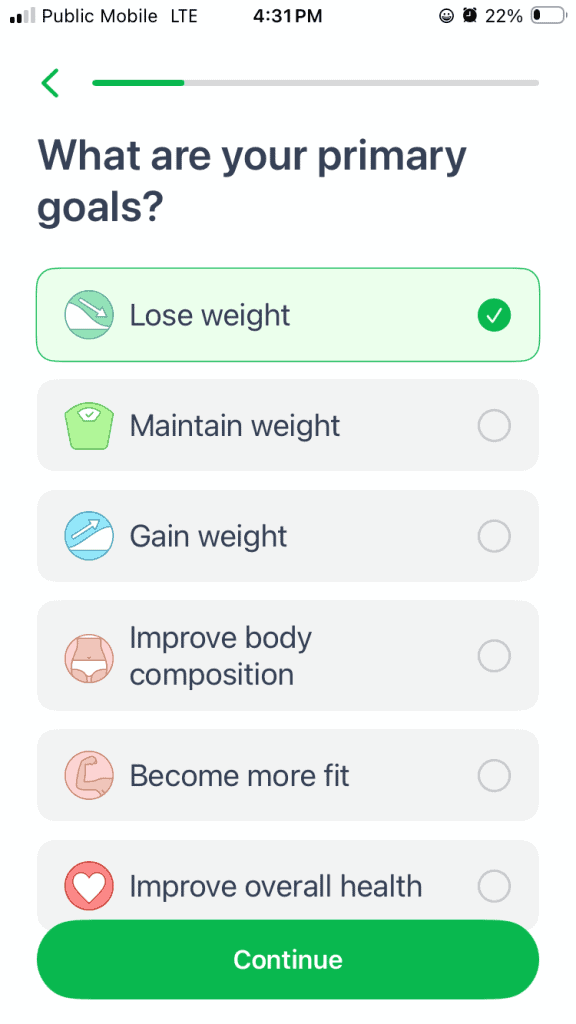
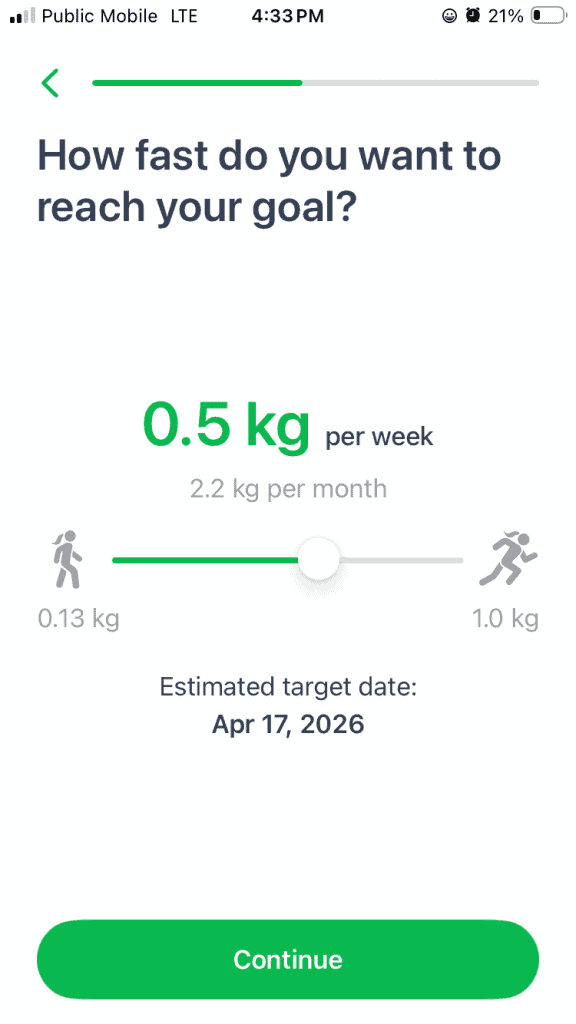
MyNetDiary utilizes both the Mifflin-St. Jeor BMR (basal metabolic rate) and EER (estimated energy requirement) from the Institute of Medicine scientific calculation methods for determining baseline calorie requirements (you can do a deep dive on this topic with our article Calories For Fat Loss: How To Figure It Out (THE RIGHT WAY)).
Like pretty much every app, the estimates are reasonable unless you have above-average muscle mass for your age and/or sex. If that’s the case, the estimate will be too low. The good news is that you can manually set a higher calorie target.
(The risk if your calorie target is too low is that you’ll lose lean muscle mass and not fat during weight loss, or fail to put on weight at the desired rate in the case of weight gain goals).
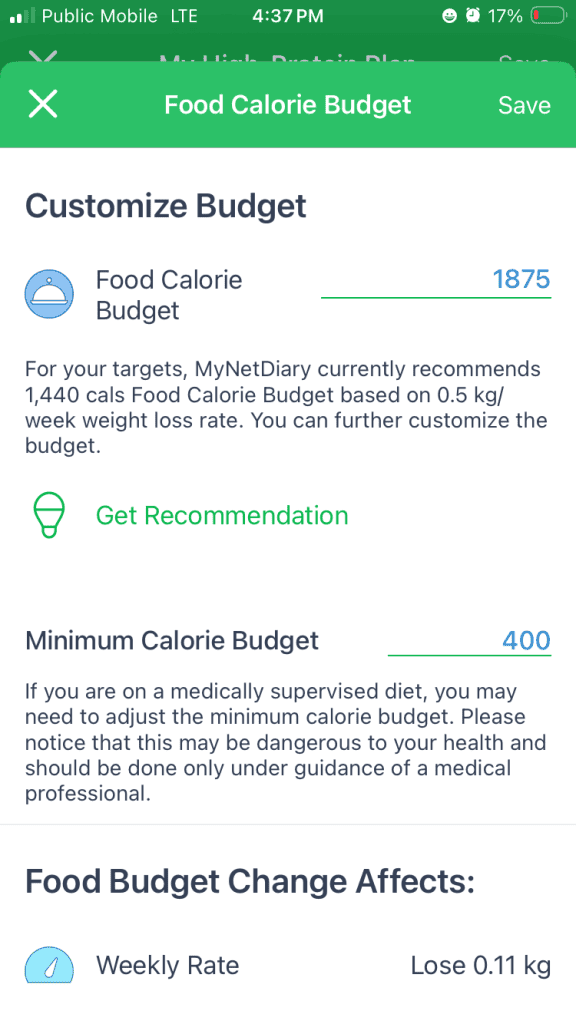
A note on what’s free vs. Premium here. Custom calorie and custom macro targets are actually free in MyNetDiary – you can set them by grams or by percentage of total calories without paying a cent. By contrast, MyFitnessPal locks percentage-based macro targets behind its paid tier.
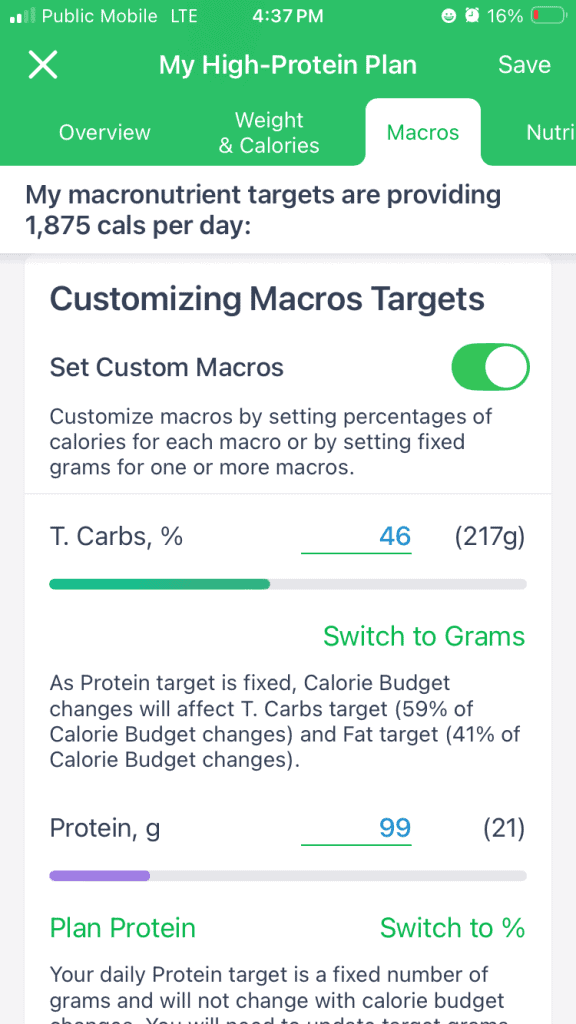
What Premium adds is the planning automation on top of those targets: suggested daily meal plans (with recipes) that match your calorie and macro goals for the day, calorie and macro cycling by day of the week (training-day vs. rest-day patterns), and automatic metabolism adjustment, which dials in your calorie target over time based on your actual logged data and weight trends.
Getting the right calorie target and macronutrient distribution is critical to achieving the body weight and body composition you desire. The free version handles the targets; Premium handles the planning around them.
Recipe database and recipe import and export tools
Speaking of recipes, MyNetDiary Premium has a great built-in recipe database. Users can also input their own recipes; I did this personally and found it to be a quick and easy experience. And that’s with manual input of each ingredient! To make it even easier, MyNetDiary makes it possible to paste a URL directly into the app, and the app imports ingredients and instructions.
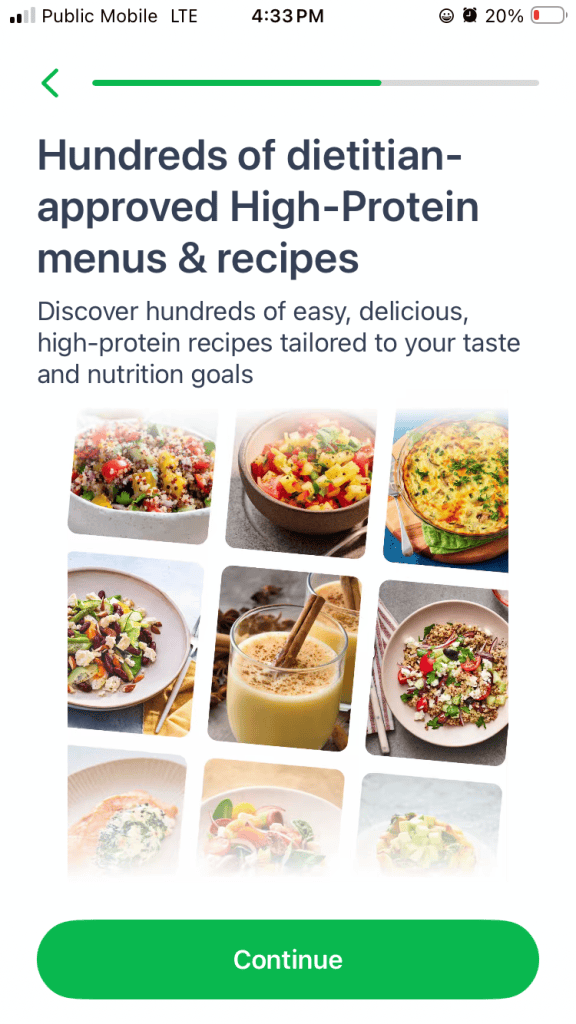
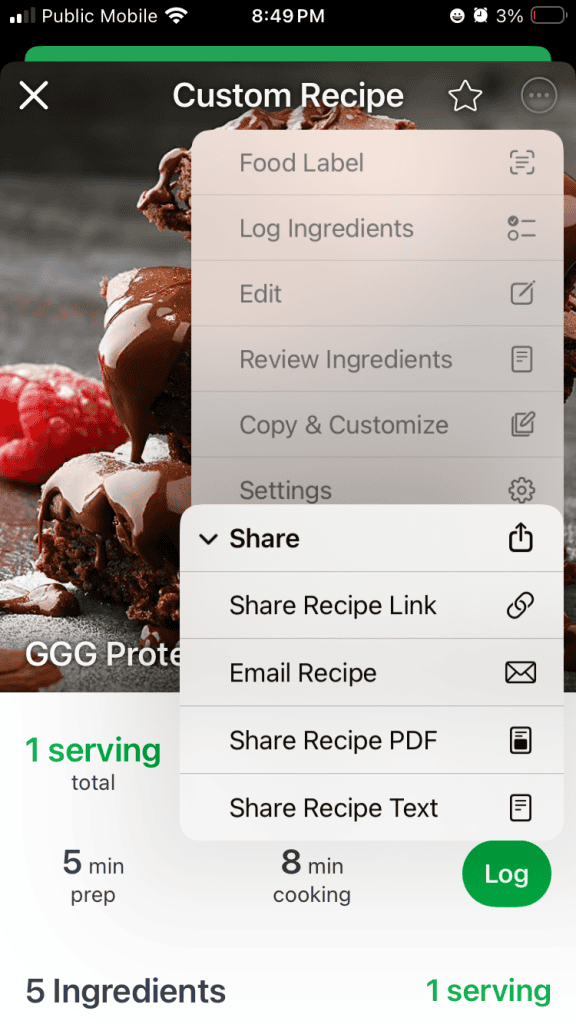
MyNetDiary can even import recipes from other iOS apps, if those apps have a “share” functionality, and MyNetDiary Premium will calculate the macros for those recipes. Gone are the days of dusting off “The Joy of Cooking” cookbooks or flipping through a little metal box filled with your grandparents’ recipe cards (maybe I’m the only one with that childhood memory?).
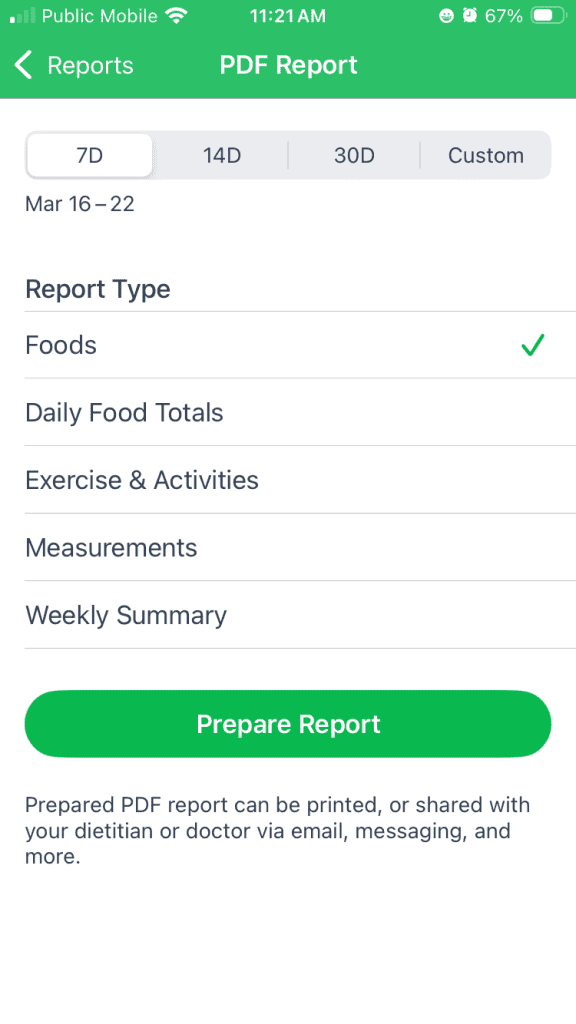
What really impressed me was the ability to export recipes – MyNetDiary isn’t limited to just sharing recipes with other users within the app. Recipes can be shared via iMessage, email or other messaging apps (like Whatsapp), or exported as a PDF.
Having delicious, nutritious, and easy-to-prepare recipes can make the experience of following a structured approach to nutrition much more enjoyable and therefore sustainable.
MyNetDiary even has a free Shopping List feature that will generate a shopping list to include the ingredients you need to make the recipes it plans for you to meet your targets.
Advanced progress charts and reports
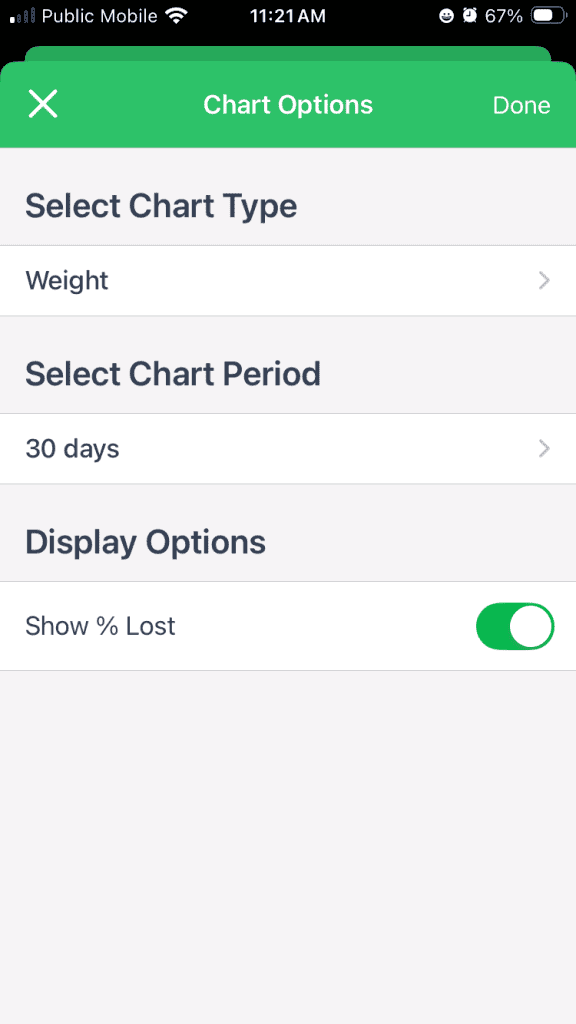
MyNetDiary has an encouraging weight trend graph that “smoothes” weigh-ins (which normally and naturally fluctuate from day-to-day and can distract and discourage users when they don’t “see” the trend heading in the right direction).
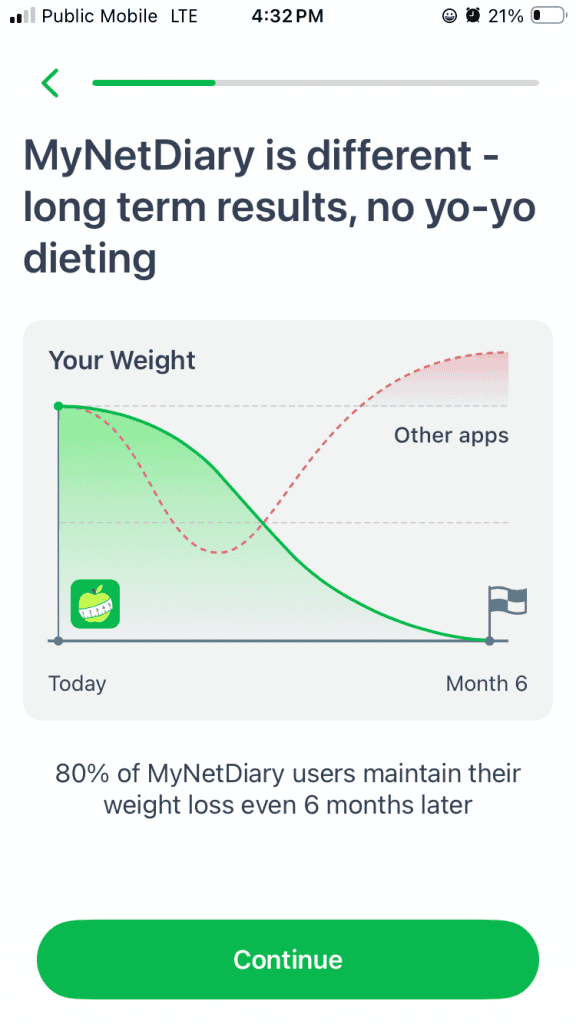
This trend graph extends into the future to show users when they can reasonably expect to reach their goals, assuming they stay on track with their progress (and MyNetDiary’s AI Coach in Premium Plus is just the assistant to make sure that happens).
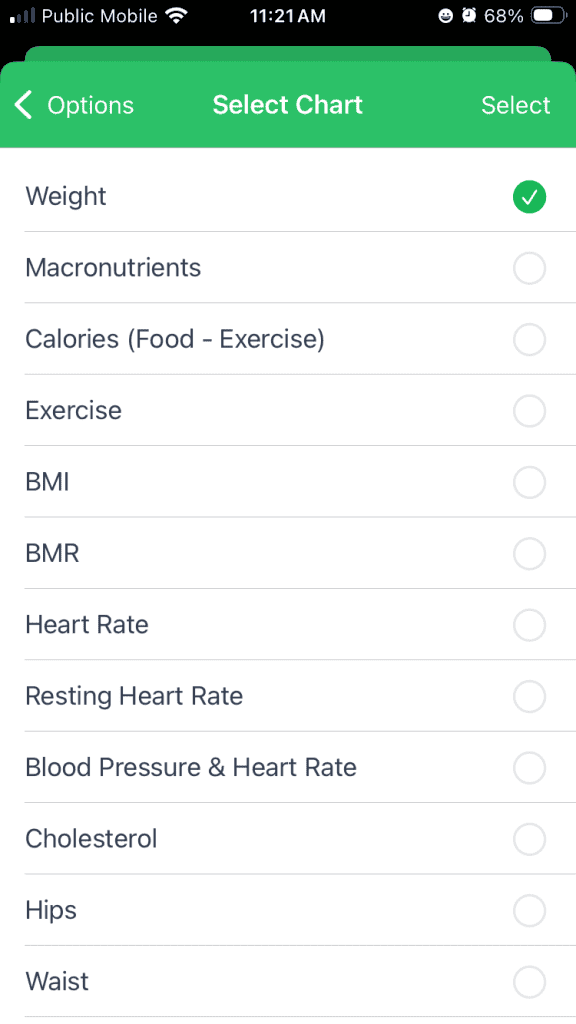
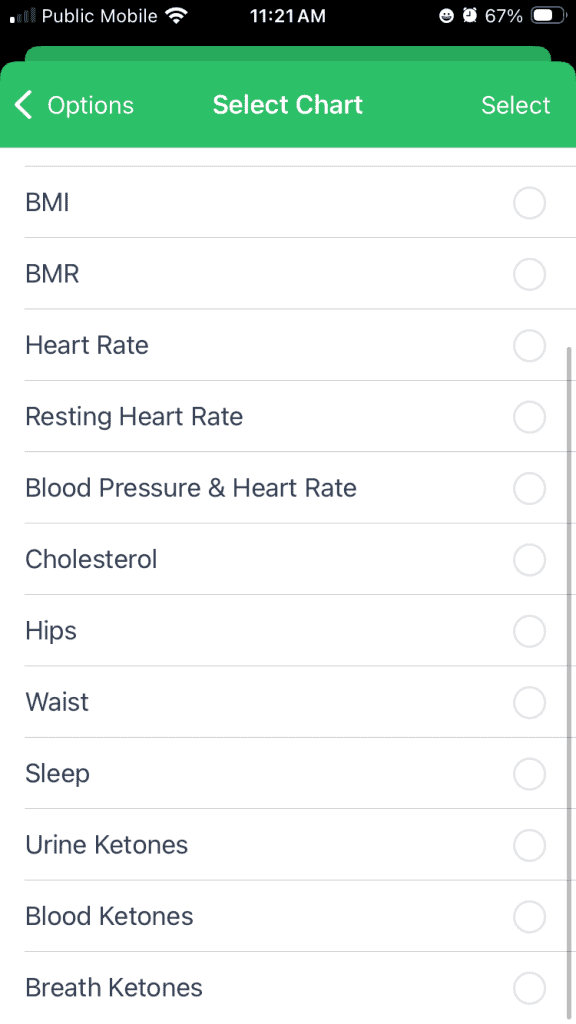
Plus, MyNetDiary Premium offers an incredibly comprehensive panel of health markers and biometrics to track and display using helpful visual charts.
AI-powered food logging (photo recognition)
Gone are the days of manually keying in foods to search a database. A barcode scanner used to be considered “high tech” in the world of food logging; now users can just snap a picture of their meal (which a lot of people are used to doing “for the ‘gram” anyway). Meal Scan in MyNetDiary will estimate the portion size, constituent ingredients, and total calories and macros of the meal.
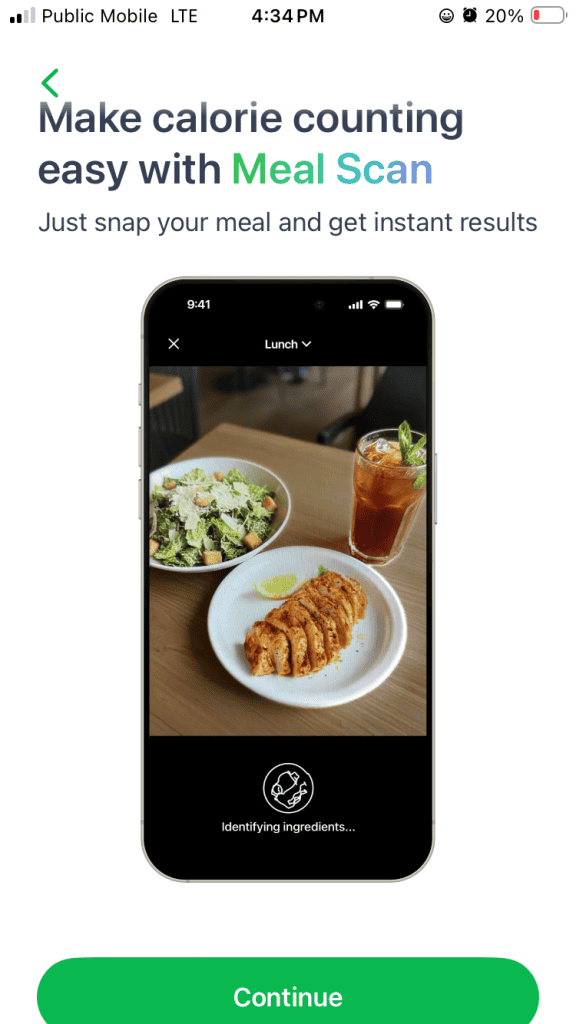
The AI functionality in this space is removing all excuses about food logging being too tedious and time-consuming, removing users’ excuses about why they couldn’t take the time or energy to log their food. When you remove excuses, you pave the road to results.
Auto-logging frequent foods
For foods you eat consistently – your morning coffee, your daily protein shake, the same lunch most weekdays – Auto-logging can log them automatically based on your established patterns, so you don’t have to search for them each time.
For consistent eaters, this is a real time-saver. It also reinforces what’s working: if you’ve found a routine that fits your macros and feels sustainable, Auto-logging makes sticking to it almost effortless. And on days that go off-script, you can edit or remove the auto-logged entries with a tap.
Meal analysis and food grading system
MyNetDiary Premium’s meal analysis feature helps users learn and understand how to optimize their meals to maximize nutrition while keeping calories in line with their goals. At the end of the day, the Daily Analysis comments on fiber, saturated and trans fat, and sodium intake compared to recommended government guidelines. The Food Grade gives each food a letter “grade” (A-D) to help guide users to healthier choices.
These insights into WHY the foods are healthy and do or do not fit into the context of an overall balanced day give MyNetDiary Premium users an edge over those using apps simply focused on calories and macros with no focus on nutrition.
Progress photos and body measurement tracking
MyNetDiary Premium’s progress photos functionality does what I, as a coach, encourage my clients to do: compare photos side by side, to see the changes over time. The Progress Photos makes it easy to select photos from any date range to compare side by side.
Users can easily upload photos and MyNetDiary Premium will automatically note the weight as of the date selected for the photo (if the user had recorded a weight entry on that date). It’s really eye-opening (literally!) for my clients to see how different their bodies can look, even at the same weight, as body composition improves over time.
“A picture is worth a thousand words,” and in this case, Progress Photos lets clients see what they are recording in body measurement tracking. MyNetDiary Premium offers body circumference measurements of all kinds, but it’s one thing to record that your biceps are an inch bigger and another thing to see those bigger biceps flexing in a progress photo.
Water tracking and hydration insights
MyNetDiary Premium’s water tracking functionality is on par with a dedicated single-purpose app for water tracking. But, rather than having to rely on a separate app, water tracking in MyNetDiary includes quick-add shortcuts, customizable cup sizes (in case your “cup” of water isn’t the “standard” 8-oz cup size – no need to do tedious conversions), charts, and daily smart reminders to DRINK YOUR WATER.
Staying properly hydrated can significantly reduce cravings and help control appetite, which is a boon for weight loss clients. Plus, proper hydration is good for health overall. Dehydration of as little as 3% can negatively impact endurance performance, meaning you won’t be able to train for as hard and/or as long if you’re not well-hydrated.
GLP-1 Support
MyNetDiary Premium includes a dedicated GLP-1 Companion to support clients using GLP-1 medications like Ozempic, Wegovy, Mounjaro, Zepbound and oral GLP-1 medications. This GLP-1 Companion includes a medication tracker with reminders, a protein-first dashboard to ensure users are consuming adequate protein to protect lean muscle mass during rapid weight loss, and much more.
To assist with a high-protein intake, the Companion includes a high-protein recipe collection, and specialized charts showing weight, protein, hydration, symptoms and medication adherence together.
MyNetDiary Premium’s GLP-1 Companion offers GLP-1-specific AI advice, and a digestive symptom tracker to help track and manage side effects.
This has been a huge boon for me as a coach because more and more of my clients are exploring GLP-1 medications. I lack personal experience with these medications, so I rely on trusted sources like the GLP-1 Companion to help me help my clients.
While the free version of MyNetDiary is solid, the “extras” in Premium is where the app starts to feel like a true coaching tool rather than just a food diary.
MyNetDiary Premium Plus: The AI Tier
Sitting on top of Premium, MyNetDiary Premium Plus adds the app’s most advanced AI tools for users who want logging to feel as effortless as possible and personalized AI support. The upgrade costs an extra $6/month – bringing the total to $14.99/month or $99.99/year – and unlocks:
- AI Coach. A free-form chat assistant trained on your logged data. Ask “why am I not losing weight as fast as expected?” and it pulls from your actual intake, weight trends, and macro hits to answer – not a canned response about calorie deficits.
- AI Restaurant Menu Scan – point your phone at a restaurant menu and the AI surfaces the dishes that fit your remaining calorie and macro budget for the meal, factoring in your food preferences. Instead of guessing which entrée won’t blow up your day, you get a shortlist that already aligns with your goals. The feature my clients ask about most, since eating out is usually where adherence breaks.
- AI Voice Logging. Describe a meal naturally (“I had a chicken Caesar wrap and about a half cup of fries”) and the AI parses portions, ingredients, and macros. Basic voice logging is free; the AI-enhanced version handles complex multi-item meals.
- AI meal and food suggestions – get suggestions for what to eat next based on what you have left in your daily targets.
For most users, Premium alone is plenty. Premium Plus adds personalized AI support that adapts to your actual logging patterns. For anyone who wants more guidance – answers to “why did I stall this week?” or “how do I adjust from here?” grounded in your own data – that’s where the upgrade pays for itself. At roughly $8.33/month, that’s less than most monthly streaming services, for something you’ll use far more often than you watch TV.
My Experience Using MyNetDiary Premium As An Athlete And Nutrition Coach
When I first tested MyNetDiary, I expected it to feel “too basic.”
But what surprised me most was this:
- I actually used it more consistently than other apps.
- I was pleasantly surprised at finding the logging even faster than my beloved Cronometer
- I was impressed with the answers from the AI Coach chat feature
As a coach, I’ve seen this repeatedly with clients:
- Apps like Cronometer = more data-forward interface can overwhelm users
- MyNetDiary = intuitive, streamlined visuals lead to better adherence
And adherence always wins.
The interface is clean, the logging is fast, and everything feels intuitive—even for someone who’s never tracked macros before.
Getting Started with MyNetDiary Premium
As I described above, once you’ve installed the app and signed up for your Premium subscription, you start by entering your:
- Weight
- Goal (fat loss, maintenance, etc.)
- Activity level
The app then calculates a calorie target and macro breakdown, which you can modify as needed – I’ll cover how to customize those calorie and macro targets in MyNetDiary Premium for the best results, below.
From there:
- Log your food (barcode, search, voice logging or Meal Scan)
- Track your progress daily
- Record progress photos
- Review insights and adjust
One standout feature is how visual everything is—including projected weight trends and daily feedback.
What I Liked About MyNetDiary Premium
Ease of Logging Food
This is where MyNetDiary Premium outclasses the rest.
- Barcode scanner is free and fast
- Switching units (grams/oz) is seamless
- AI food scanning is surprisingly solid
- Offline logging is available
Compared to other apps, logging feels frictionless—which is why users stick with it. Going head to head with Cronometer in a week-long test of logging 127 identical food entries, MyNetDiary required 29% fewer actions (such as clicks).
Reddit users consistently highlight this too:
“It’s probably the easiest to use… makes it enjoyable to log daily intake.”
Great Progress Visuals
The weight trend graph is one of the best I’ve seen.
- Shows actual vs. projected progress
- Helps manage expectations
- Keeps motivation high
You can literally see where you’re headed if you stay consistent.
AI Coaching Tools
I’ll admit I went in skeptical. AI in nutrition apps is too often more marketing than substance. But the “Ask AI Coach” feature in Premium Plus genuinely surprised me. Typing a free-form question like “why did my weight stall this week?” returned an answer grounded in my actual logged data – not the canned “calorie deficit” boilerplate from a general-purpose AI like Copilot, Gemini, or ChatGPT.”
This puts MyNetDiary at the top of the “nutrition coach in your pocket” category that we know and love with MacroFactor – and now with the depth of a staff-verified food database underneath.
Dedicated Water Tracker
Hydration is often overlooked—and MyNetDiary does a great job here.
- Easy logging
- Syncs with health apps
- Encourages daily consistency with smart reminders
Ability to Share Recipes as PDFs
This is an underrated feature in MyNetDiary, especially for coaches.
You can:
- Create recipes
- Export and share them via email or in messaging apps
Perfect for client meal plans or personal organization.
Progress Photos
The ability to compare progress photos side-by-side in MyNetDiary Premium is huge.
This gives:
- Visual proof of progress
- Motivation beyond the scale
And honestly, this is something many apps still don’t execute well (for example, Cronometer’s “Snapshots” feature is disappointing).
What I Didn’t Like About MyNetDiary Premium
No app is perfect—and MyNetDiary has its limitations. But after spending some time exploring the app, I whittled it down to just two things that are pretty minor, and the first is true across ANY calorie- and/or macro-tracking app we’ve tested.
1. Calorie Targets Can Be Too Low
The app tends to underestimate calories for:
- Muscular individuals
- Athletes
This can lead to:
- Under-fueling
- Muscle loss
You’ll need to manually adjust this – I’ll cover “how-to” in the next section. And keep in mind that this is true of nearly every nutrition tracking app; it’s not a weakness that is limited just to MyNetDiary.
2. “Calorie Meter” Can Be Misleading
The red/green system works well for beginners—but:
- Not ideal for maintenance or bulking
- Can encourage under-eating
This was something I truly didn’t like about MyNetDiary – any type of “red light / green light” system feels too reductive for something as complex, nuanced and emotionally laden as nutrition tracking.
How To Customize MyNetDiary Premium For Best Results
Setting Calorie Goals
Here at FeastGood, we’ve got our own Calorie Calculator: Estimate The Calories for Any Goal to not only give you a calorie target, but to actually explain the ins and outs of what calories are and how they impact your goals.
We encourage you to take the results from our calorie calculator and input them in an app like MyNetDiary Premium, which allows you to input your own calories (as I explained in the Features section).
Plus, we help break down the connection between calories and macros.
Calorie Distribution
Once you understand what calorie level is appropriate for your goals, you still need it to work for your real life. This is where apps like MyNetDiary Premium that allow for different calorie targets on different days have an edge.
If we were all food-logging robots who could easily eat the exact same foods in the exact same amounts each day, and never struggle with the temptations and cravings that can come from social events, family meals or swings in moods and/or hormones, we would all achieve our goals effortlessly.
But real life includes Taco Tuesday and family pizza night. An app like MyNetDiary Premium that allows you to thoughtfully include both higher- and lower-calorie days over the course of the week to adjust for these real-life situations sets you up for success.
So think about your week in terms of both training versus rest days AND the real-life demands (and joys) of social events, special celebrations, and “Momma wants some chocolate!” moments, and set up your calorie distribution accordingly.
Setting Up Macronutrient Distribution
You can set custom macro and nutrient targets by gram or by percentage of total calories. But, it goes even further: in MyNetDiary Premium, you can get built-in macro and calorie cycling by day of the week on the Cycling tab of the My Weight Goal & Plan screen.
This functionality allows users to turn specific day-level targets (e.g., training day vs. rest day) on or off without having to adjust everything manually each time. This allows you to align macros with the calorie distribution discussed in the previous section. Some of those higher-calorie days might also mean more grams of fat and/or carbohydrates, since these values are typically higher in restaurant meals.
Micronutrient Tracking
With a total of 108 micronutrients available in MyNetDiary Premium, you’ll have more data at your fingertips than most users will ever need.
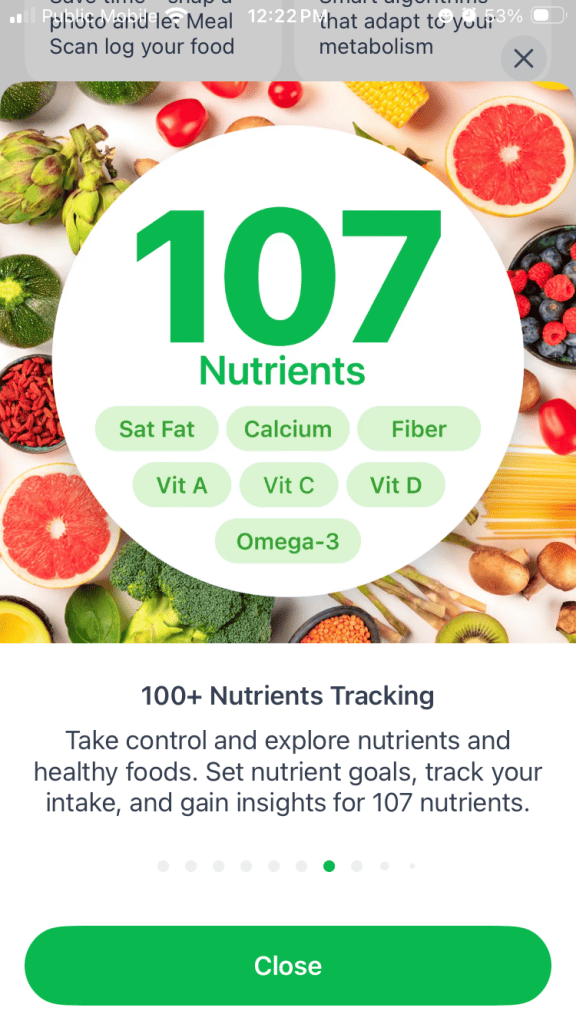
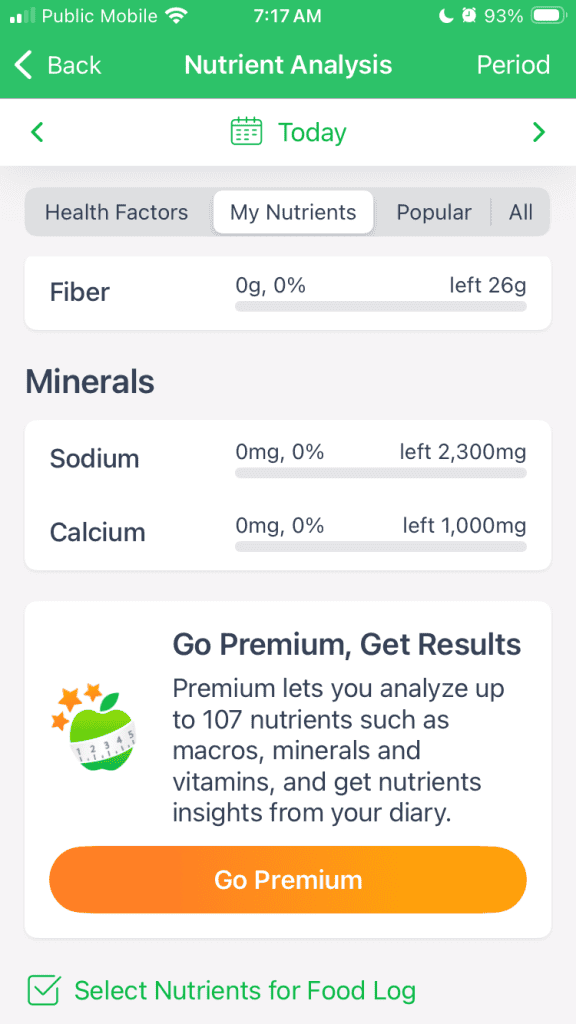
That’s why it’s important to take advantage of the dashboard customizations to focus on what matters most to you, whether that’s sodium and fiber intake, or more nuanced information about B vitamins, omega-3 vs. omega-6 fatty acid balance, or another micronutrient you’re committed to consuming or limiting based on personalized advice from your doctor, coach or other health professional.
What Do Users Have to Say About MyNetDiary Premium?
Overall, user feedback is very strong.
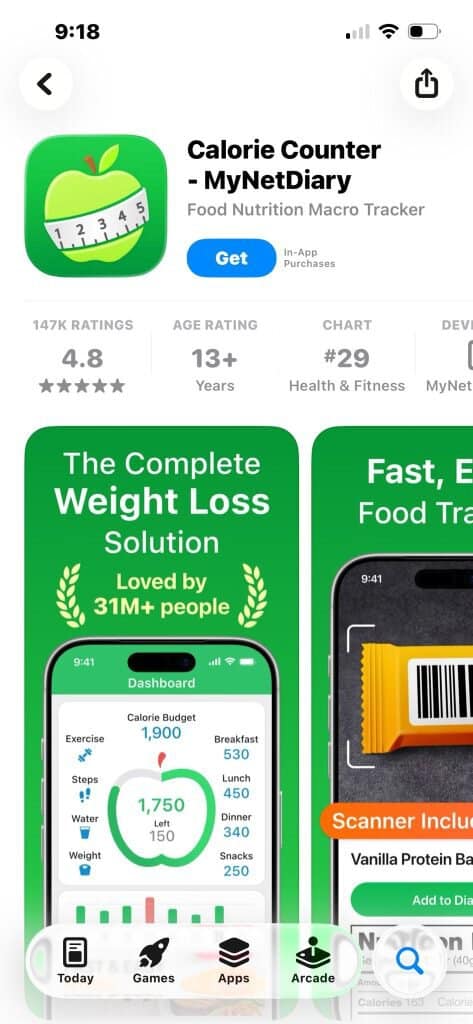
- Average rating: 4.56 / 5 in 2026; 4.8 overall
- Higher ratings than many competitors
Common praise:
- Ease of use
- Clean interface
- Fast logging
Common complaints:
- AI inaccuracies
- Premium pricing
From Reddit:
“I very rarely pay for apps, but this one is worth it.”
I’m going to personally weigh in here (no pun intended) and say that I agree!
Who Should Use MyNetDiary Premium?
MyNetDiary Premium is best suited for:
- Beginners trying to lose weight
- Intermediate users who want more structure
- People who value ease of logging
- People who need visual motivation (graphs, trends, photos)
- Advanced athletes, bodybuilders, and lifters who want deep customization (custom macros, calorie and macro cycling, configurable dashboard)
- Data-driven trackers who want detailed micronutrient analysis (up to 108 nutrients per food entry)
- Users tracking biomarkers alongside nutrition (blood glucose, insulin, medications, habits)
- Clients working with a dietitian or coach through Professional Connect
- People looking for support with navigating their weight loss journey using GLP-1 medications
MyNetDiary Premium Plus is best suited for:
- People wanting personalized AI guidance grounded in their data (AI Coach)
- Diners choosing restaurant dishes that fit their calorie and macro budgets (AI Restaurant Menu Scan)
- Busy users who need hands-free logging for complex meals (AI Voice Logging)
- Users wanting smart meal suggestions to fill remaining daily targets
- People focused on results, not just tracking
Who Should NOT Use MyNetDiary Premium?
Skip it if you:
- Are a budget-conscious user looking for a free app – stay with the free version of MyNetDiary, which has a free barcode scanner, the most detailed and accurate nutrient tracking, no ads, and the best privacy (no account required).
- Need support for non-English languages – MyNetDiary screens are English only.
- Want multi-charting with correlations.
- Need integrations with Oura, Whoop, Polar, or Dexcom
In that case, something like Cronometer will be a better fit.
How Much Does MyNetDiary Cost?
Pricing breakdown:
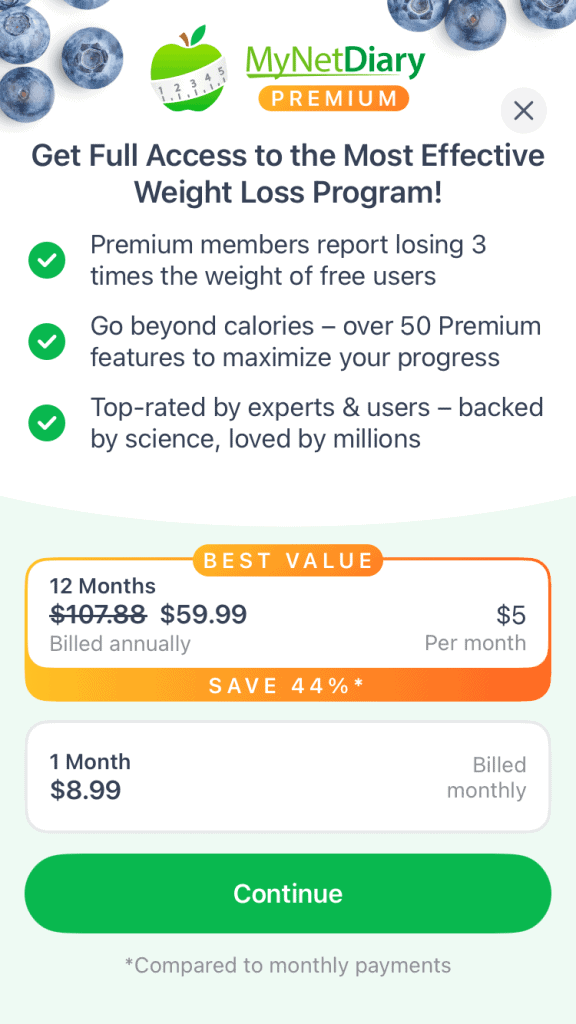
- Monthly subscription $8.99 US (Premium Plus: $14.99)
- Annual plan (better value) $59.99 US (Premium Plus: $99.99)
- Lifetime Premium: $179.99 US (one-time purchase)
- Occasional discounts for as much as 50% off (Premium for $29.99/year)
Many users report getting discounted offers after using the free version for a while. I personally saw 50% off promotion of a Premium membership within the first week when I used the free version.
Sign Up For MyNetDiary Premium
If your goal is:
- Consistency over complexity
- Simplicity over data overload
- Advanced power without the complexity
Then MyNetDiary Premium is absolutely worth considering in 2026.
<<signup link>>
It’s a “sleeper” because it doesn’t look like the most advanced app from its straightforward user interface…but it’s got a lot of sophisticated technology and detailed information “under the hood.” And it’s the balance of ease of use and strong data to back up its AI suggestions that explain exactly why it works.
Because at the end of the day, the best nutrition app isn’t the one with the most in-your-face bells and whistles…
…it’s the one you’ll actually use every day.
MyNetDiary Premium Alternatives
Noom
Noom is another beginner-friendly nutrition app that we recommend because it combines behavioral psychology in the form of daily lessons with nutrition tracking to help users achieve their goals.
A downside from my perspective is that Noom uses a three-colour “traffic light” system, and it does not put macros (or even calories) at the forefront, which can cloud what is actually driving results. We don’t want our clients to overfixate on calories, but we don’t want to be vague about “healthy eating” and what it truly takes to change body weight and body composition.
You can read our full review of Noom here.
Cronometer
I’ve mentioned Cronometer several times because it’s the app that I’ve personally used for the last three years. I recommend it for its data-forward interface, but I also realize that this feature is also what makes it less attractive and less useful for certain populations.
To see whether Cronometer is right for you, read my review.
MyNetDiary Comparisons
Frequently Asked Questions
Is MyNetDiary Premium Good For Weight Loss?
Yes – MyNetDiary Premium is one of the better apps for weight loss, especially if you value easy, simplicity and consistency with in-app coaching, guidance, and community support.
From my experience coaching clients, it works well because:
- It sets a clear daily calorie target
- The “Calorie Meter” (apple icon) gives instant feedback
- Progress charts help you stay accountable
- Logging food is fast and easy (which improves adherence)
Is MyNetDiary Premium Free?
No – MyNetDiary Premium is a paid subscription.
However:
- There is a free version of MyNetDiary
- The free version includes calorie, macro and micronutrient (up to 108) tracking, food logging, barcode scanning, and progress photos
- Premium unlocks advanced features like:
- Custom cycling of macros
- Detailed analytics
- AI food recognition
- Recipes and meal plans
- GLP-1 Companion
Is MyNetDiary Compatible With Apple Watch?
Yes – MyNetDiary is compatible with Apple Watch.
With Apple Watch integration, you can:
- Log food from your watch
- Check your daily stats – calories, macros, water, steps (also as watch complications)
- Track calories burned
- Sync activity data
- Monitor daily movement
It also integrates with Apple Health, which helps centralize your data across devices. This makes it easier to connect your nutrition and activity in one place.
How To Cancel MyNetDiary Premium Subscription
Canceling MyNetDiary Premium depends on how you signed up.
If you subscribed through the App Store (iPhone):
- Open Settings
- Tap your Apple ID
- Go to Subscriptions
- Select MyNetDiary Premium
- Tap “Cancel Subscription”
If you subscribed through Google Play:
- Open Google Play Store
- Tap your profile
- Go to Payments & Subscriptions
- Select Subscriptions
- Cancel MyNetDiary Premium
If you subscribed via the website:
- Log into your account on the MyNetDiary website
- Go to subscription settings
- Cancel from there
Important: Cancel at least 24 hours before renewal to avoid being charged.
How To Contact My NetDiary
If you need support, there are a few ways to reach the team behind MyNetDiary:
1. In-App Support (Best Option)
- Go to Settings
- Tap “Help” or “Support”
- Submit a request
2. Website Contact Form
- Visit the official MyNetDiary website
- Use their support/contact page
3. Help Center
- Browse FAQs and troubleshooting guides
From my experience, their support team is fairly responsive, especially for billing or technical issues.
MyNetDiary Comparison
References
Mifflin, M. D., St Jeor, S. T., Hill, L. A., Scott, B. J., Daugherty, S. A., & Koh, Y. O. (1990). A new predictive equation for resting energy expenditure in healthy individuals. The American Journal of Clinical Nutrition, 51(2), 241–247. https://doi.org/10.1093/ajcn/51.2.241
Archer, E., Hand, G. A., Hébert, J. R., Lau, E. Y., Wang, X., Shook, R. P., Fayad, R., Lavie, C. J., & Blair, S. N. (2013). Validation of a novel protocol for calculating estimated energy requirements and average daily physical activity ratio for the US population: 2005–2006. Mayo Clinic Proceedings, 88(12), 1398–1407. https://doi.org/10.1016/j.mayocp.2013.08.019
Benelam, B. and Wyness, L. (2010), Hydration and health: a review. Nutrition Bulletin, 35: 3-25. https://doi.org/10.1111/j.1467-3010.2009.01795.x
Eric Db Goulet, Dehydration and endurance performance in competitive athletes, Nutrition Reviews, Volume 70, Issue suppl_2, 1 November 2012, Pages S132–S136, https://doi.org/10.1111/j.1753-4887.2012.00530.x
About The Author

Lauren Loveswell is a Precision Nutrition Level 1 certified nutrition coach. She focuses on helping busy professionals balance healthy eating and purposeful movement. Lauren has a background in competitive swimming and is currently competing as a CrossFit athlete. She has a passion for training, teaching, and writing.
Why Trust Our Content

On Staff at FeastGood.com, we have Registered Dietitians, coaches with PhDs in Human Nutrition, and internationally ranked athletes who contribute to our editorial process. This includes research, writing, editing, fact-checking, and product testing/reviews. At a bare minimum, all authors must be certified nutrition coaches by either the National Academy of Sports Medicine, International Sport Sciences Association, or Precision Nutrition. Learn more about our team here.
Have a Question?
If you have any questions or feedback about what you’ve read, you can reach out to us at info@feastgood.com. We respond to every email within 1 business day.
