
Like a lot of FeastGood readers, I’m based in North America, but we know that health and fitness is important around the globe, and we welcome our international readers of FeastGood. The underlying principles of good nutrition are universal.
I’m excited to share my review of an up-and-coming app out of South America: Fitia is the #1 nutrition app in Spain and Latin America for good reason, and it is quickly expanding into the US market. It is an innovative and market-leading automated meal planner and nutrition tracking app based in Lima, Peru.
Key Takeaways
- Fitia is a great nutrition tracking app for all users, especially beginners or those managing special health conditions who want highly personalized and customized meal planning + grocery shopping help to help them come up with meal ideas to hit their macros.
- Fitia is the first app I’ve seen with three different coaching “personalities” to provide users with tailored support based on their preferences, and an in-app community for support, motivation, and friendly competition.
- Fitia lacks some advanced tracking features that may matter to more serious users, such as competitive athletes or professional bodybuilders, including the ability to log more than five meals per day and track meals by specific times.
- Fitia is best for users who don’t mind paying for features and want a “full-service” nutrition app, since most of the best features of Fitia are locked behind the Premium paywall. The family plan offers great value for groups looking to get fit together.
Overall Rating
Considering its features (which I’ll discuss in detail, below), value, and offering compared to other similar apps on the market, I rate Fitia at 4.7 out of 5.0.
It has solid functionality for beginners and features like AI coaches with personalities and voice-based food logging.
But those features come at a price and it still trails some competitors on advanced tracking and customization.
What Is Fitia?
Fitia describes itself as “The #1 AI Nutrition Tracker and Meal Planning App” with its stated mission: “to remove the complexity from healthy eating.” It offers a calorie counter, macro tracker, personalized meal planner, integrated recipe library, shopping lists, progress tracking and even intermittent fasting tools.
Overall, think of apps like MacroFactor, Noom, or MyFitnessPal, plus a personalized meal planner and a digital grocery list.
This Fitia App Review notes that Fitia aims to deliver that combination in one app.
Moreover, their team is “building the future of personalized nutrition.”
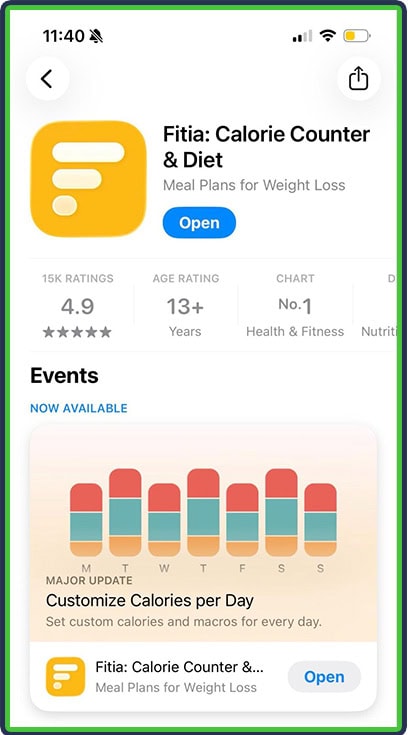
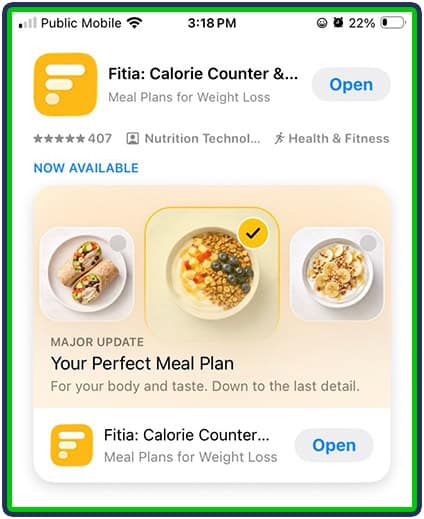
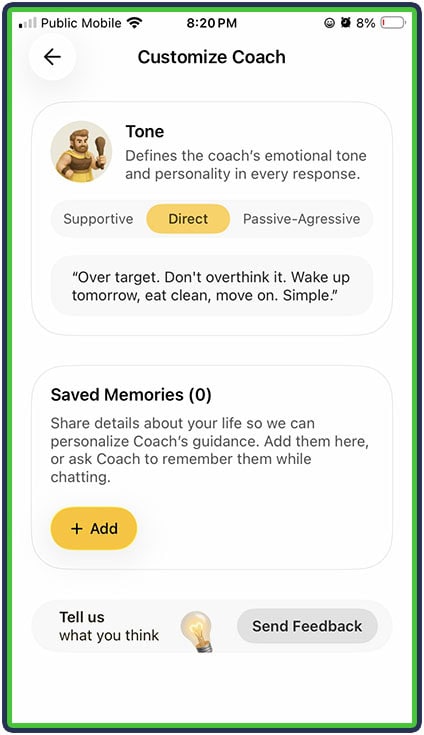
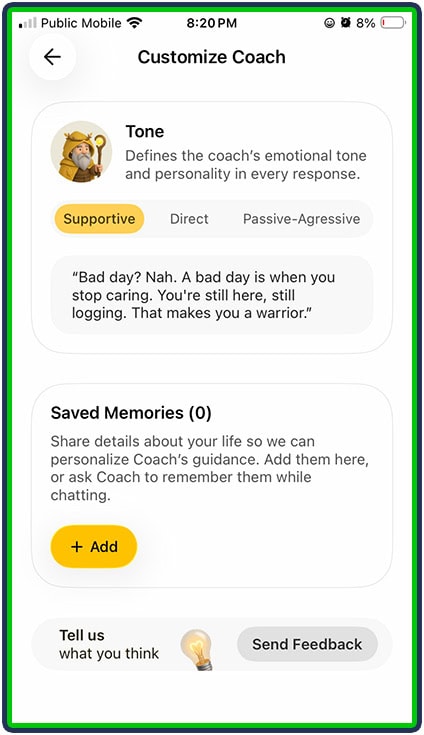
And if MacroFactor is like having a “nutrition coach in your pocket,” Fitia is looking to make that even more customized by offering three different coaching “voices”: Direct, Supportive, and Passive-Aggressive.
How Does Fitia Work?
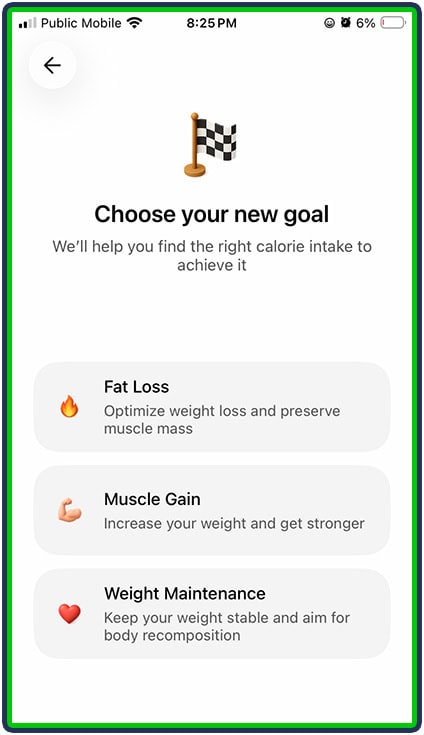
Like most other nutrition apps on the market, you start with a standard intake where you enter your personal data (biological sex, age, height, weight, goal and activity level).
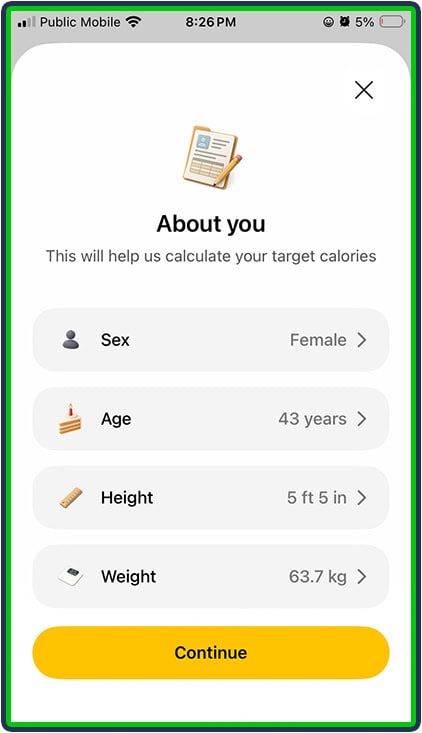
Fitia then goes beyond the standard intake to find out more detailed personal health information, such as whether the user is managing a health condition like diabetes, hypertension (high blood pressure), hypothyroidism, or insulin resistance. Users can also select pregnancy/breastfeeding and the app will automatically adjust targets upward as appropriate to better support their nutritional and hormonal needs.
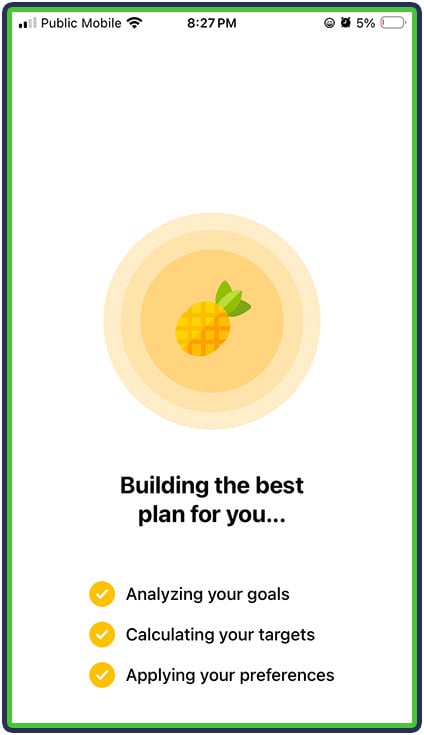
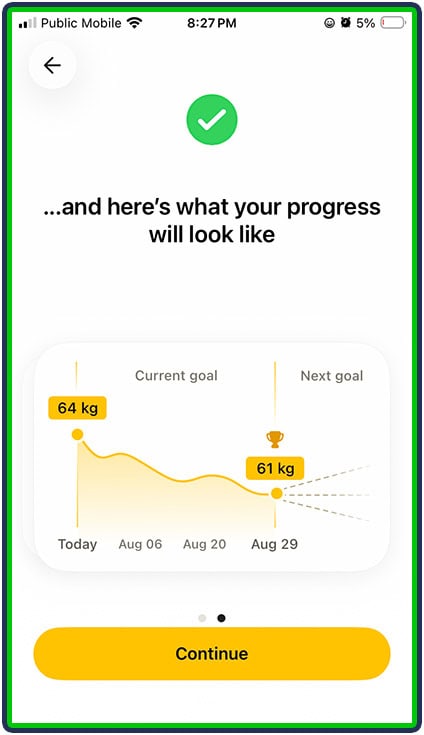
The app then establishes highly-personalized calorie & macro targets, and supports planning your meals aligned with your dietary preferences (Premium only) to hit those targets, and logging foods and progress to ensure you’re on track.
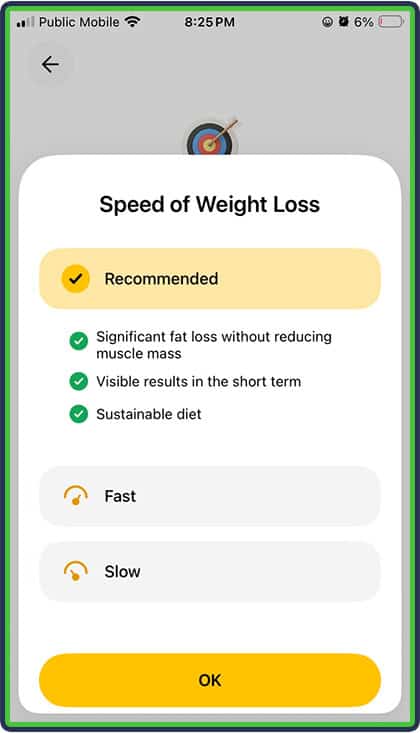
I like that the app has choices for Speed of Weight Loss (or gain, if that’s your goal), with bullet points about the pros and cons of the various options.
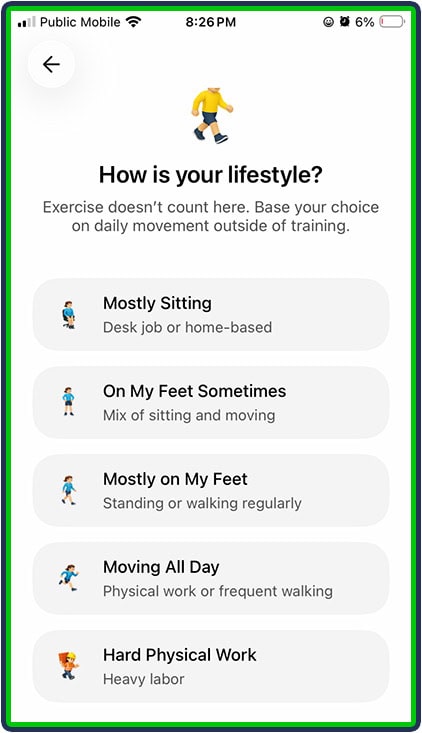
I also like that there are different options for the type of diet, such as high-protein, low-carb, keto, or low-fat. This means that users have options to suit their preferences or requirements.
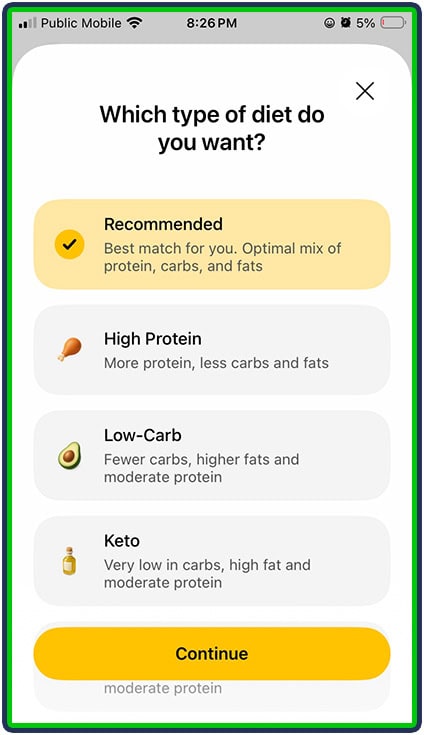
For example, if someone has been advised by their doctor that they should be following a low-carb diet, they can select that option. It is important to ensure that the doctor’s definition of “low-carb” aligns with what the app considers “low-carb.”
I noticed that “high-protein” didn’t actually seem all that “high” to me – I’m used to consuming approximately 1 gram of protein per pound of body weight, and the recommended macros for me on the high-protein diet were right around this level (not above it).
We reached out to Fitia about this, and they explained that this is intentional. Their high-protein target for muscle gain is 1 gram per pound of body weight (2.2 g/kg), which they say is based on research showing that additional protein beyond this level is unlikely to produce further gains in muscle mass for most people.
Fitia also pointed out that this target is already at the upper end of commonly recommended protein ranges for muscle growth. Higher protein intakes may make sense in certain situations, such as for lean athletes trying to preserve muscle during an aggressive calorie deficit, but Fitia adjusts its recommendations separately based on the user’s goal.
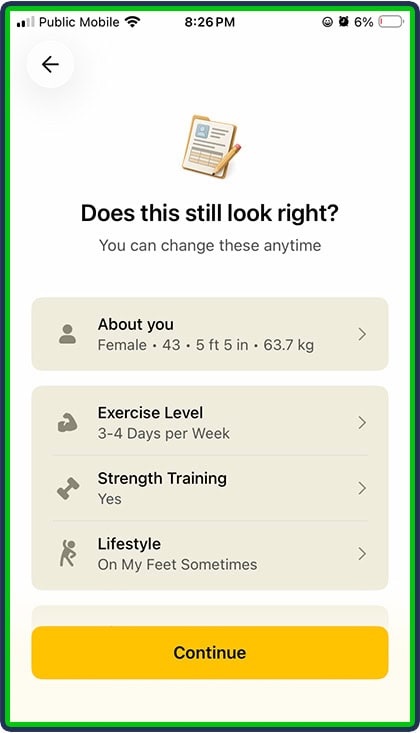
I was glad to see that the app asked about strength training – it’s the first time in literally DOZENS of apps we’ve reviewed here at FeastGood that I’ve seen this called out and mentioned as a requirement for eating more protein.
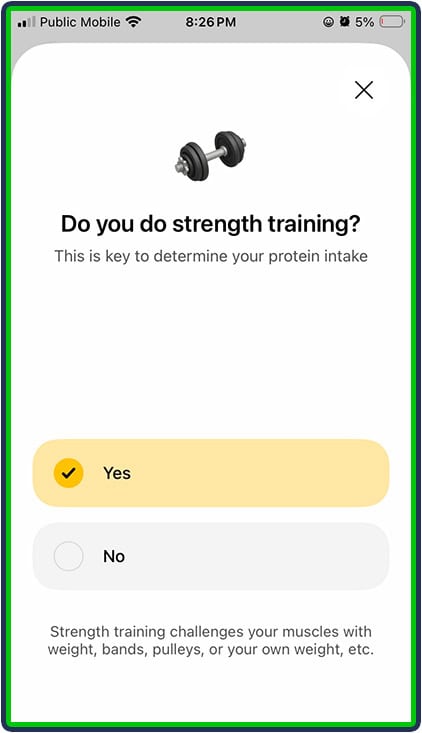
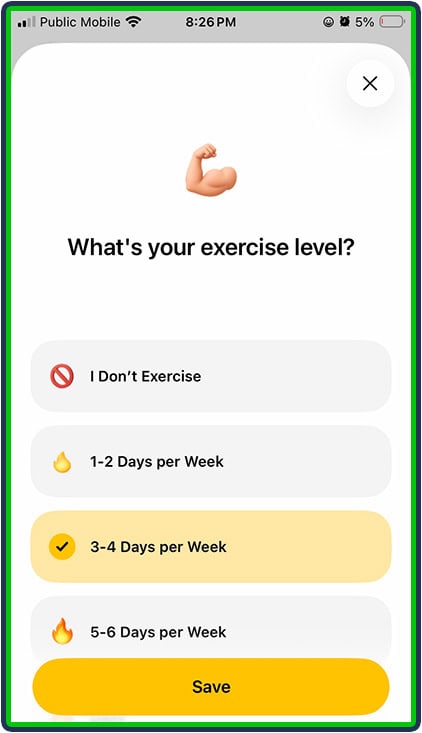
When users select “Yes” for strength training, the app then adjusts its calorie recommendations in line with the expectation that the user likely carries more muscle mass than someone of the same sex, age and weight who does not strength train (and therefore needs more calories).
Compared to the first time I used the app nearly 9 months ago, the calorie recommendation was much more accurate. Its recommendation of approximately 1,500 calories per day for me to lose weight was right in line with what I would expect based on my new sedentary desk job and my decreased training volume (down to 3-4 days per week instead of 5 when I was competing in CrossFit and powerlifting).
I’m really impressed with this update to the app’s calculations.
And, if the app does get its recommendations wrong, the good news is that both the calories and macros in Fitia are customizable (but only in the Premium version – more on that later). However, you’d need to be knowledgeable (or working with a knowledgeable coach) in order to make that adjustment.
In the Premium version of Fitia there is an option for calories to adjust automatically based on rate of progress, so if a user was losing (or gaining) weight faster than the recommended rate, Fitia would adjust the calories upwards.
Those adjustments aren’t free though: Fitia Premium service carries a higher-than-average price at $19.99 US/month. It’s much more reasonable to get an annual membership at $59.99 US/year and the best value is the family plan which allows up to 6 members for just $89.99 US/year.
What I Liked About Fitia
1. Advanced Recipe Features
I’ve been using nutrition apps for so long (off and on for a variety of goals over the years, plus as research for the reviews I write here) that I have created literally hundreds of recipes.
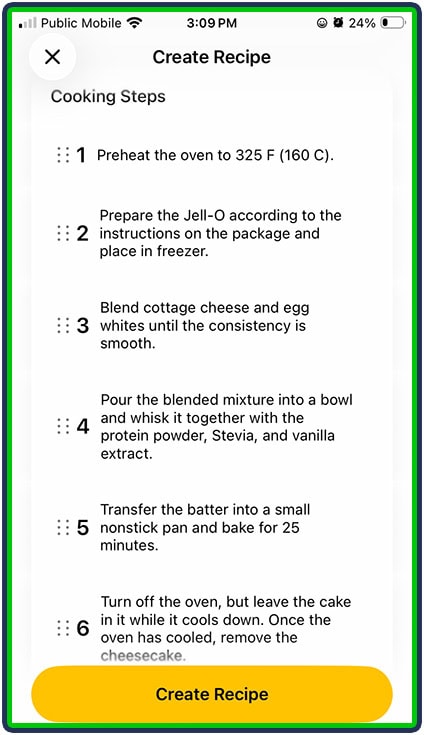
Fitia had all the “standard” recipe functionality I’ve come to expect (searching for ingredients, adding the appropriate amounts, including instructions/steps) and I was really impressed with the recipe import functionality.
I pasted a link from a Tiktok reel, and the app was accurate in capturing the ingredients, including the correct amounts of each, and calculating the macros and calories for the recipe. It even snagged a screenshot from the reel to show what the end result should look like.
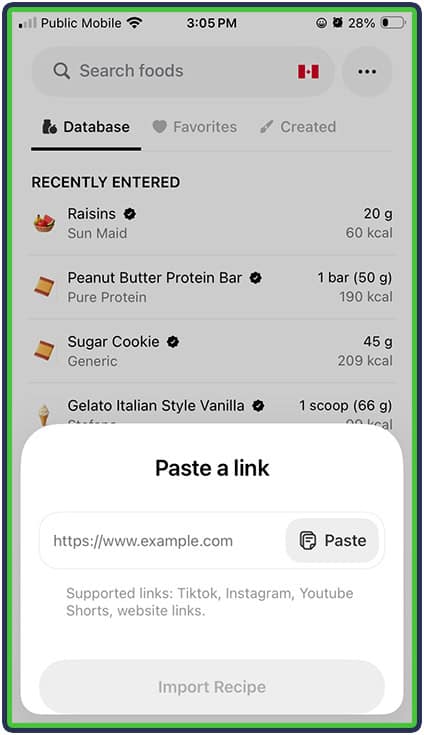
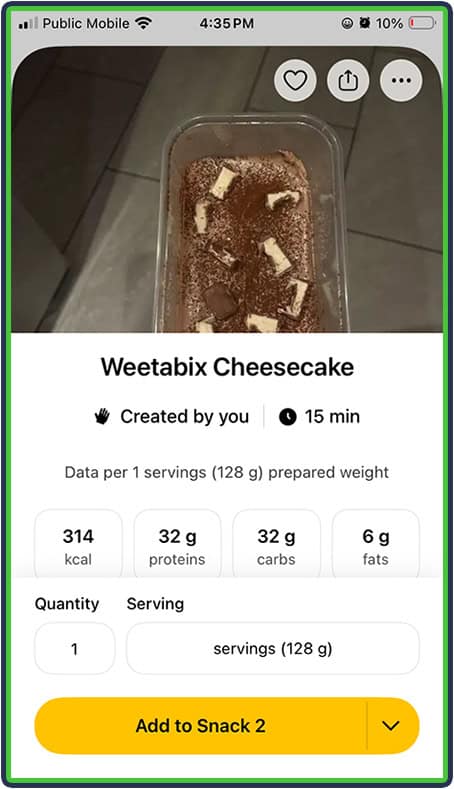
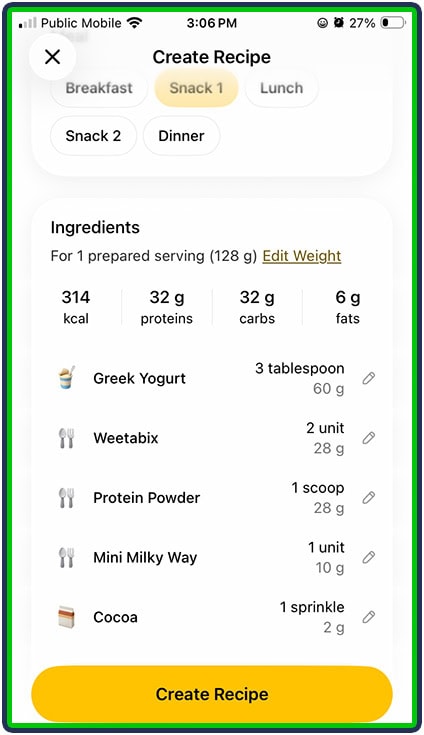
Next, I tried pasting a recipe URL from a website, and Fitia impressed me again, including copying in all the recipe directions in Steps in the recipe. It was really easy to adjust the ingredients if needed, such as removing, adding, or adjusting quantities.
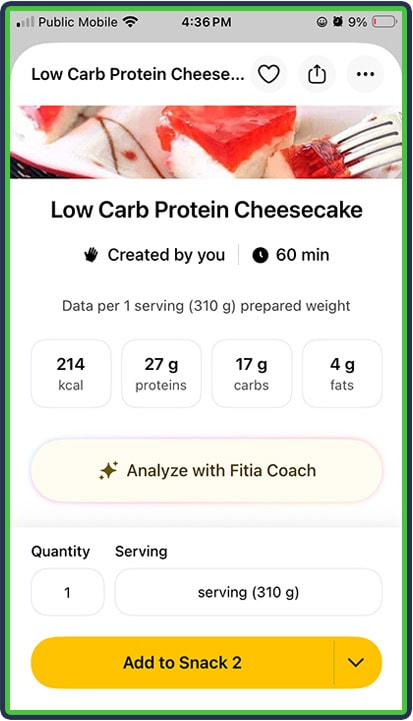
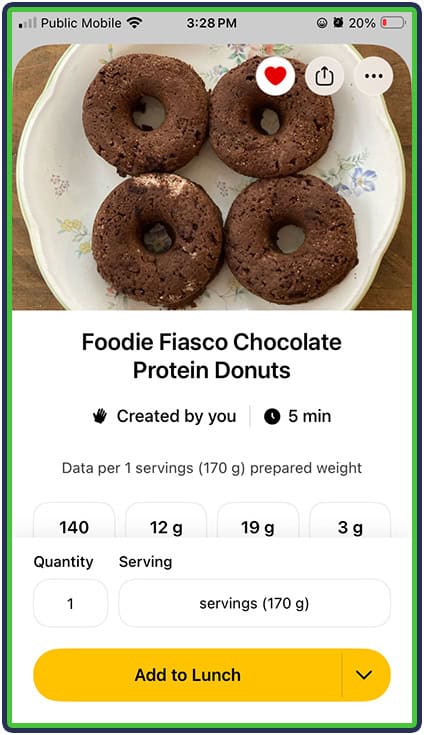
It’s also the first app where I could include a photo of my own recipe, which I really liked:
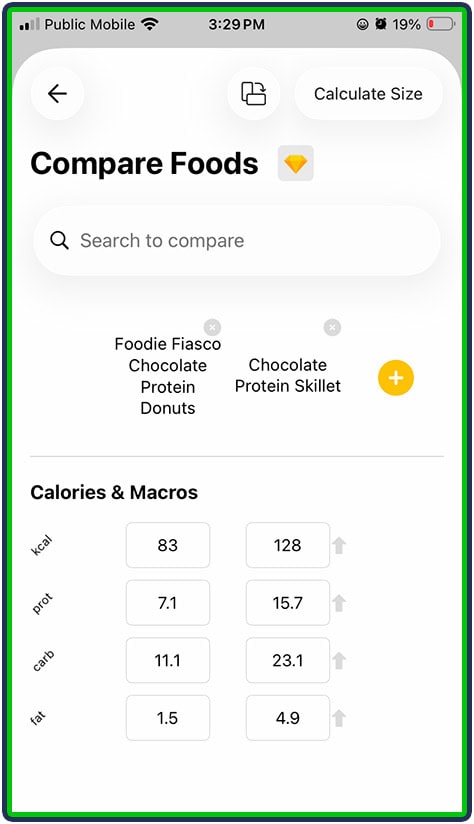
It’s also got a “Compare” feature where I can compare my Recipe to another food (whether that’s another recipe in my library, or a food I search for). That can help users decide on the best option to meet a particular goal, for example if they’re deciding which recipe will provide more protein at dinner.
2. Coaching Personalities
I thought it was really fun (and smart!) that Fitia allows users to select from three different coaching “personalities”: Direct, Supportive or Passive-Aggressive. Not everyone wants a tough-love approach; for others, it’s the only way they are going to see results.

Here is an example of the feedback I got from the Fitia Coach (Direct style) when I asked a question about my breakfast:
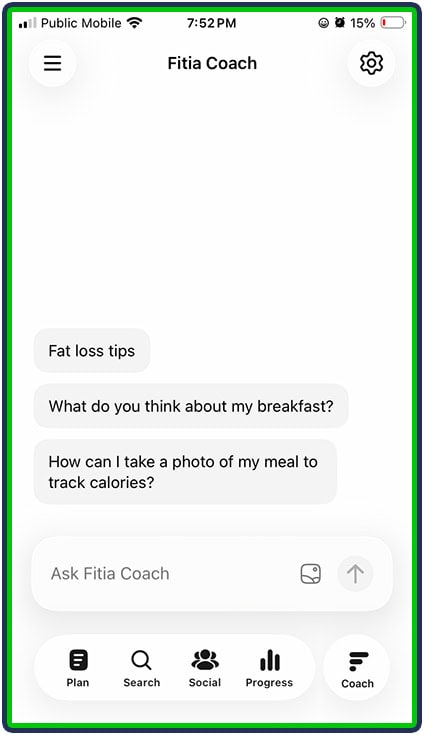
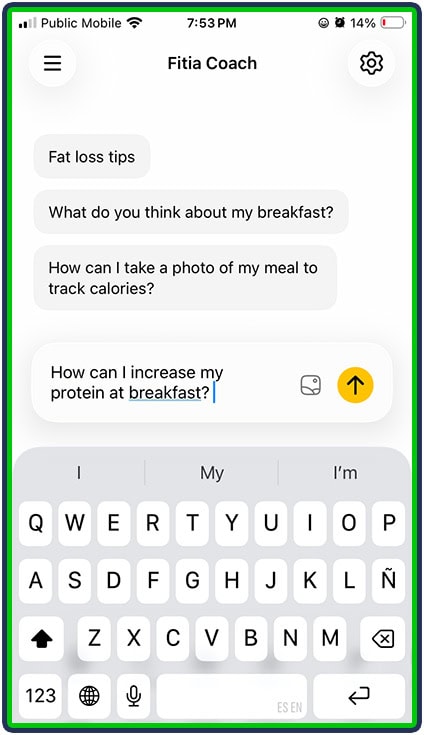
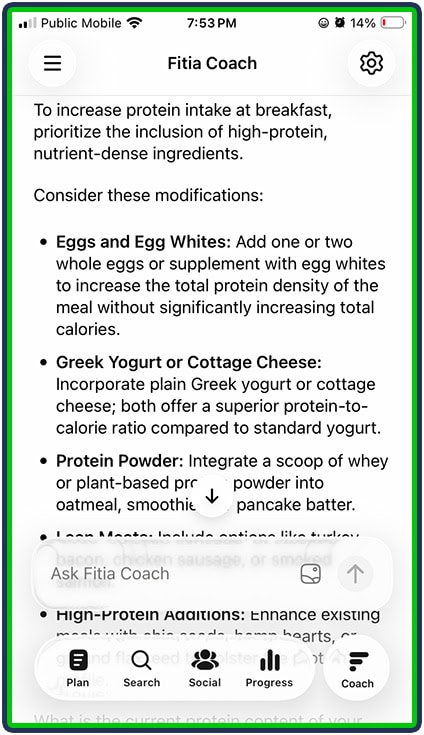
It provides helpful prompts of sample questions users can ask, in case they’re not sure about what they should or could ask for help with. The Fitia Coach provided the same recommendations I would provide to a client about increasing protein intake at breakfast.
Users can even attach photos for the Fitia Coach to analyze, whether it’s for asking about body composition changes, or analyzing a possible food choice or menu review to help select a meal.
The app also has a built-in community in the Social section, with groups to join for accountability, support or friendly competition – whichever suits you best to help you reach your goals. Users can post photos, comment and share wins (or ask for help navigating challenges).
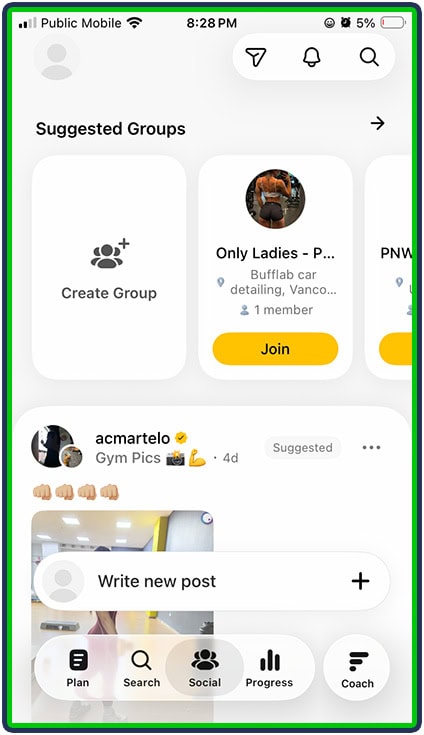
3. “Flexible Dieting” Approach
I also really liked that Fitia incorporated some of the principles of “Flexible Dieting” (if you haven’t checked out the book “Flexible Dieting” by Alan Aragon – or didn’t even know this concept came out of a book – I highly recommend it!).
It reminded me of the good old days of IIFYM.com (“If It Fits Your Macros”), where foods like donuts were no longer demonized, and chicken breasts, brown rice and broccoli were no longer lionized. Foods were just looked at from the perspective of what macros they provided, in what amounts, and which combinations of foods would help you balance both sanity and satiety.
You can see that the “Fitia Coach” gave helpful background about how to make the donut “fit” in the context of my overall day. This is exactly the type of advice and approach that I would take as a nutrition coach working with my own client.
That said, if I also tried to add pancakes later in the day, Fitia reined me in with helpful advice about why they just weren’t going to work on a day that also included a donut.
Trying to make certain foods “bad” or “off-limits” rarely works as a dieting approach and usually just makes clients more likely to binge on those foods. Finding a way to include “fun” or “soul” foods in a moderate way results in a more successful, sustainable and enjoyable weight loss journey. The “Supportive” Coach is especially kind and understanding in this regard.
3. Treatment of Exercise Calories
Similar to what I said about Fitia’s approach to “fun” foods, it’s also spot on with its treatment of exercise calories (calories burned through exercise).
We often talk about exercise calories in our review of nutrition apps. Fitia does a great job of explaining the fact that our target calories already take into account a user’s original physical activity level.
However, if you do have a day that has an unusually high amount of activity, it’s nice to know that you can add the exercise calories to increase your calorie targets for the day. The goal is to keep the deficit roughly the same, so if calorie expenditure goes up more than normal, intake needs to go up as well.
The app can even differentiate between additional exercise compared to just a more active day, which adds to the NEAT (non-exercise activity thermogenesis) part of Total Daily Energy Expenditure (TDEE): there is a distinction between the calories you burn just from moving around more (like fidgeting, extra household chores, a marathon shopping trip at a store versus clicking on Amazon – this would show up as a higher step count, and users can log their steps in the app) and the calories you burn from intentional exercise (EAT: exercise activity thermogenesis).
And, just like with multi-day logging of foods, users can log the same exercise across multiple days (the trick is to ensure the workout actually gets done as logged!).
4. Multiple Ways To Log
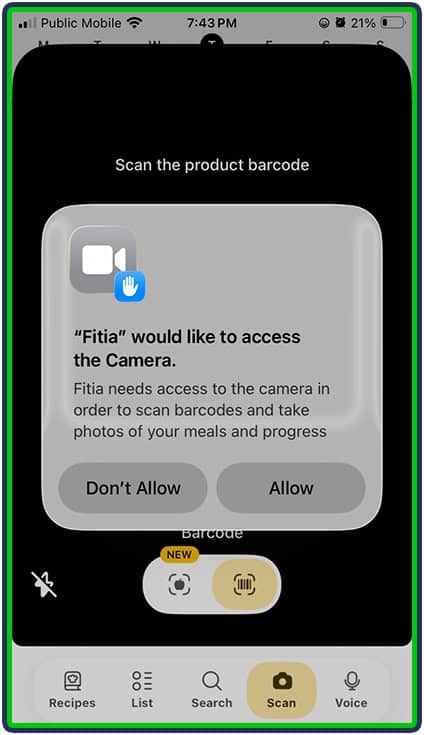
The free version of Fitia offers basic food text logging (typing what you ate) and barcode scanning, and full access to the nutritionist-verified food database.
Barcode scanning:
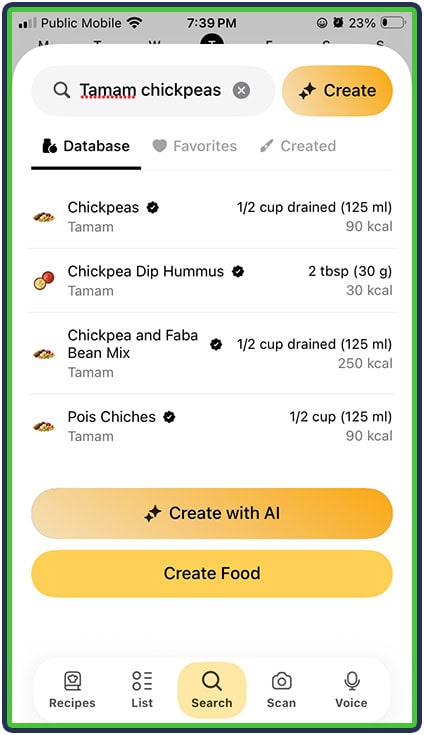
Here is an example of the text-based search. I like that it shows the serving size and calories so that I can tell right away if the food is accurate compared to the label (in contract, Cronometer requires me to click to an extra screen to see the calorie information for a food):
Full access to the database is available in Premium, which also unlocks Photo Food Logging and Voice Food Logging. I keep mentioning features and functionality that impress me, and the accuracy of the Photo Food Logging is another area where Fitia shines.
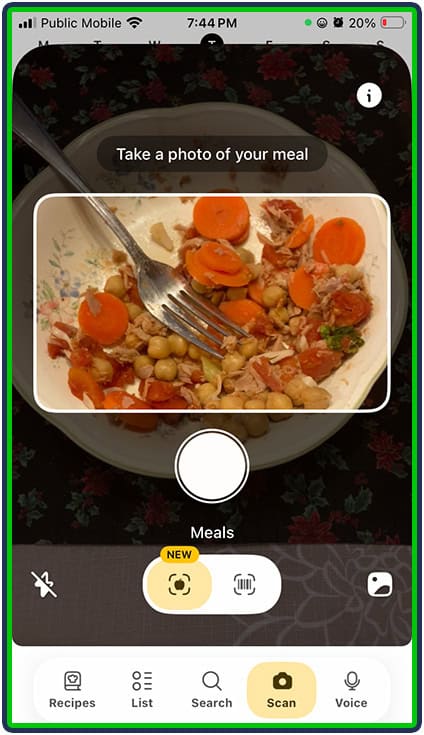
I really liked that I could “improve” the result by telling Fitia a bit more about the photo. For example, it guessed that there was added oil in my salad and only half as much tuna as what was really there. I was able to tell it “No oil and twice as much tuna” and it updated automatically. I also had the option to manually adjust these ingredients as part of logging the meal.
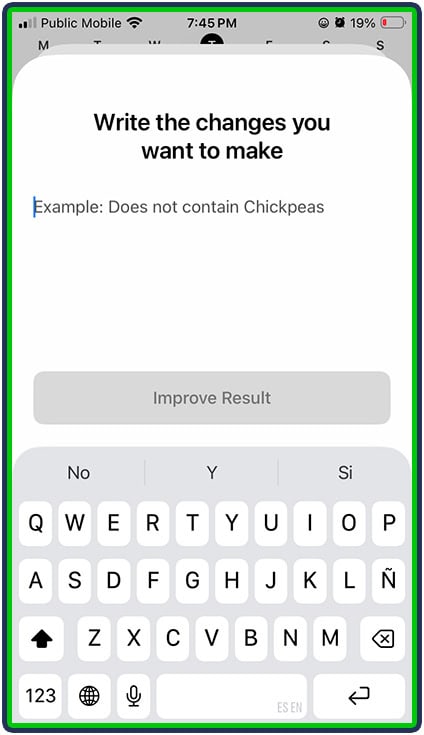
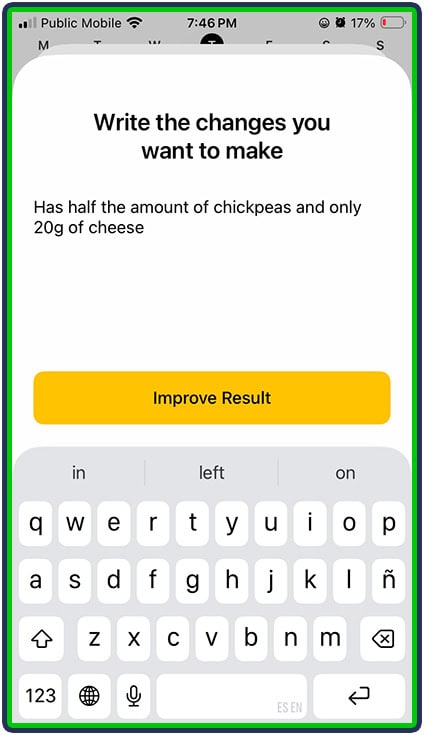
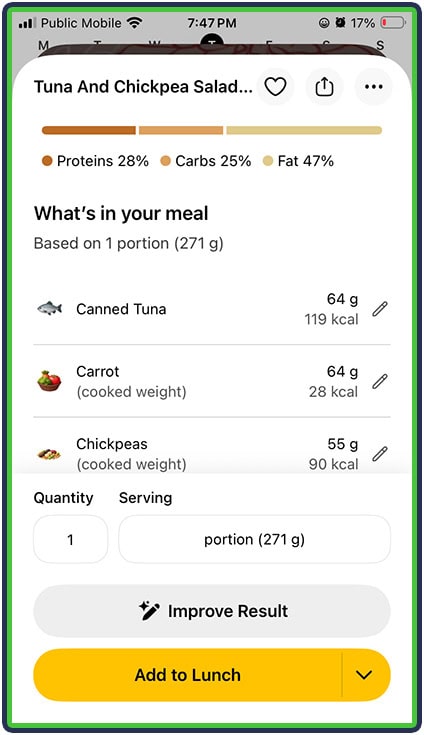
Even though Photo Food Logging technology (meal scanning) is improving day by day, it can still fall short when it comes to accurately estimating the size of the portion and it has a hard time knowing if there are added oils, sugar or salt. So, I think the “Improve” feature is a great option for overcoming this challenge. Users still have to pay attention when using this feature because if Photo Food Logging underestimated the size of a portion of tuna by 50%, it could make the total calories and macros for the day way out of line relative to reality.
I’d recommend using Photo Food Logging as a “last resort,” for example, at a restaurant or other social event with no opportunity to weigh or measure the food more accurately. It’s better than not logging the food at all, but I certainly wouldn’t rely on it myself or for my clients as the main way to log intake.
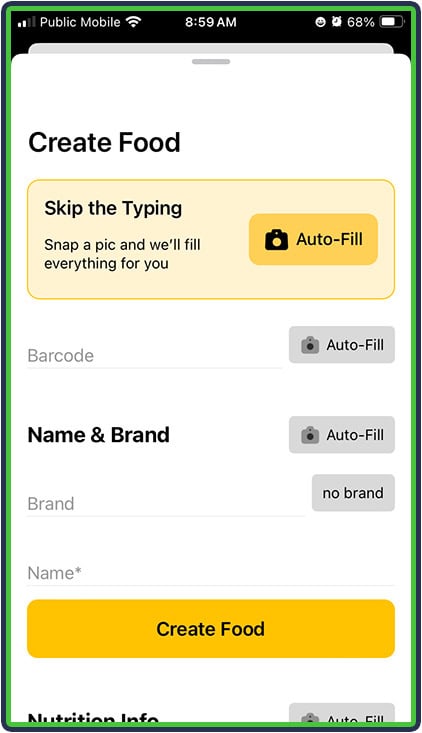
Speaking of photos, Fitia also has similar “Create Food” functionality for barcodes not already in its database. You just snap a picture of the food and its nutrition label, and it gets added to your custom foods list:
Voice Food Logging was more impressive to me than the Photo Food Logging: I was able to speak the exact food and exact serving size, and Fitia recorded it accurately. Keep in mind, however, that that required me to weigh or otherwise measure the food first – it was just a shortcut compared to typing.
After I said “Apple, 175 grams” I was prompted to confirm that the app had heard me correctly. If I had not specified a quantity, I’d have the chance to add/change it as part of logging.
5. Meal Planning
In this Fitia App Review, I was impressed with the meal planning feature of Fitia.
Moreover, if I were a beginner with no idea which foods hit daily targets, I would love this.
Together with shopping list based on planned meals, these features elevate the app from tracking food to planning and tracking.
Even experienced cooks might feel stumped preparing meals to support a particular health condition, so I also loved that the meal planning feature now takes into account concerns about diabetes, high blood pressure, and more.
One thing to keep in mind is that the usefulness of Fitia’s meal plans depends a lot on how you set up your preferences. During onboarding, you can choose which ingredients you want to include or avoid, which helps keep the recommendations closer to foods you already eat and are comfortable buying.
You can also choose whether you want Fitia to suggest full recipes, simple foods, or a mix of both. If you select recipes, the app provides the ingredients, preparation steps, and cooking time. If you prefer something more basic, you can stick with simple foods instead.
That flexibility makes the meal-planning feature more practical than it initially appeared to me. Someone who enjoys cooking can use the recipe suggestions, while someone who just wants straightforward meal ideas can keep things much simpler.
As a nutrition coach, I normally prefer for clients to start by logging what they normally eat, and then identifying opportunities for improvement, rather than completely overhauling their diet AND adding food logging on top of it. That many changes all at once rarely sets people up for success.
On the other hand, sometimes a solid meal plan takes the overwhelm out of trying to decide what to buy and eat and can reduce anxiety, especially if someone is facing a new health diagnosis. Context matters!
I also noticed that if I recorded the exact amounts suggested, I didn’t necessarily stay all that close to the suggested macro targets. In the screenshots above, you can see that my carbs and fats were well over the targets of 157 and 48 grams, plus my calorie count was above the target.
We reached out to Fitia about this, and they explained that the meal plans are designed with some built-in flexibility rather than trying to hit each target exactly. Meals can fall roughly within ±10% of the calorie target and ±15% of the macro targets. According to Fitia, this helps avoid awkward or unrealistic portion sizes that might make a meal plan more precise on paper but harder to follow in real life.
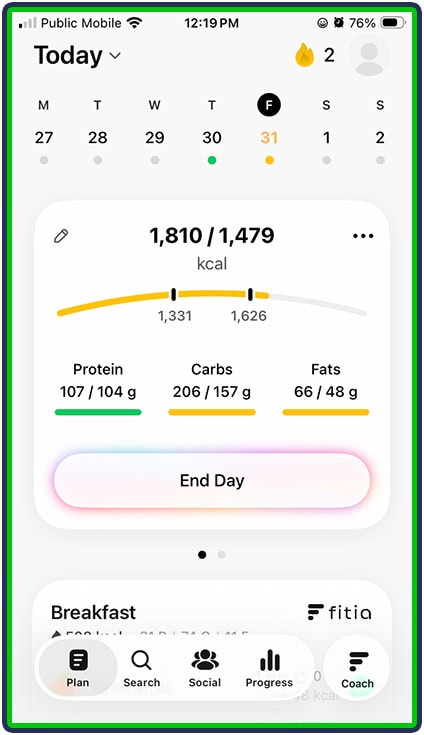
Normally the AI meal planning has the calories matching the target precisely, with only slight variations in macros.
6. Reminders
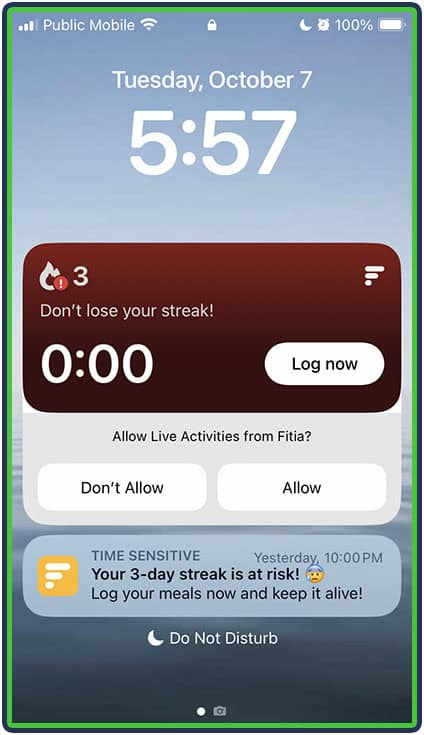
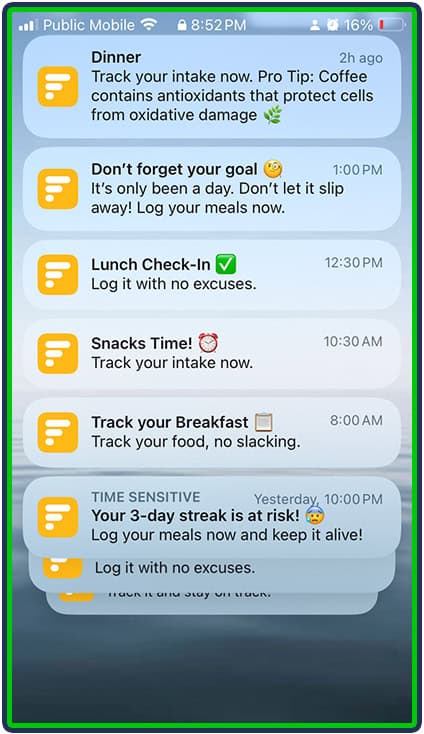
I’m putting this at the bottom of my list because I can’t decide if I actually liked reminders to log my food, or found them annoying. But especially for new users, I think reminders to log their food timely (which assists with accuracy of entries and mindful planning) is a helpful feature:
What I Didn’t Like About Fitia
1. There Are Only Five Meals
Between my main meals and my pre- and post-workout snacks (and sometimes a bedtime snack, too), I eat 6-8 times per day. I found it limiting that my only meal entry options were pre-formatted as Breakfast, Lunch, Dinner, Snack 1 and Snack 2.
In order for me to know if I’m getting the right amount of calories and macros each time I eat, I really like to be able to see each meal separately. In Fitia, my “Snack 1” or “Snack 2” category would end up at 500-600 calories for the day, with no easy way to see which foods were consumed at what times, and whether I was hitting my desired macro targets for each of those snacks.
For example, my pre-workout and post-workout snacks are usually low in fat and fiber to ensure that my protein and carbohydrates are digested quickly to fuel me up for and recover from my workouts. That’s different from my bedtime snack with slow-digesting proteins and carbohydrates to help me recover overnight and be ready for my early-morning workout the next day.
2. There Is No Desktop Version Of The App
Sometimes I just want to be able to sit at my computer desk and look at a full-size monitor with access to a mouse and keyboard for my nutrition tracking, rather than swiping on a handheld screen.
For users like me who enjoy the desktop experience, this is not an option with the Fitia app (at least not yet).
Setting Up Fitia
Setting Calorie Goals
If a user notices that their default calorie target is too low (or too high), it’s possible to adjust it. Fitia actually has great built-in search features, and I was able to use the Suggested topic “How to edit diet type and macros” to change my calories.
The app reminded me of my original Activity level setting (which used to be 5 days of training per week). Now that I only train 3-4 days per week, I adjusted it and the calorie calculations followed. And no matter what users put into their activity and lifestyle settings, they still have the ability to set up custom calorie and macro targets (only available in the Premium version, though).
Users can also cycle their calories, setting higher or lower intake on different days.
Any of the outlined boxes were editable (Base Calories, Exercise and Calorie Deficit). I opted to simply increase my Base Calories upward until I got my desired Target Calories (these could be provided by a nutrition coach or other healthcare professional). I also could have reduced the Calorie Deficit % instead, to increase the Target Calories.
Setting Up Macronutrient Distribution
In the Premium version, I was also able to adjust the macronutrient targets, by grams or by percentage:
Logging Foods
Once your calorie and macro targets are set up to your liking, it’s time to start logging foods to try to hit those macros.
I started with my breakfast, which included oatmeal with dates and hemp hearts. I was pleased to see that it was easy to switch between different units of measurement (ounces, grams, handful, cup – my preferred option is grams).
I liked that each meal displayed the calorie and macro totals for the meal (for example, my breakfast was 302 calories with 8 grams of protein, 48 grams of carbs and 10 grams of fat).
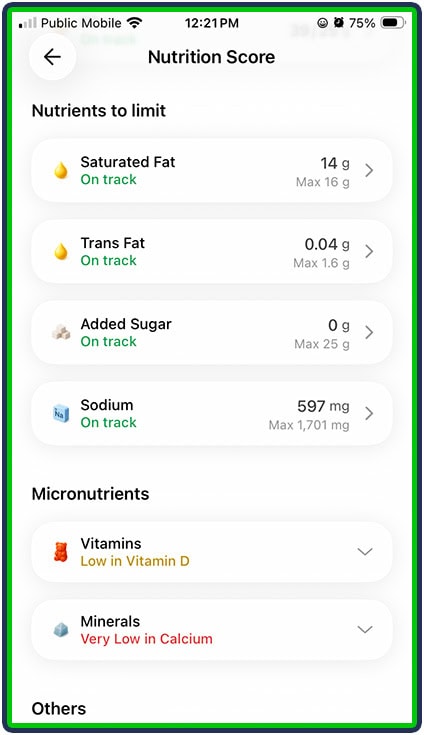
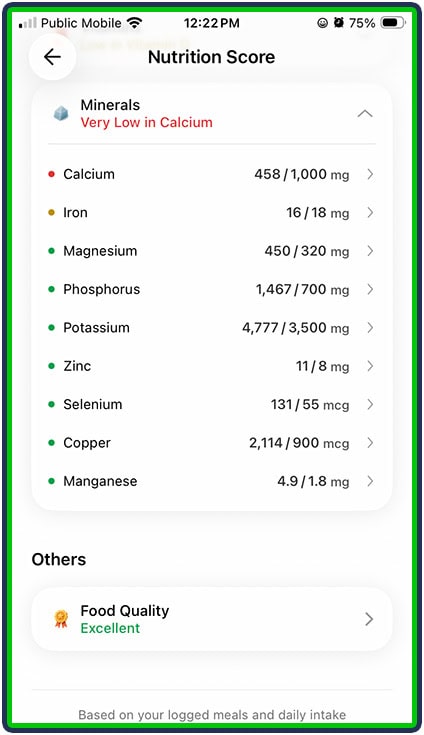
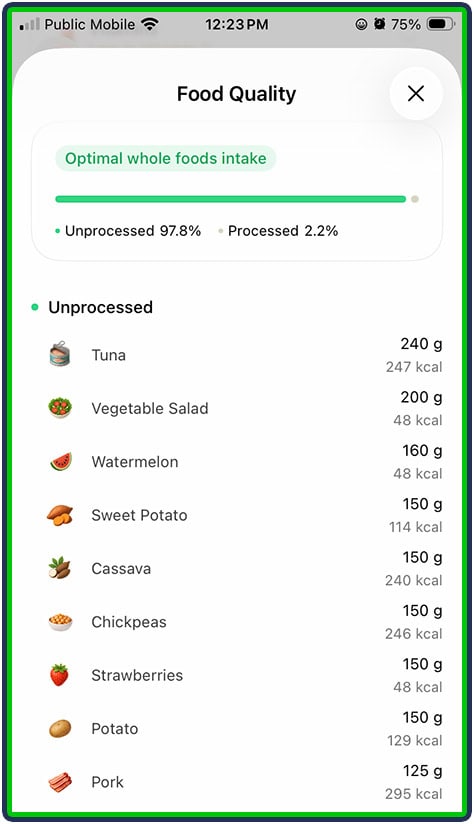
And when I saw the “Analyze with Fitia Coach” option, I had to check it out. There is also a daily Nutrition Score to rate the overall nutritional quality of the meals for the day. I was surprised that I felt like I got “in trouble” for being low in calcium, since I followed all the suggested foods for each meal according to the Meal Plan.
Fitia also has multi-day logging. If you’re like me and you eat the same breakfast (or other meal) several days in a row, you can copy the meal and log it for days in the future:
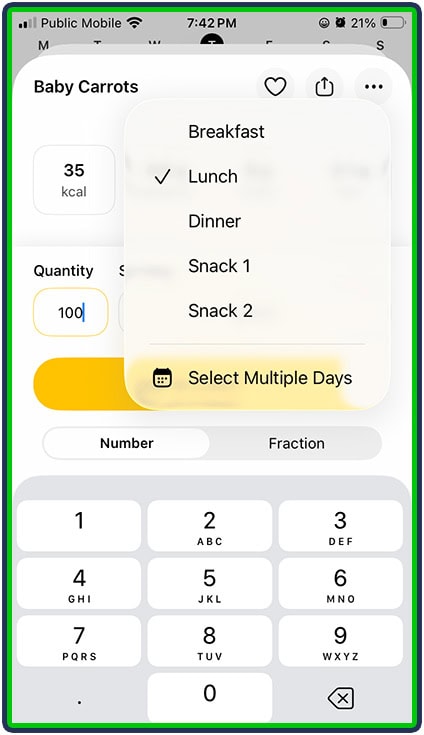
You can also choose to log a food item on multiple days, and specify which meal or meals to add it to (for example, maybe you always have baby carrots at lunch and as part of Snack 1):
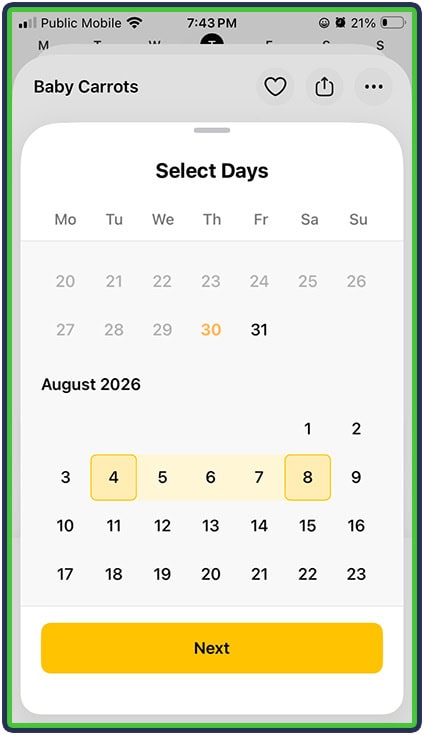
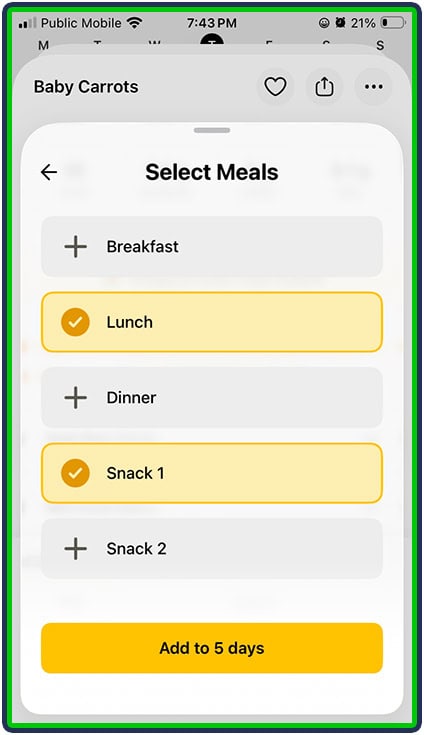
The other option you are prompted with when you start a new day is “Copy from yesterday?”
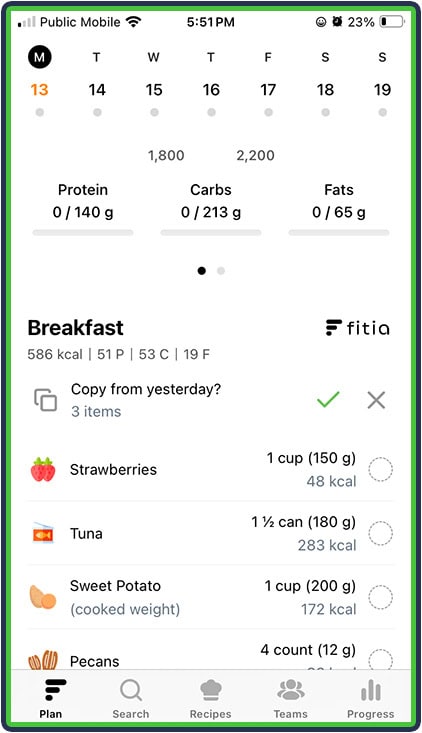
Like many other apps, there is an option to mark a food as a “Favorite” so that it shows up in your Favorites list, making for faster logging. In Fitia, this is done by selecting a heart icon in the top right of the screen, above the name of the food (circled in the screenshot, below):
Fitia also has a “Recently Added” section to its database search where your most recently added foods show up. Since most of us tend to eat similar foods from day to day, having those commonly-logged foods at the top of the database makes for faster and easier logging.
Throughout the day as you log foods, Fitia will show how you are doing toward your targets for the day, both in terms of calories and macronutrients:
You can also log water, and even get notifications to remind you to drink water, rather than having to set up a separate alarm/reminder on your phone.
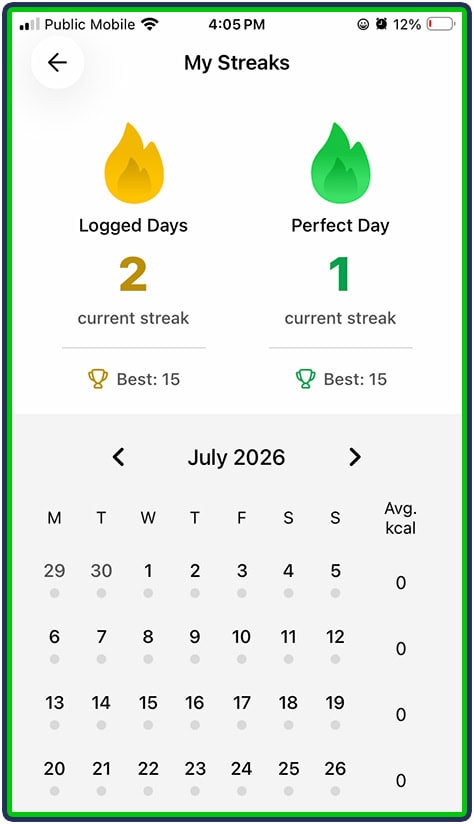
At the end of the day, you are “rewarded” with an update to your Logged Day Streak:
Logging Progress
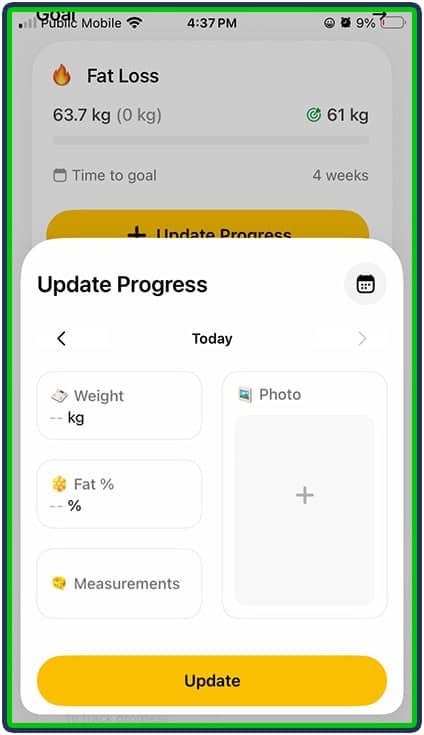
After you log your food, then it’s time to log your progress. It’s easy to add body fat percentages, body measurements, and progress photos all in the Progress pane:
What Do Users Have To Say About Fitia?
Fitia has a very strong rating on the Apple App Store with an average rating of 4.9 out of 5, based on tens of thousands of ratings globally.
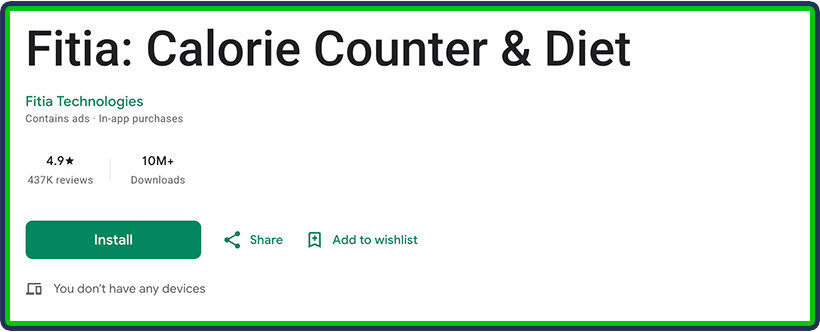
Google Play gives it a rating of 4.9 out of 5, based on 400k reviews, and over 10 million downloads.
That said, users have very mixed comments. Some users rave about the advanced logging options:
“Easy to log what I eat, even by voice. I didn’t expect to like it this much” – Chloelg25
“Easy to track my macros, log items using barcode, picture, or looking them up.” – Lilcry667
Other users are very disappointed about the lack of functionality in the free version:
“This app was labeled as free I just wanted an app to give me healthy recipes for weight gain and it would even be a bonus if it could mean plan for me. You can’t do any of that without buying premium…I had so much hope and I thought this would be the good one I’m disappointed.”
“Alright so, the app is great…if you have premium.” – Rosie17378372
How Much Does Fitia Cost?
There is a free version of Fitia with limited features and basic calorie and macro-tracking functionality. The Premium version ranges between $59.99 US/year to $89.99 US/year for the family plan, although pricing does vary by region. You can use code Feastgood to get 20% off any Fitia Individual plan.
Who Should Use Fitia?
Users who want a “full-service” nutrition app and are open to paying for and following recommendations for what foods to eat in what amounts (a.k.a. a meal plan) are good candidates for Fitia.
The app is also a great choice for people who are keen to learn more about the science behind nutrition coaching, and invest time in learning about what foods are better choices than others, and why, by taking the time to look them up and read about them in the “Analyze” option.
Who Should NOT Use Fitia?
Fitia may not be ideal for more advanced users who want information on more than the 21 micronutrients that Fitia tracks, or those who don’t want to pay a premium for a lot of features that are included for free in other apps.
Sign Up For Fitia
Get the app for iPhone or Apple Watch from the App Store, or from Google Play.
Frequently Asked Questions
Is Fitia Good For Weight Loss?
Yes, Fitia is good for weight loss, and provides a balanced approach to coaching users through “off-track” days.
Is Fitia Free?
There is a free version of the Fitia app, but most of its best features (such as meal planning) are only available in the paid Premium version of the app. There is a free three-day trial of Premium offered when you first sign up, but three days really isn’t long enough to explore all the features of the Premium version.
Is Fitia Compatible With Apple Watch?
Yes, Fitia has a native Apple Watch version that can be downloaded to and run directly from an Apple Watch to monitor goals, log food and view your meal plan, all from your wrist!
How Do I Cancel My Fitia Subscription?
I was able to cancel my subscription directly from the settings on my iPhone, in the Subscriptions section of settings. Once you cancel the subscription, you still have access to the Premium features until the end of the paid service date. Then, you can keep using the free version of the app, if you want.
Keep in mind that it’s important to cancel your subscription before deleting the app. Deleting the app alone will not stop the automatic payments for an active subscription.
How To Contact Fitia?
I love that Fitia has built-in support, right inside the app. There is a live chat agent available. Plus, the Fitia AI Coach can answer common nutrition questions.
Final Thoughts
If you’re serious about nutrition tracking, meal planning and hitting your macros with precision, Fitia is one of the stronger apps on the market right now. It brings together logging, planning, shopping prep and progress tracking into one package. The personalized planning + grocery list features are the differentiator.
However, for users who just want a “log my calories” app without much fuss, the free version might feel restricted — and you might prefer a simpler tool (free or low-cost). The key question is: Will I use the advanced features? If yes → the investment may pay off. If no → you might be paying for more than you use.
In summary: 4.7 out of 5 stars. A strong pick for users who’ll leverage its planning + grocery features; advanced athletes may still prefer apps with deeper logging controls.
Other App Reviews
About The Author

Lauren Loveswell is a Precision Nutrition Level 1 certified nutrition coach. She focuses on helping busy professionals balance healthy eating and purposeful movement. Lauren has a background in competitive swimming and is currently competing as a CrossFit athlete. She has a passion for training, teaching, and writing.
Why Trust Our Content

On Staff at FeastGood.com, we have Registered Dietitians, coaches with PhDs in Human Nutrition, and internationally ranked athletes who contribute to our editorial process. This includes research, writing, editing, fact-checking, and product testing/reviews. At a bare minimum, all authors must be certified nutrition coaches by either the National Academy of Sports Medicine, International Sport Sciences Association, or Precision Nutrition. Learn more about our team here.
Have a Question?
If you have any questions or feedback about what you’ve read, you can reach out to us at info@feastgood.com. We respond to every email within 1 business day.
